• June 19, 2026
  • Apple
    Apple

    Apple Warns RAM Shortages Will See Prices Increase

    Don’t Worry, Rumors Of An iPhone Ultra Delay Aren’t Accurate, Says Leaker

    iOS 27 Beta 2 Download Expected Release Date

  • Google
    Google

    Google Meet Comes To Apple CarPlay, Still No Android Auto Support

    Google Maps Is Getting Gemini AI And 3D Immersive Navigation

    It’s Official: Google Gemini Will Power Future Apple Intelligence And Siri Upgrades

  • Microsoft
    Microsoft

    Get Windows 11 For Just $14 And Microsoft Office From Less Than $19 With These Software Deals

    Grab Windows 10 From Just $9, Windows 11 From Just $12 With These Limited-Time Microsoft Software Deals

    Upgrade Your PC: Get Windows 11 Pro Keys For Just $26 at WhatsGameKey March Sale!

  • Tesla
    Tesla

    Tesla Gives Model S And Model X A Grand Farewell With Special Signature Edition

    Tesla’s Full Self-Driving Is Being Tested In The UAE

    Tesla Just Added A Cheaper Cybertruck And Slashed The Cyberbeast’s Price

  • Reviews
    Reviews

    Stellar Repair For MS SQL – Corporate Edition [Review]

    VideoProc Converter AI Helps Restore Old Videos Up To 4K [Review]

    Why Choose CZUR StarryHub For Meeting Solution?

  • Deals
    Deals

    Go Longer Between iPhone Air Charges With 40% Off The Official MagSafe Battery Pack

    Save $140 Off This 32-Inch Samsung Gaming Monitor With 165Hz Refresh Rate, HDR10 Support

    Wireless, Solar, And Smart: Why This 60% Off Smart Camera Could Be Your Next Home Security Solution

Latest
  • Latest
  • Oldest
  • Random
  • A to Z

PiP

YouTube Seems To Have No Idea When It’ll Bring Picture-in-Picture To iPhones And iPads

Oliver Haslam·April 12, 2022
YouTube seems to have no idea when it'll bring Picture-in-Picture to iPhones and iPads. Here are all the details on this.

YouTube PiP Returns As A Free Feature On iOS 14, But Only If You Use Safari

Oliver Haslam·October 3, 2020
YouTube Picture-in-Picture has returned as a free feature on iOS 14, but only if you use Safari. Here is everything you need to know about this.

YouTube Begins Testing Picture-in-Picture Feature For iPadOS 14

Oliver Haslam·August 29, 2020

tvOS 13 Beta 2 Adds Picture-In-Picture Mode For Apple TV

Oliver Haslam·June 19, 2019
tvOS 13 beta 2 has just added picture-in-picture mode for the Apple TV. Here's everything you need to know about this.

How To Enable Chrome Picture-In-Picture PiP Video Mode Early

Paul Morris·May 16, 2018
Here's how to enable Chrome PiP Picture-in-Picture video mode early on your both Windows PC or Mac computer.

New In iOS 11: PiP Mode For HomeKit Cameras On iPad

Oliver Haslam·July 10, 2017

How To Watch Any HTML5 Video In PiP Mode On iPad

Oliver Haslam·June 2, 2017
A new app, available for the iPad, lets users watch any HTML5 video in PiP (picture-in-picture) mode, something that neither all iOS apps nor Safari can do.

How To Get Picture-In-Picture Mode In Windows 10 For YouTube Videos

Paul Morris·February 17, 2017
Here's how to get picture-in-picture mode in Windows 10 for YouTube (and some other videos) running inside Chrome web browser.

Windows 10 Is Getting Picture-In-Picture Mode

Paul Morris·February 17, 2017

Enable Picture-In-Picture (PiP) In macOS Sierra For YouTube And Other Videos, Here’s How

Paul Morris·September 20, 2016
How to enable Picture-in-Picture (PiP) in macOS Sierra for YouTube and other videos. Here are the details.

Developer Shows Off Picture-In-Picture Working On Apple TV 4 [Video]

Oliver Haslam·January 31, 2016
Developer Steve Troughton-Smith has modified his in-house Apple TV 4 channel-streaming app to allow picture-in-picture viewing, showing it all off in a video.

CornerTube Offers Best PiP Solution For YouTube Videos On iPad

Oliver Haslam·January 24, 2016

Get iOS 9 Picture-In-Picture, Split View On iPhone And Unsupported iPads

Paul Morris·October 15, 2015
You can now get iOS 9 Picture-in-Picture (PiP), Split View, Slide Over multitasking features on iPhone and unsupported iPad models. Here's how!

Vimeo App Brings Picture-In-Picture, Split Screen, Spotlight Integration For iOS 9

Zayed Rehman·October 13, 2015
Vimeo, the popular video streaming service, has just updated its app for the iPhone and iPad to support new features of iOS 9. What that means is that all those multitasking features introduced by iOS 9 on the iPad are now compatible with the latest version of the Vimeo app.


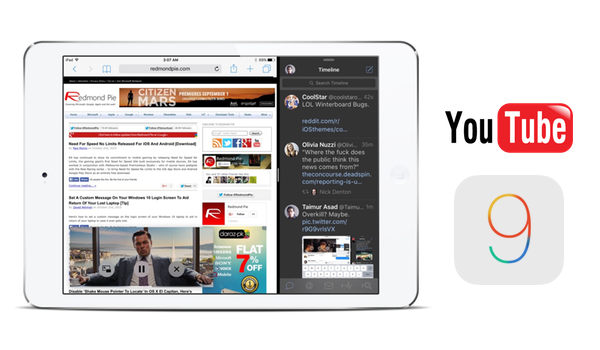
Watch YouTube In Picture-In-Picture (PiP) Mode On iPad In iOS 9, Here’s How

Paul Morris·October 11, 2015
Load More

TRENDING NOW

Apple Warns RAM Shortages Will See Prices Increase

Don’t Worry, Rumors Of An iPhone Ultra Delay Aren’t Accurate, Says Leaker

iOS 27 Beta 2 Download Expected Release Date

Apple Releases iOS 26.6 Beta 2 To Developers

iOS 27 Photos App Features: Here’s Everything New

iOS 27 Brings Landscape Mode To More Apps As Foldable iPhone Rumors Continue

Apple’s macOS 27 Golden Gate Will Be Last To Support Intel Apps

The iPhone 17’s 8GB RAM Means It Misses Out On Two iOS 27 Features

[iOS 27 Updated] 7 Ways To Fix Unable To Check For Update Or Not Showing On iPhone/iPad

How To Remove iOS 27 Beta? 7 Safe Methods To Roll Back To Stable iOS 26

FOR YOU

iOS 27 Public Beta 1 OTA Release Date Set For Next Month Alongside iPadOS 27, macOS 27

iOS 27 Update To Bring New Camera App, Updated Weather, and More

AI Could Create Custom Shortcuts Actions In iOS 27, Report Claims

How To Remove iOS 27 Beta? 7 Safe Methods To Roll Back To Stable iOS 26

iOS 27 Apple CarPlay Features: Here’s What Is New

The iPhone 17’s 8GB RAM Means It Misses Out On Two iOS 27 Features

iOS 27 Will Bring New Apple Intelligence Photo Editing Tools To iPhone

How To Downgrade iOS 27 Beta To iOS 26.5.1

  • About
  • Advertise
  • Privacy Policy
  • Tip Us
Copyright © 2008-2026 Redmond Pie. All Rights Reserved.
  • About
  • Advertise
  • Privacy Policy
  • Apple
  • Google
  • Microsoft
  • Tesla
  • Reviews
  • Deals
Start typing to see results or hit ESC to close
Apple iPhone deals iPad Android
See all results

SUBSCRIBE

Join 100k+ other tech lovers and get the latest news in your inbox
[mc4wp_form id="389"]