• September 20, 2026
  • Apple
    Apple

    iOS 27 Battery Life And Performance Video Put Apple’s New Update To The Test

    Apple Added A New Scam Prevention Feature With iOS 27

    iPhone 17 Pro / Max Case Compatibility For iPhone 18 Pro According To Apple

  • Google
    Google

    Google Account Recovery Now Needs Your Face And Your Face Alone

    Google Meet Comes To Apple CarPlay, Still No Android Auto Support

    Google Maps Is Getting Gemini AI And 3D Immersive Navigation

  • Microsoft
    Microsoft

    Get Windows 11 For Just $14 And Microsoft Office From Less Than $19 With These Software Deals

    Grab Windows 10 From Just $9, Windows 11 From Just $12 With These Limited-Time Microsoft Software Deals

    Upgrade Your PC: Get Windows 11 Pro Keys For Just $26 at WhatsGameKey March Sale!

  • Tesla
    Tesla

    Support For Apple TV, HBO And More Come To Tesla’s In-Car Entertainment Screen

    Tesla’s 10 Millionth EV Has Been Built

    Tesla Releases Summer 2026 Software Update, Here’s What Is New

  • Reviews
    Reviews

    Stellar Repair For MS SQL – Corporate Edition [Review]

    VideoProc Converter AI Helps Restore Old Videos Up To 4K [Review]

    Why Choose CZUR StarryHub For Meeting Solution?

  • Deals
    Deals

    Protect Your iPhone 18 Pro For Less With 15% Off Three ESR Screen Protectors

    Get $100 Off Apple’s Latest Big-Screen 13-Inch M4 iPad Air This Weekend

    This AI-Powered Mini Split AC Could Cut Your Energy Use By 38%, Discounted For Limited Time

Latest
  • Latest
  • Oldest
  • Random
  • A to Z

keyboard

Type Nine Keyboard Brings The Traditional Typing T9 Keypad To iOS 8

Zayed Rehman·November 13, 2014
Before there were hardware and soft, full-sized QWERTY keyboards for mobile devices, there was the good ol' alphanumeric keypad. Type Nine keyboard for iOS 8 is bringing back that experience to users who are actually hesitant of using smartphones, not just because of the whole touch experience, but because of the rather tricky QWERTY keyboard.
This Third-Party iOS 8 Keyboard Is Designed For People With Fat Fingers

Zayed Rehman·November 10, 2014
Opening up third-party keyboard support in iOS 8 by Apple has seen an influx of replacements ranging from those focusing on design and aesthetics, to those more targeted towards functionality and ease of use for particular users. ThickButtons is another keyboard replacement that is targeted towards the latter users, with a focus on helping users with big or thick fingers type with more control over the keys they tap.

Slated Keyboard For iOS 8 Translates What You Type In Real Time [Download Link]

Zayed Rehman·November 7, 2014

Official Swype Keyboard For iPhone, iPad Goes Free For Limited Time, Grab It Right Here [Download Link]

Aatif·November 6, 2014
One thing that has differentiated Android from iOS (amongst many others, of course) has been the availability of third-party keyboards. Being able to provide textual, numeric and symbolic input to any operating system has always been one of the core requirements, and when touch-screen became the norm, a software keyboard was very much required.

Install Google Keyboard 4 APK From Android 5.0 Lollipop On Any Device

Zayed Rehman·October 19, 2014
You can now download and install Google Keyboard v4 APK from Android 5.0 Lollipop on any device. The keyboard comes with a new light theme as well.

GIF Keyboard For iOS 8 Released, Grab It From Here

Ben Reid·September 24, 2014

How To Install Third-Party iOS 8 Keyboards And Widgets On Your iPhone Or iPad

Ben Reid·September 19, 2014
So, you've just installed iOS 8 and heard a lot about third-party widgets and keyboards. Given that both of these features are brand new and previously unheard of on Apple's mobile software, you may be unsure as to how you might go about installing these much talked-about new treasures, and so below, we've got a little guide that should help you along the way.

This Third-Party iOS 8 Keyboard Turns Text Into Emojis On The Fly

Ben Reid·September 18, 2014
Emoji icons are a major part of the social experience, and in a large portion of Twitter posts and Facebook status updates, you're likely to see a little smiley face, a thumbs up, or any one of the many other 847 emojis available. With third-party keyboard support now a part of iOS 8, developers have a new angle through which to entice the mobile market, but while the big names like SwiftKey, Fleksy and Swype have all come through with their as-expected ports of the corresponding Android apps, several others have sought to offer something a little different.

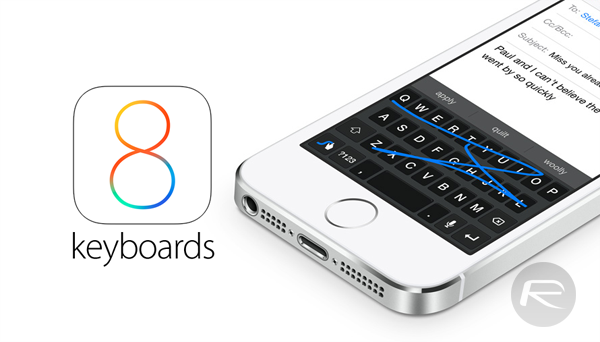
List Of Best iOS 8 Keyboards, Including Swype, That You Should Try Right Now

Ben Reid·September 18, 2014

Fleksy Keyboard For iOS 8 Arrives For iPhone and iPad [Download Link]

Ben Reid·September 17, 2014
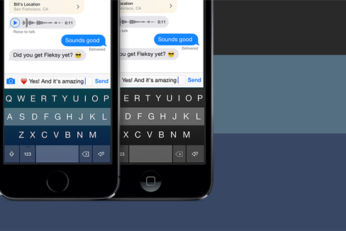
The release of iOS 8 is a nice little prelude to the iPhone launch later on this week, and as developers once again rush to roll out their updates for the new Apple software, the changes made with this latest iOS release mean that it's not just regular apps hitting the iTunes Store. Back at WWDC, the Cupertino-based company also opened the door for third-party keyboard makers to port their wondrous inventions over from Android, and Fleksy, which just so happens to be one of our favorites, has been among the first to the draw. Already live on the App Store, you can download it immediately for your iOS 8-running device, and below, we've got the details.

PopKey Is A Third-Party iOS 8 Keyboard That Lets You Send Animated GIFs [Video]

Oliver Haslam·September 13, 2014
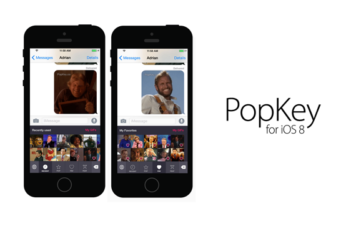
When Apple ships iOS 8 to the public next week, one of the features that it adds may not automatically get all the attention it deserves. Being able to use third-party keyboards can truly change the way many of us use our iPhones and iPads, but it's destined to be one of those features that never really makes its way into the mainstream.

Ginger Keyboard Is The Most Customizable Third-Party Keyboard For iOS 8 [Video]

Ben Reid·September 5, 2014

Fleksy Keyboard For iOS 8 Release Time-Frame Confirmed, Will Support 40 Languages

Ben Reid·July 10, 2014
When Apple took to the stage at the Worldwide Developers Conference last month, we knew that there would be some big iOS-related announcements as part of the keynote. But whilst we'd already gathered quite an insight into HealthKit and such, we didn't foresee the opening up of several key areas of the platform to third parties. As well as bringing widgets and offering developers the chance to do more with Siri, the Cupertino company finally came through and brought third-party keyboard support, and given how the AutoCorrect had become a bit of a running joke, the announcement did not arrive too soon.

How To Download And Install Android L Keyboard On Any Device Right Now

Ben Reid·June 28, 2014
With Google having rolled out the early developer preview images of Android L, it was inevitable that the various treasures therein would be plucked out by the modding community and distributed around to those in ownership of devices running older versions of the search giant's ubiquitous software. Although the Google Keyboard 3.1 found within Android L was initially proving problematic, those in the know have fixed it all up, and it's now primed and ready for installation on any device running Android 4.0 Ice Cream Sandwich or above.

Hands-On With Installing Third-Party Keyboards In iOS 8 [VIDEO]

Ben Reid·June 21, 2014
Load More

TRENDING NOW

iOS 27 Battery Life And Performance Video Put Apple’s New Update To The Test

Apple Added A New Scam Prevention Feature With iOS 27

iPhone 17 Pro / Max Case Compatibility For iPhone 18 Pro According To Apple

PSA: This iOS 27 Bug Can Freeze Your iPhone

Celebrities Are Desperate To Get Their Hands On iPhone Duo

iOS 27.2 Update Will Overwrite iPhone Storage With Blank Data When Erasing It

Download: iOS 27.2 Beta 1 And More Released, Here’s What Is New

Apple Details iPhone 18 Pro’s New Reference Image Camera Feature

AppleCare One Family Arrives With $49.99 A Month Fee

Apple’s iCloud+ Now Includes Apple Arcade, Apple TV, And More In Over 100 Countries

FOR YOU

Download: iOS 27.2 Beta 1 And More Released, Here’s What Is New

Apple Added A New Scam Prevention Feature With iOS 27

Fix iOS 27 Update Requested Stuck Issue On iPhone Or iPad

iOS 27 Update Will Change How You View Notifications

Apple Warns Of Stricter Network Security In iOS 27 And macOS 27

New In iOS 27: Passwords App Can Automatically Change Weak And Compromised Credentials

Download Wallpaper Of iOS 27, macOS 27 Betas From Here

iOS 27 Photos App Features: Here’s Everything New

  • About
  • Advertise
  • Privacy Policy
  • Tip Us
Copyright © 2008-2026 Redmond Pie. All Rights Reserved.
  • About
  • Advertise
  • Privacy Policy
  • Apple
  • Google
  • Microsoft
  • Tesla
  • Reviews
  • Deals
Start typing to see results or hit ESC to close
Apple iPhone deals iPad Android
See all results

SUBSCRIBE

Join 100k+ other tech lovers and get the latest news in your inbox
[mc4wp_form id="389"]