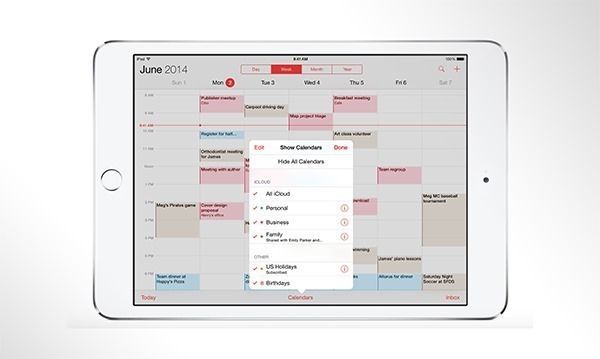
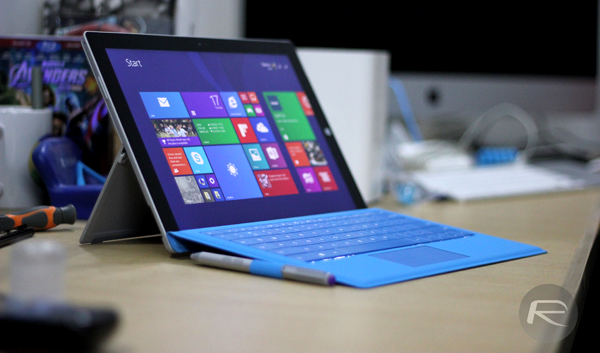
Microsoft Office 2016 Touch Preview apps for Windows 10 are now available to download, complete with touch optimized functions and the ability to work across tablets and phones. Word, PowerPoint and Excel apps are included as part of this Preview.
Last year's cycle of Apple keynotes followed a fairly recognized pattern, with the Worldwide Developers' Conference in June swiftly followed up by the iPhone (and Apple Watch) event in September and the iPad refreshes shortly thereafter. But with a new smartwatch on the horizon, one which, as Tim Cook mentioned last week, is on track for April release, we know that there'll be at least one major event before this summer's developer gathering, and according to a new report, the Cupertino is planning to hold a major announcement at the end of this month.
In an interesting bit of development, Apple's iPhone sales have overtaken that of Android devices for the period October - December 2014. The latest report coming in goes on to show the impact that the iPhone 6 and iPhone 6 Plus's arrival has created on the local smartphone market. Further information to follow after the jump.
New purported photos of Samsung’s soon-to-be-revealed Galaxy S6 have been leaked, and at first glance you can tell that the Korean giant has been worshiping the iPhone 6 and iPhone 6 Plus design before sitting down on the blueprint table.
There has been an increasing amount of speculation and conjecture recently amongst technology analysts who claim that despite Apple's recent record-breaking earnings call the Cupertino company could be in long-term jeopardy due to its lack of recent innovation. That level of doom and gloom has largely been dismissed by the wider technology community but it has managed to plant the seed in our minds of what Apple could potentially be working on next. According to multiple reports, Tim Cook's company could be looking at self-driving vehicles, a possibility that has gained some credibility thanks to a mysterious Dodge Caravan that has been spotted in and around the Bay Area.
Cydia has quietly been treated to a visual update, with some subtle changes having been made to the general interface. It's not as drastic as the overhaul we previously saw with iOS 7, which brought the look of the jailbreak store in line with Apple's own aesthetic endeavors, but it's still a noticeable change that jailbroken iPhone, iPad and iPod touch users may well have already picked up on.
The mobile market is awash with some weird and wonderful protective case, most of which aim to serve the practical needs of those who buy them. Some, however, catch people's attention due to their sheer cool factor, and if you're a fan of Batman, we've got a pretty epic iPhone case that any respectable follower should have in their collection.
iOS 8.2 final release date time frame has been revealed in new report, and will drop well before Apple Watch hits store shelves. More details can be found here.
File exploring and management hasn't really been a concern for iOS, with many users content with just managing the usual photos, videos and music files. If you're not one of those many users and are keen on managing things on your device, then this amazing file management app for iOS - worth $2.99 - has just gone free for a limited period over at the App Store, and you ought to check it out.
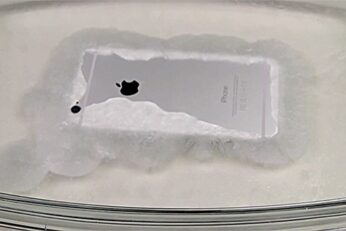
Sodium acetate, otherwise known as 'hot ice', is a pretty awesome solution since, when disrupted by a cool object, it quickly morphs from a liquid to a crystallized, ice-like composition. The reason for this little bit of background information is because one YouTuber has decided to see what happens to one of tech's most sought-after devices when submerged in hot ice, and as you've probably guessed from the title, the "cool object" in this instance is none other than the Apple iPhone 6. As you may also have gleaned from past experiments of this nature, the results are pretty darned epic.