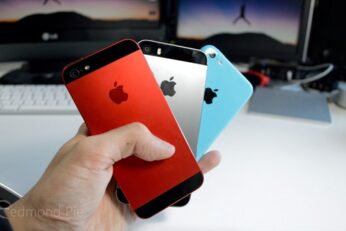
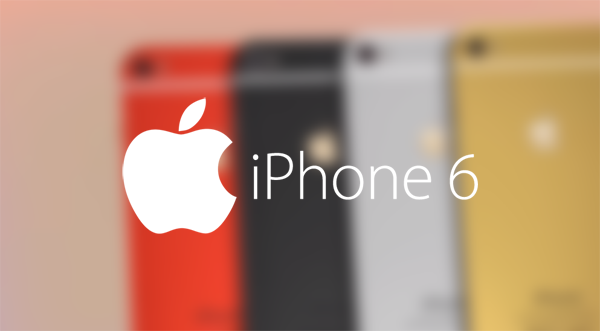
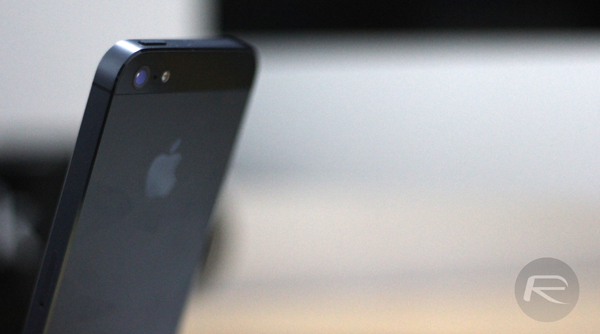
Whether you're a fan of Apple's products or not, the coverage pertaining to the so-called 'iPhone 6' is pretty much inescapable right now, and although we've heard a great deal about the 4.7-inch model of the Cupertino's next smartphone, the more sizeable, 5.5-inch variant has been thrown out mainly as something of an afterthought. With the announcement now creeping up on us, though, we've had a few more tidbits of information just lately, and a new leak supposedly depicting the rear shell of the 5.5-inch iPhone 6 offers a sense of perspective on how it may stand up against its smaller cousin.
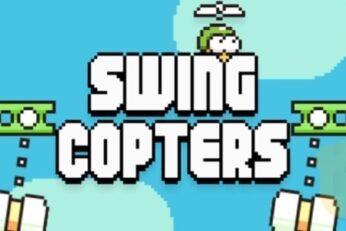
Dong Nguyen, whose .GEARS Studio developed the famed Flappy Bird title for iOS and Android, has come through with a follow-up title that, on first play, seems every bit as tedious and frustrating as Nguyen's smash-hit title. Rolling out for iOS and Android, Swing Copters is not so much tricky as infuriating, and given that Nguyen claimed to have pulled Flappy Bird due to the stress it was causing gamers, this new title looks set to raise heart and blood pressure levels all over again.
Getting files onto iOS devices isn't always the easiest thing in the world, but apps like GoodReader do make it possible. The key to making a good downloader app is to make sure that it can also view the most popular file types that people are likely to be downloading, otherwise you're just going to be stuck with files that you can't do anything with.
The App Store is full of great apps, but even though we're happy to pony up the cash for some of the very best experiences, it's always nicer when they're free. As usual, we've got a nice assortment of apps and games ready for you to download for your iOS device, so fire up the App Store app on your iPhone, iPad or iPod touch and join us after the break.
If there's one thing that's bound to get hardware aficionados excited, it's screen resolutions. More than just sheer numbers, screen resolutions determine how sharp text looks on our displays, and how well those photographs of your kids pop when zoomed right in. Screen resolution is the kind of thing you don't really notice until you use a smartphone with a resolution that's a little lacking.
With Apple expected to announce the iPhone 6 within a matter of weeks it's obvious that the final hardware is locked in and that the phone is currently in the same configuration as the handsets we'll be picking up at stores towards the end of September. We've seen plenty of leaks surrounding both the front and rear panels of the iPhone 6, as well as various different parts of its innards, so there's little to truly come as a surprise this time around.
Everybody likes a freebie, and on a daily basis, we strive to bring you the very best app deals for your iOS-running devices. Today, as ever, we're back with another cluster of paid apps and games gone completely free, and below, you'll find the download links.
As consumers, we tend to focus on the more obvious new features when assessing the improvements being made to a new device. In the case of the iPhone 6, we've mainly concentrated on the slicker, thinner form factor and larger display, but as per the sizeable pile of evidence relating to Apple's next handset, there's plenty else to look forward to besides. It has been mentioned on several occasions that the device will pack improved connectivity, with faster Wi-Fi and cellular, and a new tidbit of info may finally have offered some key details on the latter.
Google has just released Photo Sphere Camera app for iPhone, allowing users to capture panoramic, 360 degree snaps and share them with others. With Maps support permitting users to geo-tag their photos, others can then search for images of any destination around the globe just by placing a pin on the Big G's virtual map. More details, as ever, can be seen after the jump.
When we told you about Apple's rumored reversible USB Lightning cable, plenty of people were rather excited at the idea. With good reason too, because we've all had that brain-melting moment when we have tried to plug a USB cable in only for it to inevitably be the wrong way around. It's a fact of life that nobody can plug a USB cable in the right way first time, and we've known it take three goes before people have managed it - and there are only two orientations to choose from!