If you find Apple's default method of unlocking your iOS device a little cumbersome and overused then one of the latest tweaks to land in Cydia could provide some comfort. BlowToUnlock is a new tweak for jailbroken iOS devices that allows the hardware to be unlocked and accessed when a "blow" of air is detected on the device's microphone aperture. In short, you can hold the device up to your mouth, blow into it and expect to get immediate access to the device without going through the traditional Slide to Unlock process.
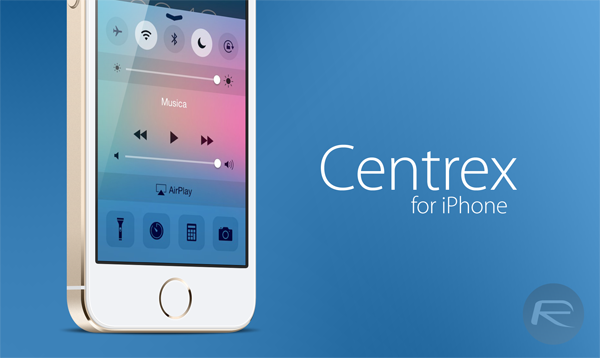
It's been a while since we've featured a Cydia export here, and with Apple's iOS 8 software now in its fourth beta with the fifth and apparently final installment due in the next week or so, it's clear that tweak developers are focusing their attentions on porting some of its features through to iOS 7. As detailed at this year’s Worldwide Developers Conference, iOS 8 will be quite a significant bump over the existing software, adding a number of new apps, quirks and features to the fold, and although the Control Center only manifested itself back in September, it's already in line for a freshen up. Thanks to a newly-released tweak, you can get that iOS 8 look right now, and below, we'll show you how to avail this updated aesthetic.
Apple's addition of quick replies to iOS 8's Messages is the kind of feature that iPhone users have been begging for, but it is capable of doing much more. Wouldn't it be great if you could also send quick replies to messages that come in from other apps, and other social services? The mind immediately turns to the ever popular WhatsApp messaging client, and with good reason.
The jailbreak community is still recovering from the release of the Pangu untether for iOS 7.1.x, with many incompatible tweaks having been updated in compliance with the newer firmware. Activator, a tweak central to the Cydia scene as a whole, has just been given its customary bump to support the latest software, so if your device has been given the Pangu treatment and you'd like to call upon the services of Activator, join us after the break for all of the details.
Apple's announcement of iOS 8 brought with it plenty of new features, and one of those new additions was the ability to quickly reply to messages without having to stop what you're doing. Something that has arguably been forgotten in the tidal wave of other new features, quick replies are something that have been on everyone's wishlist for quite some time.
For a lot of jailbreak fans out there, one of the most important aspects attached to liberating a device is the ability to efficiently access the internal file system. This access could be required for a number of reasons which are beyond the scope of this article, but suffice to say it's undoubtedly an important part of jailbreaking.
We have tested and can confirm that Pangu jailbreak works on iOS 7.1.2 on all the devices, including the likes of iPhone 5s, iPad Air and Retina iPad mini.
Mac OS X version of Pangu iOS 7.1 / 7.1.1 jailbreak was released only a while back. We have already done a detailed guide on how to jailbreak on Windows. Here we’ll show you how you can jailbreak your iPhone, iPad or iPod touch on the latest iOS 7.1.1 or iOS 7.1 using Mac version of Pangu.
The Pangu untethered jailbreak released earlier on this week came as something of a surprise. Nobody had previously heard much of the Chinese development team behind it, and the impromptu nature of the release seemed to bring about quite a bit of scaremongering. But once the early worries regarding malware and such were put to rest through the utterances of iH8sn0w, MuscleNerd and others, many of you went ahead and jailbroke your devices using Pangu, and we want to know whether you've taken the plunge and jumped on this for your iPhone, iPad or iPod touch.
Given that iOS 8 is already in its second beta, some of the features announced at WWDC are starting to take shape, and naturally, jailbreak developers have sought to emulate some of iOS 8's treasures by recreating them for those on the current iOS 7. The Notification Center will be subject to a relative overhaul with iOS 8, with a new look allied to widget support, and if you're in favor of this smartly-modified aesthetic, then a new tweak will help you to achieve the new look without jumping into the potentially unstable realm of betadom.