The iPhone 6 and the iPhone 6 Plus are well and truly here, and judging by the long lines seen across the world today outside numerous stores, Apple has yet another hit on their hands. But there are still a few lingering questions regarding the device which are begging to be answered, and the one that tops our list is: is the T-Mobile iPhone 6 or iPhone 6 Plus - available on the Apple Store - fully carrier unlocked?
The iPhone 6 and 6 Plus are officially here, and to mark this occasion, we've yet another selection of paid apps gone free for iOS. There are five in total worth $9, so if you want to save yourself a few bucks and grab yourself some great apps in the process, then do join us after the break!
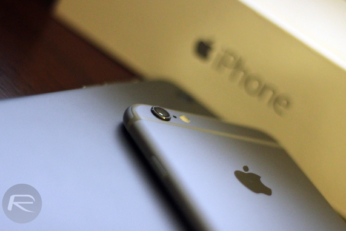
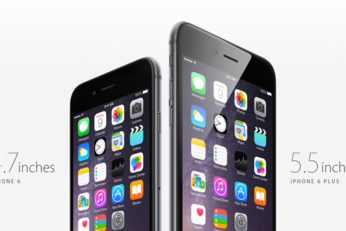
Although the iPhone 6 and iPhone 6 Plus are fairly similar for the most part, there are a number of subtle differences. The display size discrepancy is the most obvious, but it's hard to base a purchasing decision on this factor alone given the number of perks iPhone 6 Plus owners will be able to laud over their iPhone 6-wielding buddies. The rear-facing cameras of each boast 8-megapixel sensors, but critically, the 6 Plus offers optical image stabilization, or OIS, and with both handsets having just gone on sale, we can now get our first proper look at the point-and-shoot experiences of each.
The build up to any new iPhone announcement is always filled with rumors and supposedly leaked parts, and this year has been no different. Now that the iPhone 6 and iPhone 6 Plus are starting to work their way into the hands of us ordinary mortals, those leaked parts inevitably come into question. Just how accurate were they?
With the new iPhone 6 and iPhone 6 Plus now beginning to go on sale around the world, eager buyers are lining up in order to try and make sure they're amongst the first to walk away with Apple's latest wares. But what do you do when you've lined up for hours in the cold in order to spend a small fortune on a new smartphone?
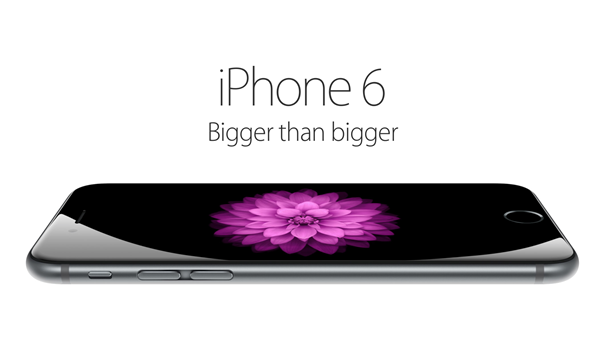
All the rumors, all the excitement and all the guesswork has led to this point, for today Apple's new iPhone 6 and iPhone 6 Plus have gone on sale around the globe, with huge lines very much the order of the day.
The Pebble smartwatch, which generated a colossal amount of hype when it emerged on Kickstarter, has essentially kick-started the market for wrist-worn gadgetry, and while the team behind this wondrously successful device have worked tirelessly in updating and improving it, there's also a feeling that Android Wear and the new Apple Watch range will be too much for an outfit like Pebble to compete with. Nevertheless, the Pebble is still in a very strong position all told, and today, has pushed a significant firmware update that includes a myriad of features. Details, as ever, can be seen after the fold.
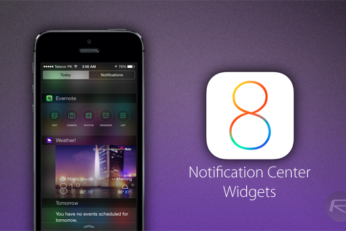
So, you've just installed iOS 8 and heard a lot about third-party widgets and keyboards. Given that both of these features are brand new and previously unheard of on Apple's mobile software, you may be unsure as to how you might go about installing these much talked-about new treasures, and so below, we've got a little guide that should help you along the way.
The Family Sharing feature, as the name implies, will allow families and groups of people to share apps without having to connect to the same Apple ID. Since the introduction of the App Store, folks have shared the same account in order to save on buying many of the exact same apps or content, but the system is flawed in that every user of said account then has a list of content that they don't want or need, and never actually downloaded in the first place. To resolve this, Family Sharing essentially binds a number of Apple IDs into one parent account, and provided that they all feed from the same credit or debit card, can readily go ahead and download apps and content purchased by other members of the same family.
Apple's iTunes App Store is awash with content, and as the company itself pointed out at the big iPhone 6 event last week, now home to some 1.3 million apps and games. But while it's easy to find an app you head about through a friend, say, by using the Search feature, discovering new content is not such a simple task, and with this view being shared by many users and commentators alike, Apple has just made it easier for developers to promote their stuff.