
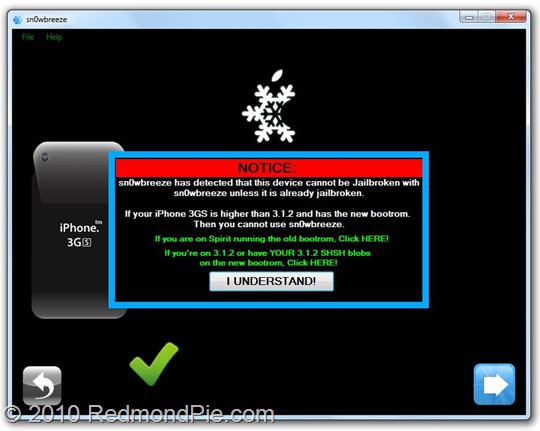
Sn0wbreeze 1.7 for 4.0 (for Windows) has been released. This release supports iPhone 3GS (old and new bootrom), iPhone 3GS, iPod touch 2G (MC and non-MC models), and iPod touch 3G. Though iPhone 3GS (new bootrom), iPod touch 2G (MC models) and iPod touch 3G will have to be either on 3.1.2 firmware, or will need to have their SHSH blobs saved for iOS 3.1.2 in order to successfully jailbreak these devices on iOS 4. Also the jailbreak for iPhone 3GS (new bootrom), iPod touch 2G (MC models) and iPod touch 3G on iOS 4 will be tethered, which means whenever you turn off your phone, you will need to re-connect it to a computer to be able to turn it back on.
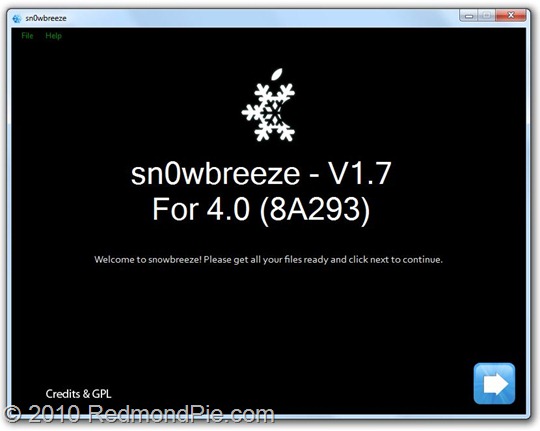
The step by step guide to jailbreak these devices is almost exactly similar to the last release. Simply follow the guide posted here to jailbreak your iPhone on iOS 4 using Sn0wbreeze 1.7. Once you have created a custom firmware file, you can simply restore to it via iTunes 9.2. If there are any changes, we will redo the guide and post it again here.
Those of you who are using Mac OS X will have to follow this manual guide posted here to jailbreak iPhone 3GS (new bootrom), iPod touch MC models and iPod touch 3G – all tethered.
Once you have jailbroken your phone, you can unlock it using ultrasn0w 0.93 (on any baseband), guide for which is posted here.
If you don’t have your 3.1.2 (NOT 3.1.3) SHSH blobs (ECID SHSH) files saved, you will have to then wait for the next version of Spirit which is likely to be released as soon as Apple releases the next firmware update i.e. iOS 4.0.1 / 4.1 and it will support all iOS devices including iPhone 4.
Download Sn0wbreeze 1.7 for Windows
UPDATE 1: ok guys, you will need to follow the following instructions to jailbreak iPhone 3GS (new bootrom) on 3.1.2, or with 3.1.2 SHSH blobs saved.
Warning Note: All the standard warnings apply. This is for advanced users only. Only proceed if you think you know your iPhone inside out.
I figured making a tool would take a bit too long. So, i’m going to write up this tutorial. It isn’t recommended for regular users.
**BEFORE PROCEEDING, ENSURE THAT YOU HAVE YOUR PHONE BACKED UP!**
THIS TUTORIAL ASSUMES YOU ARE ALREADY ON 3.1.2!
——-
WHAT YOU WILL NEED:
* An iPhone 3G[S] — new bootrom
* 3.1.2 already installed or 3.1.2 installed via SHSH blobs. <– Broken blackra1n’d devices will work. (Especially if Spirit messed you up!).
* Payload Pwner-r3 for the 3GS. (http://www.mediafire.com/?fyozyytzze1)
* sn0wbreeze V1.7
* iBooty V1.3 (http://www.mediafire.com/?g1nynqrnz03)
* LibUSB (64-Bit users read carefully!!!)
* 3.1.2/4.0 3GS firmware downloaded.
——-
*NOTE : IF YOU HAVE THE SLEEP ISSUE, YOU WILL NEED TO RESTORE BACK TO 3.1.2 FIRST.*
STEP A : Installing LibUSB for iRecovery
Run this mini tool to detect your O/S + Arch. — Windows + Arch. Detector (http://www.mediafire.com/?imyzm2t3zam)
*********
WARNING : IF LIBUSB IS NOT INSTALLED PROPERLY, YOUR USB MIGHT NO LONGER WORK!
*********
Windows XP Users download this installer — LibUSB Installer (http://www.mediafire.com/?zyy0mjthhij)
*********
Windows Vista/7 users RUNNING 32-Bit:
* Download the installer and run it in compatibility mode for Windows XP. (http://www.mediafire.com/?zyy0mjthhij)
*********
If you are a 64-Bit user, follow this tutorial — LibUSB 64-Bit Tut (http://www.ipodtouchfans.com/forums/showthread.php?t=148985)
*********
Once LibUSB is installed iRecovery should be able to function now.
——-
STEP B : Pwning iBEC + iBoot
I : Download this easy tool here — Payload Pwner-r3 for 3GS (http://www.mediafire.com/?fyozyytzze1) // It will help you create the payload + iBEC.
**SAVE THE PAYLOAD + iBEC WHERE iBooty is.**
——-
STEP C : Making a Custom IPSW
I : Download sn0wbreeze V1.7 from here — sn0wbreeze V1.7
II : USE EXPERT MODE!
III : In General, Checkmark "Disable NOR Flash" <– THIS IS ESSENTIAL!!!!
IV : Build it. It will be on your Desktop.
**CUSTOM BOOT LOGOS THAT ARE MADE IN sn0wbreeze WILL NOT WORK ON NEW BOOTROMS!**
*Mac Users : PwnageTool does not have this option. I don’t think it will ever be in there. Use a Windows Virtual Machine or friends PC to create your firmware.*
——-
STEP D: iBooty Prep.
Most of you know of the utility "iBooty" that I made for Aki_nG.
It will work as long as you place all of the correct files there.
I : Download iBooty GUI here — iBooty for 3GS (http://www.mediafire.com/?g1nynqrnz03) and Extract it.
II : Extract your Custom IPSW created by sn0wbreeze with 7-Zip or another un-archiver.
III : Grab the kernelcache and bring it into the same folder as ibooty.
Also grab the iBEC from the folder "Firmware\dfu\iBEC.n88ap.RELEASE.dfu"
Aswell as DeviceTree from the folder "Firmware\all_flash\all_flash.n88ap.production\DeviceTree.n88ap"
IV :
* Rename your Kernel 4.0-Custom to "kernel.40"
* Rename your iBEC 4.0-Custom to "ibec.40"
* Rename your DeviceTree 4.0-Custom to "devtree.40"
======
Your folder should look like this :
- iboot.payload <– Created with Payload Pwner.
- devtree.40 <– Grabbed from Custom IPSW made by sn0wbreeze.
- ibec.40 <– Grabbed from Custom IPSW made by sn0wbreeze.
- irecovery.exe <– Comes with iBooty.
- readline5.dll <– Comes with iBooty.
- iBooty.exe <– Comes with iBooty.
- kernel.40 <– Grab from Custom IPSW made by sn0wbreeze.
- sn0w.img3 <– Comes with iBooty.
- wait.img3 <– Comes with iBooty.
======
——-
STEP E: Restoring to 4.0 + Booting
——-
*MAKE SURE YOU ARE ON 3.1.2 WHEN DOING THIS*
I : Run iBooty and Select "Prepare Device for Custom Firmware". Run the Process and if you see the image, you can proceed!
II : Now open iTunes and restore to the custom ipsw.
***WHEN DONE, YOUR DEVICE WILL GO INTO RECOVERY MODE. IT WONT BOOT.***
——-
STEP F : Booting
I : Just Re-Run iBooty and select "Boot It". If all goes well it will boot!
You may also like to check out:
- Jailbreak iOS 4 on iPhone 3GS (New Bootrom) with SHSH Blobs [How to Guide] – Mac version here
- How to Jailbreak iPhone 3GS on iOS 4, which is already Jailbroken Using Spirit with Spirit2Pwn
- How to Unlock iOS 4 with Ultrasn0w and Blacksn0w on 05.13.04 Baseband [Guide]
- How to Jailbreak iOS 4.0 on iPhone 3GS, iPhone 3G and iPod touch 2G using Redsn0w, PwnageTool 4.0 (Windows)
You can follow me on twitter or join our facebook fanpage to keep yourself updated on all the latest jailbreaking and unlocking releases.


Windows 7
Windows Vista
Windows Server
Windows Live
Live Mesh
iPhone
iPad
Mac OS X


September 9th, 2010
80 Comments/Trackbacks on "Jailbreak iPhone 3GS New Bootrom on iOS 4 with Sn0wbreeze 1.7"
(#)
Awwwwww… still no real support for new bootrom…
(#)
i jailbroke with 1.6.2 should i do this one is there any difference between 1.6.2 1.7?
plz advice and thnx for this great blog its now my daily favorite site actually its the first thing i go to when i start my laptop
(#)
I have a 3GS old bootrom already on iOS4. Will this jailbreak my phone?
(#)
I have SHSH files but I don't know from which firmware
any tool for how to know?
(#)
Nice! Too bad I just sold my 3GS. Now waiting for iphone 4 jailbreak. Having a locked phone, even if it is a iphone 4 still sucks.
(#)
so, what should i do with “spirit's file”?
should I delete it?
(#)
Please, when i don't have 3.1.2 SHSH blobs, i bought my 3GS with 3.1.3, is any way to use this tool? Or any way to get 3.1.2 SHSH blobs? Thank you in advance.
(#)
I receive error 1606 . Tried 6 times .
(#)
3gs new bootrom, jailbreaked 3.1.2. same error 1600 on dfu, 1604 on recovery mode. tryed every thing
(#)
Getting Error 1604
(#)
The payloader doesn't save..
(#)
Can I use this for my 3Gs jailbreak with new bootroom:
Version: 4.0(8A293)
Model: MC131
Modem Firmware: 05.13.04
Anyone can help since I m new to this jailbreak and I waiting for long time to get this jailbreak and unlock?
(#)
Thanks guys. Just to clarify, if I have a 3GS (Old Bootrom) on iOS 4 without the SHSH blobs saved, am I good to go with this version for jailbreaking my phone? Thanks!
(#)
did everything exactly as stated (to the T) and it doesnt seem to be working for me, i got to the part where i start ibooty and it says if i see the image i can continue, i never saw the image (i believe where the image was supposed to be it just said “Done…” or something) and i tried to install the firmware but it failed… can somebody help?
(#)
ibooty was delete from mediafire!!
(#)
hello
when I'm trying to restore my iPhone 3GS (3.1.2 – New Bootrom) with a custom firmware which i made with Sn0wbreeze 1.7 i get this error :
The iPhone could not be restored. An unknown error occurred (1604)
appreciate any help
(#)
Why JB gen ipod 2 MC model itunes error 1604 although SHSH 3.1.2 saved on your computer ?
(#)
Just did this change, so far so good. If you make it all the way through and boot to OS 4.0 in Itunes and restore your contacts (sync items) the phone locked up. I ran ibooty again (boot) and it is fine. Testing the sleep problem now to see if Snowbreeze 1.7 fixes it.
(#)
Still getting the same 1604 error (when I'm in recovery) and the 1600 (when I'm in DFU mode).
I have an iPhone 3GS – Old Bootrom – used to be 3.1.2 and jailbroken by Blackrain but now it's on iOS 4 – Baseband 5.13.04 – and I had the iOS 4 GM once before I upgraded to iOS 4.
Any thoughts?
(#)
i didnt see anything about the 3gs old boot rom.. any way i can use sn0wbreeze on my 3gs 4.0 (old boot rom) with no shsh files backed up?
(#)
hello, it took a while and a couple of tries, but it worked! Thanks alot!
(#)
I just purchased an iPhone 3Gs and it's been upgraded to iOS4, so I was never able to save SHSH… Is there going to be a jailbreak created for us?
(#)
Can a 3GS (old Bootrom) that has not been jailbroken and is on iOS4 use Sn0wbreeze 1.7 to jailbreak the phone? I dont have SHSH blobs saved since this phone has not been jailbroken.
(#)
Is it unthetered?
(#)
Does this work if you have a 3gs with old bootroom that was jailbroken with Spirit?
(#)
do they not realise that we dont need this shit, 90% do not have the 3.1.2 saved so this is useless to most of us. How about we get something useful.
(#)
this sucks 3.1.2 only you got to be kidding thats like 10% of the populus
(#)
I just buy Iphone 3gs ios 4. from apple store. and i dont know how to jailbreak and unlock. Can anybody tell me that i can do it right now or they still tring to break this new boot ? thank you.
(#)
can i download and use someone elses SHSH blobs since i don't have my own? it makes sense unless every blob is unique to every iphone right?
(#)
hi
(#)
If your on 4.0 with new bootrom. NO your not JB your phone. Wait till they release the new JB >> AFTER << they release the 4.0.1 / 4.1 Apple official update (they will NOT release it before the update as they will probly patch the exploit!
(#)
Doesn't appear that any of the files on mediafire are available???
(#)
3GS on 3.1.2, new bootrom. Tried the guide above in Windows XP Mode because I didn't want to mess up my Windows 7 x64 box. Just for the record, I couldn't get it to work; all the steps went fine up until sending the payload through iBooty. Tried five or six times, but couldn't get it to show the snowflake logo. Going to wait for the full exploit.
(#)
Tethering really sucks, it sucks big time since iphone's baterry dont last long. I dunno why would anyone will JB their iphone 3gs (new bootrom) and have this tethering hassle…
Take my words …. if you are the following which i am .. wait for a “spirit JB” SB for following phone sucks big time you will regeret it.
If you have:
-Iphone 3GS (New bootrom)
-IOS 3.1.2 or 3.1.3
-JB via Spirit
Do not bother with this release, just wait a release from Spirit is just around the corner and i am sure it will be without annoying tethering problem.
(#)
iBooty and Payload Pwner-r3 for 3GS – are not available anymore in Mediafire.
(#)
error 1600 on mine
(#)
same happened with me…
(#)
Nope. They are unique to each iPhone!
(#)
i wait for untethered whether it means a few weeks or so no way i ever use tether jailbreak again
(#)
DO not have the SHSH blobs saves from previous phone owner.. any solution?
(#)
I have 3GS, 3.1.2, new bootrom and I have shsh3.1.2. But this is not perfect, so I will not upgrade. Iphone user should stay away, if you upgrade, downgrade, restore much, the life_time of Iphone will be reduced.
(#)
this is the worst JB ive ever seen. it's not simple at all. Just wait a simple fail safe jb to be realeased. this has too much shit to even bother with.
(#)
this work for 3gs fu, ios4 virgin, n oldbootrom? thx b4.
(#)
Hi!
(#)
What is the option, if you dont how SHSH blobd save??? can someone please help me!
(#)
Help anyone?
Iphone 3g(s) MB model (aka old bootrom)
Windows Vista
Itunes 9.2
Got a 1604 error when i tried to restore it.
Any ideas what is going wrong?
(#)
My 3GS from 3.1.2 to 4.0 JB done…
Very simple, good tuto, thx !!
(#)
It perfectly works on my 3GS 32GB new bootrom with downgraded to 3.1.2 from 4.0 (without jaiblreak). Now I have 4.0 with jailbreak!
Great!!!
(#)
Why don't someone invent a jailbreak and unlock for the poor souls who have no SHSH blobs saved? :”(
if any please let me know! rprasanh@yahoo.com
you and your kids will be blessed by swami nithyananda! =)
(#)
Hi,
Can I jailbreak the following
iPhone 3GS
Old bootrom
iOS4 stock update via apple, unfortunately no SHSH blobs.
(#)
Have you saved your SHSH blobs?
If not…tell me how to downgrade, jailbreak and unlock?
(#)
hy, with this much informations, i don;t know what to do with my 3gs 3.0 neverlocked, firmware 4.26.08 ! i want the new 4.0 and to jailbreak it. cosmlnvl@yahoo.com, who can help me, please send an email with a guide.
thanks a lot. you make a very good job.
(#)
Did you followed the normal process written here or the additional Update 1 for advanced users as I was not able to understand any of it. Can a simple man like me upgrade my 3Gs iphone with it?
(#)
sure you figured it out by now, but you just have to plug in to a different USB port.
(#)
can u tell me how to do it and email to me??Thanks a lot!!
(my email: my_trumpet99@yahoo.com.hk)
(#)
HI COULD YOU PLEASE LET ME KNOW HOW YOU DID THIS? PS: AM NOT A TECHIE….
(#)
Hey, what is SHSH?
(#)
I am currently on 3.1.3 firmware but my SHSH files are saved on my desktop when i was on 3.1.2 can I still do this?
(#)
hi
my iphone is a 3gs with the newbootrom now i'm on the os4 dont have the SHSH blobs saved for iOS 3.1.2
what should I do ??
thanx dr.hasanb@gmail.com
(#)
will this work on iphone 3gs (new bootrom) spirited on 3.12
(#)
hey i will owe you if you tell me how to jailbreak my iphone 3gs os4 (aminogrp@yahoo.com)
(#)
wait for new JB
(#)
Hi guys, i have 3.1.3 jailbroken a while ago with snowbreeze i have always saved my ssh with cydia after every jailbreak. your post says 3.1.2 does anyone know if cydia saves each and every ssh or just the latest one i saved.
(#)
Hej! i bought my iphone 3gs some days ago. At the first time i got it, it was version 3.1.3 and i upgraded it to 4.0 right the day after. Is that possible for me to jailbreak it now or do i have to downgrade it first to jailbreak it?
(#)
I run Windows Vista and I do all like the description to jailbreak, but now I have an error 1600 in Itunes, when I try to restore the Version I create before with Snowbreeze 1.7. I tried to do different USB Ports, I tried DFU Mode and Restore Mode on all. But I can't restore. I read some hours in the net (Google, etc.) about error 1600. But I can't find a solution for my problem. Is it maybe Windows Vista? What can I do now?
(#)
I have 3gs 32gb 4.01, new bootrom, never been JB or unlocked. Will there ever be an unlocking tool and JB available?
(#)
Hey Can Anyone Help ,
I Have iPhone 3GS Updated To 4.0 Firmware With No SHS Blobs Saved And Ne Bootrom, My iPhone Has Never Been Jailbroken And I Was Wondering IF It Was Possible To Jailbreak It Under The Circumstances MY Iphone Has If Anyone Can Help Me PLEASE Email Me Kai-Sensai@live.ca
(#)
i tried with the process you posted and it worked ..but everytime i switch off the mobile i have to restore again.i have done like 3 times and the result's same..did i miss anything ??
(#)
I could go upto restoring it to custom iOS4 ipsw. Now when I try to boot using iBooty the screen flashes and become blank ( hope that means iBoot was successfully exploited). iBooty says 'Done' but my iPhone never boots. I tried many times. Please help.
(#)
Does this works? I'm seeing tons of “HELP ME!!!” “I'm STUCK!” kinda thing in the comment list.
(#)
its tethered. Don't restore, just rejailbreak it
(#)
It works except in my case I can't reboot or power off the iPhone becuase doing so will cause the phone to go into restore mode upon power up. I have to run iBooty (ver 6) to get the phone to boot into the custom ipsw that snowbreeze cooked. If anyone has any thoughts as to why this occurs or how to correct this issue I would greatly appreciate it. I have a 3GS new bootroom jailbroken to 4.0. Ran it from 3.1.2 using my SHSH from Cydia following these very instructions.
(#)
Hey, I have the same problem.. did u got a solution yet?
(#)
I want to jailbreak my iPhone 3GS new bootroom that runs on iOS 4.0 I just bought the iPhone before some 15 days back, please help me, I searching for a solution for more than 2 weeks.
my email contact saranyaa.sk@gmail.com
(#)
does this work on iphone 3gs (new bootrom) on firmware 3.1.3?
(#)
you need SPIRIT to jailbreak iphone 3GS running on 3.1.3
(#)
I had 3gs after I click a wrong bottom, My jailbreak was gone… I had to update it to 4.0.1. I used snowbreeze. After a Shift+restore, It always pop up an error 1604….. Please help!!!!
(#)
go to jailbreakme.com and follow the steps and your phone will be jailbroken. ( use wifi )
(#)
go to jailbreakme.com and follow the steps and your phone will be jailbroken. ( use wifi )
(#)
Are there plans to release an untethered jailbreak? I am weighing up the benefits of the upgrade vs the downside of tethering and I think tethering is winning at the moment!
Comment Now!