
If you have been using your iPad on a desk with the official iPad Keyboard Dock accessory, you might have felt the need of having a mouse to control iPad’s screen. This is because it is more convenient to use a pointing device for interacting with a device when it is placed in a standing position on a desk, just like how we do with our desktop monitors, notebooks/netbooks and so on.
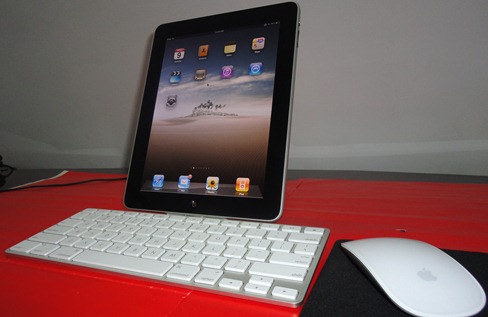
So the other day, I gave BTstack Mouse app a go on my jailbroken iPad and was pretty impressed with the result. Not only did it worked with Apple Magic Mouse, but also with almost all the other Bluetooth enabled mice I had. For those of you who don’t know, BTstack Mouse is a free utility which was first released earlier this year for jailbroken iPhones and iPod touch.
Here is a little video I did which shows a jailbroken iPad being controlled by Magic Mouse.
Follow the steps below to get it working on your iPad.
Step 1: Make sure you have a jailbroken iPad. Follow the complete instructions posted here for jailbreaking your iPad with Spirit if you haven’t already.
Step 2: Install BTstack Mouse app from Cydia. It is available under BigBoss repository.
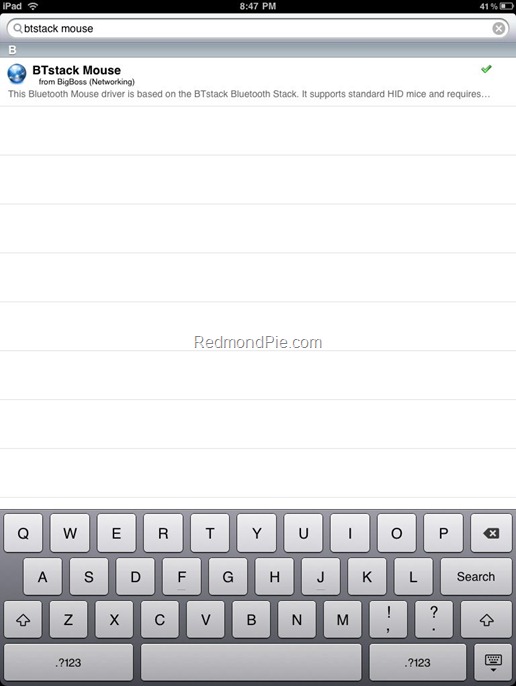
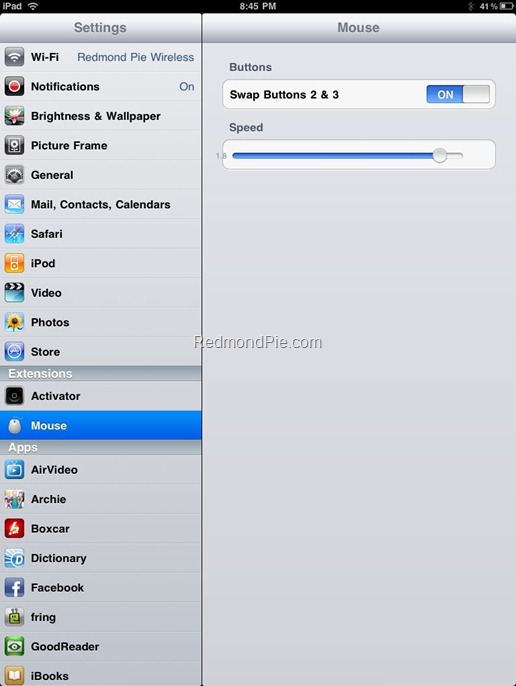
Step 3: Now start the app and let the app discover your Bluetooth-capable mouse. Once it has been detected, simply connect the mouse and it should be working.
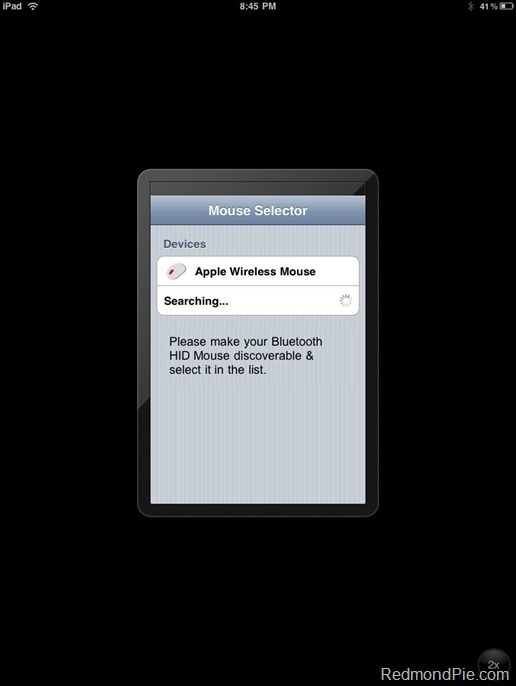
Tested with: Microsoft Bluetooth Mouse 5000 and Apple Magic Mouse.
Apple is set to bring official support for using Bluetooth keyboards in iPhone OS 4 for iPhone. It now remains to be seen whether such a support for Bluetooth mice will also be brought, for both iPhone and iPad.
Subscribe to our Youtube Channel here for future updates on videos. Make sure you also check out our iPad Activity Center for all things Apple iPad.
You may also like to check out:
- How to Connect External Hard Drive with iPad
- Use iPad in Landscape Orientation with Dock and Keyboard
- How to Enable Voice Control on iPad
- How to Run iPhone Apps in Native Resolution of iPad (Non-Pixelated)
- Turn your iPad into iPhone for Making Phone Calls
- Turn Your Wi-Fi iPad into iPad 3G with MyWi App for iPhone
You can follow me on twitter or join our facebook fanpage to keep yourself updated on all the latest from Microsoft, Google and Apple.


Windows 7
Windows Vista
Windows Server
Windows Live
Live Mesh
iPhone
iPad
Mac OS X


September 3rd, 2010
View Comments on "Use iPad with Magic Mouse [Video]"
(#)
Looks great!
(#)
the question is, who still wants to use a mouse in a multitouch screen… the idea of a touch screen is to stop using mouse
isn't it?
(#)
Did you use btkeyboard to run the keyboard since btstack requires that the native bt support is turned off? Does this require buying the $5 btkeyboard program?
(#)
Question is why would you like to use a mouse and point the mouse pointer if you can touch the screen directly? Other than situations where you cant reach the iPad screen.
(#)
If you use a remote desktop application to connect to a Mac/Windows PC, you will want a mouse, since you will be interfacing with a desktop OS that is not optimized for touch (i.e. menu items are small, etc.).
(#)
good job Taimour….
(#)
And that is a correct answer
thanks for refreshing my mind
(#)
i didnt use btKeyboard. The keyboard you see in the video is part of the official keyboard dock accessory for iPad. I did use btstack Mouse app, which is available for free in Cydia.
(#)
Works with a Dell BT mouse (made by Logitech)
Awesome work!
(#)
does two BT devices work as well? -> could I use my Apple bluetooth keyboard and my Apple Magic Mouse simultaneously?
(#)
awesome i will buy one mouse today and try it with my iPad….
(#)
i will buy one magic mouse today to use with my iPad
(#)
I'm finding that while I can move the cursor I cannot click anything. Any troubleshooting suggestions?
(#)
It would be interesting to try this with btkeyboard also, to get the totally wireless experience with both mouse and keyboard. The only downside is that btkeyboard is $5, as Stephen says.
(#)
Any way to do this without jail breaking?
(#)
if i jb my ipad can i go to itunes without getting blocked from itunes. we just bought the 3g one. please let me know
(#)
no
i've tried
(#)
I too have the app installed, can pair with the mouse, and can see the cursor move around the screen when I move the mouse, but cannot click anything either. No swapping pages, nothing.
(#)
Logitech V470 BT mouse works nicely.
The BTstackMouse however cuurebtly doesn't mantain yet the memory of the previously discovered mouse, so every time you activate the mouse icon, it requires you to let it discover the mouse again…:(
(#)
Having exactly the same problem. Fingers crossed for an update to fix it soon.
(#)
you can do this but there seems to be a conflict bug. I was able to work-around it but you have to do this in the exact order.
1. restart to make sure bluetooth is not running
2. Open BT Keyboard and let it find your keyboard but DO NOT connect yet!
3. Open BT Mouse and find your mouse, go ahead and connect
4. Open BT Keyboard again, this time connect your keyboard
They should work now. The problem is that if you don't do it in this order, then you'll only get one to work.
(#)
Its not about why. Its the fact that we can.
(#)
great, I can’t find the mouse at the beginning. but after I restart the ipad, I fould the mouse and now it works! thank you!
(#)
hello Jason i tryed your step by step is not working, as you do not have a video showing you or detailing everything, i’m waiting Marcelo Cassini – Brazil add my msn/e-mail: cassinimarcelo@hotmail.com
thanks, i am using firwmare 3.2.1 jailbreak
Comment Now!