Jailbreaking is alive and kicking thanks to the behind the scenes work of the Pangu team, which has now announced via Twitter that version 0.4 of its Pangu 8.0-8.1.x Untether package will be available shortly.
A new jailbreak tweak takes apps that haven't been updated for the iPhone 6 or iPhone 6 Plus and makes them look like they actually belong on the new devices rather than appearing as if they've been cut adrift by their developers.
The Pangu8 untethered jailbreak has well and truly arrived, with the Chinese team behind the tool having released an updated version featuring English language support and bundling the latest version of Cydia in as standard. Over the past fortnight, authors of some of our most cherished and revered tweaks have been busily adding support for the new iOS 8 / 8.1 software and its accompanying jailbreak, and if you enjoy tinkering with the look and feel of your device's home screen, then one of the best tweaks in the business has just been bumped with support for iOS 8.0 through 8.1.
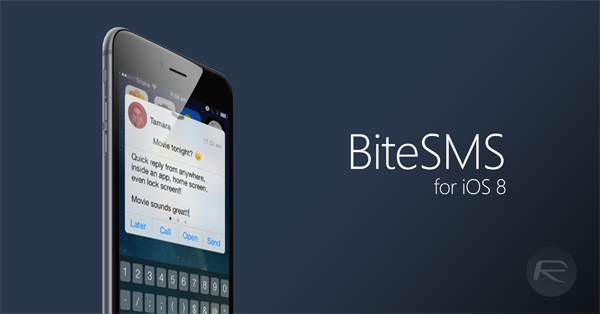
Some jailbreak tweaks are worth the hassle of jailbreaking your iPhone all on their own, and Delicious Inc's BiteSMS is one tweak that definitely falls into that category. BiteSMS has been around for a long time, and it just keeps getting better and better.
The Pangu team has delivered an untethered iOS 8 – 8.1 jailbreak when we least expected it. Having surprised us with the impromptu jailbreak for iOS 7.1.x, the Chinese team has come through with another solution for the all-new iOS 8.x. As mentioned in our initial coverage, dubbed as Pangu8, it works with iOS 8.0 all the way through to the latest iOS 8.1, and below, we'll be showing you how to jailbreak your device using the tool.
As promised by the Pangu Team, the updated version of their Pangu8 utility is now available for download. Now sitting at version 1.1.0, the new and updated tool lets you jailbreak iOS 8 / 8.1 untethered, but with the added benefit of installing Cydia automatically from the get-go.
The jailbreak scene has once again surpassed itself with the promptness of the release of a jailbreak for iOS 8 / 8.1. Not only do we have to applaud the work of the Chinese Pangu jailbreak team, but the endeavors of Cydia author Saurik and his developers has been just as commendable. The only issue with this untether is that it's not exactly noob-proof, with many of the steps involved in jailbreaking, manually installing Cydia and such requiring at least a passable amount of prior knowledge. But Pangu has announced that it is well into combining its tool with the very latest version of Cydia, and once testing and consultation with Saurik has commenced, could release to the end user as soon as tomorrow.
A major update has just been made to Cydia, driving the version number up to 1.1.15 whilst adding a number of fixes largely specific to iOS 8 / 8.1, the new iPhones, and the Pangu8 jailbreak.
The following tutorial will help you fix Cydia Passcode boot loop issue after you have jailbroken your iPhone, iPad or iPod touch on iOS 8.x using the Pangu8 jailbreak tool. It is important to note that the current version of Cydia and Pangu8 are not ready for primetime yet and hence has lots of issues. Follow the guide only if you are an advance user and have prior knowledge of SSHing into an iOS device. Make sure you backup your data before starting.
Just a while back, we highlighted a neat little clip which presented an Apple Watch-like UI running on the iOS home screen. It was definitely among the cooler mods we'd seen since the introduction of the jailbreak only last week, and now, the whole thing is available as a free jailbreak tweak for all to download.