With iOS 10, Apple is taking ReplayKit to the next level by bringing in the ability for apps and games to live broadcast whatever is shown on the device's display. With the latest iOS 10 developer beta 2 and iOS 10 public beta 1, it now seems like Apple has finally enabled the functionality. Here are the details.
It was almost a foregone conclusion that Niantic Labs' Pokémon Go would be a worldwide phenomenon when it was taken out of its closed beta state and released to the general public on the iOS and Android app stores.
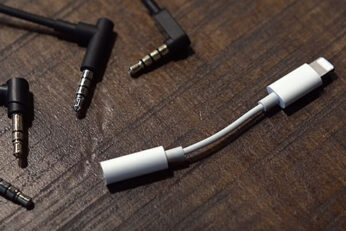
A new set of photos have yet again shown us Apple's Lightning-enabled EarPods for the iPhone 7. Here are the details.
iOS 10 public beta as well as the most recent build of the developer beta feature a bug that allows users to send messages via iMessage, Twitter and many other apps right from the lock screen without ever having to enter any sort of authentication credentials beforehand.
Newly leaked iPhone 7 Plus photos show Smart Connector, dual-lens camera, but no mute switch. Here are the details.
If you have Pokemon Go installed on your phone and signed in with Google account, you may want to have a look at just what permissions you granted it.
Here's how you can enable the hidden Battery Saver mode in Pokemon Go for iPhone or Android to help preserve battery life when playing the game.
It may seem difficult to believe, but there was a time when editing a photo with a filter or an overlay was hugely complex and required huge amounts of processing power to even accomplish. Of course, with the advent of apps like Instagram and the native filters in Apple’s Photos app, we take this type of image editing for granted these days, and have become accustomed to the filters that Facebook-owned Instagram or a third-party editing app of choice provides. Filters are clearly here to stay, and now, they’ve just been taken to a whole new level thanks to some intense server-side and AI rendering technology offered by the wonderful Prisma app for iPhone and the iPod touch.
Here we explain how to enable Two-Factor Authentication on Apple ID / iCloud account as well as the difference between Two-Step Verification and Two-Factor Authentication, and how to opt-out of Two-Step Verification if it's already enabled on an Apple ID.
You may remember that back in 2014, Australian iPhone owners were finding that their devices were being remotely locked and then essentially held at ransom; devices were threatened with remote wiping unless the owner coughed up a ransom. Unfortunately we may be in the midst of a copycat spate of almost identical incidents right now once again, though this time around the targeted users are located mostly in the United States and the Europe.