
• November 11, 2026
  • Apple
    Apple

    Jailbreak iOS 27.2.1: Everything You Need To Know

    Apple Releases watchOS 27.2.1, tvOS 27.2.1, macOS 27.2.1, visionOS 27.2.1

    Download: iOS 27.2.1 IPSW Links, OTA Update And iPadOS 27.2.1 Released

  • Google
    Google

    Google Maps Brings Gemini To Apple CarPlay

    Google Account Recovery Now Needs Your Face And Your Face Alone

    Google Meet Comes To Apple CarPlay, Still No Android Auto Support

  • Microsoft
    Microsoft

    Save Big On Software With Windows 11 From Just $12 And Microsoft Office Starting At Just $17

    Stellar Repair For Outlook Detailed Review: Online Service Vs Desktop Tool What To Choose

    Get Windows 11 For Just $14 And Microsoft Office From Less Than $19 With These Software Deals

  • Tesla
    Tesla

    Tesla’s Cybertruck Production Winding Down At Texas Gigafactory

    Tesla Has Updated Its App, Adding iPhone Duo And iPad Support

    Tesla’s New Roadster Can Do 0-60mph In 0.81 Seconds, Production Starts 2028

  • Reviews
    Reviews

    Stellar Repair For MS SQL – Corporate Edition [Review]

    VideoProc Converter AI Helps Restore Old Videos Up To 4K [Review]

    Why Choose CZUR StarryHub For Meeting Solution?

  • Deals
    Deals

    Samsung’s 32-Inch Gaming Monitor With 180Hz Refresh Rate Is Just $179.99 Today

    The Latest Apple Watch Ultra 4 Is $99 Off, But For Limited Time Only

    Get 30% Off This Electric Scooter And Zip Around The Neighborhood

Reading
Get The Android 4.1 Jelly Bean Boot Animation On Any Android Device Right Now!
ShareTweet
Ben Reid·July 5, 2012

Get The Android 4.1 Jelly Bean Boot Animation On Any Android Device Right Now!

When the Samsung Galaxy S III first surfaced towards the end of May, the Android community was ready to pounce on its many exclusive treasures, namely S Voice – the Siri-esque voice recognition software. Jelly Bean 4.1’s release into the wild has followed a similar prose, with wallpapers, themes, and even the Google Ears widget having been ported through to devices running Ice Cream Sandwich.

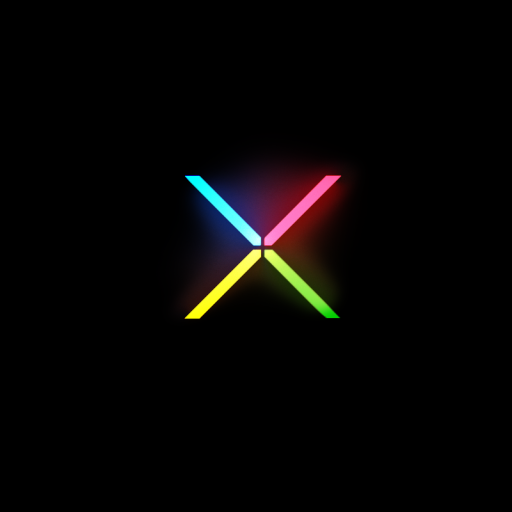
To add to the growing list, those rocking a non-Jelly Bean device can now enjoy the new firmware’s boot logo. Of all the modifications one can make on a device, the boot animation is one of the most trivial, yet mobile device users seem pretty obsessed with chopping and changing it around at will.

It arrives courtesy of none other than the XDA Developers forums, and is packaged up in a nice, easy-to-install .zip file. Whether the Jelly Bean boot logo is better than those of the past is a matter of opinion, but with Jelly Bean being such a newbie in mobile space, it figures many of you will want to make your device look and feel like it’s running new software, even if indeed it isn’t.

Although ICS was a decent update from Gingerbread and Honeycomb, the amount of time it has taken to reach devices is something Google has sought to improve on with Jelly Bean. The Big G will exercise more control over how its mobile OS is distributed, and will be encouraging mobile device manufacturers to compete in terms of hardware as opposed to hindering software releases by modifying them so heavily.

We have tested the boot animation ourselves, and confirm it’s working just fine. It does add a little finesse to the process of booting up a device, but then again, the importance of the boot animation is negligible to me.
000

Nevertheless, to get started, simply flash the .zip onto your Android device, and if you encounter any problems along the way, please head over to the original XDA Thread, where the helpful members will assist.

You may also like to check out:

  • How To Install Google Now On Rooted Android ICS Devices [VIDEO]

Be sure to check out our Android Apps gallery to explore more apps for your Android device.

You can follow us on Twitter, add us to your circle on Google+ or like our Facebook page to keep yourself updated on all the latest from Microsoft, Google, Apple and the web.
Tags
AndroidAndroid AppsJelly Bean Boot Logo
ShareTweetSubmitShare
Ben Reid
Reporter.
Related

How To Unlock An Android Phone With A Broken Screen: 4 Methods That Actually Make Sense

M Asad·October 28, 2026

A Future iPhone Could Run On SpaceX As Starlink Mobile Upgrades Gather Pace

Oliver Haslam·October 9, 2026
Previous How To Play Music Directly From Home Screen Folders On iPhone
Next Open URLs In Chrome For iOS With Ease Via Action Menu On Mobile Safari
Show Comments (0)

TRENDING NOW

Jailbreak iOS 27.2.1: Everything You Need To Know

Apple Releases watchOS 27.2.1, tvOS 27.2.1, macOS 27.2.1, visionOS 27.2.1

Download: iOS 27.2.1 IPSW Links, OTA Update And iPadOS 27.2.1 Released

iPhone Action Button Could Soon Be Merged With Camera Control

Apple’s iPhone Duo Passes 260,000 Folds And Lives To Tell The Tale

Calif iOS 27 Jailbreak Bypasses iPhone Lockdown Mode And Supports Updates

Apple’s iOS 27.3 Beta Adds New Reachability Feature To iPhone Duo

Apple Releases Beta 1 Of macOS 27.3, watchOS 27.3, tvOS 27.3, And visionOS 27.3

Download: iOS 27.3 Beta 1 And iPadOS 27.3 Beta 1 Now Available

Apple CEO John Ternus Addresses iPhone Duo Supply Shortages And Display Issues

FOR YOU

[iOS 27 Updated] 7 Ways To Fix Unable To Check For Update Or Not Showing On iPhone/iPad

Apple’s iOS 27 Will Bring Mac-Like Recovery To iPhone

How To Prepare For iOS 27 And iPadOS 27 The Right Way

iOS 27 Beta 2 Download Expected Release Date

Fix iOS 27 Bugs And Most Common Problems On iPhone Or iPad

Download iOS 27 Beta 1 IPSW Links For Developers Now

iOS 27 Includes New ‘Create A Pass’ Feature For Creating Digital Tickets And Passes

How To Remove Apple ID From iPhone Without Password (2026 Guide)

  • About
  • Advertise
  • Privacy Policy
  • Tip Us
Copyright © 2008-2026 Redmond Pie. All Rights Reserved.
  • About
  • Advertise
  • Privacy Policy
  • Apple
  • Google
  • Microsoft
  • Tesla
  • Reviews
  • Deals
Start typing to see results or hit ESC to close
Apple iPhone deals iPad Android
See all results

SUBSCRIBE

Join 100k+ other tech lovers and get the latest news in your inbox
[mc4wp_form id="389"]