• September 21, 2026
  • Apple
    Apple

    iOS 27 Battery Life And Performance Video Put Apple’s New Update To The Test

    Apple Added A New Scam Prevention Feature With iOS 27

    iPhone 17 Pro / Max Case Compatibility For iPhone 18 Pro According To Apple

  • Google
    Google

    Google Account Recovery Now Needs Your Face And Your Face Alone

    Google Meet Comes To Apple CarPlay, Still No Android Auto Support

    Google Maps Is Getting Gemini AI And 3D Immersive Navigation

  • Microsoft
    Microsoft

    Get Windows 11 For Just $14 And Microsoft Office From Less Than $19 With These Software Deals

    Grab Windows 10 From Just $9, Windows 11 From Just $12 With These Limited-Time Microsoft Software Deals

    Upgrade Your PC: Get Windows 11 Pro Keys For Just $26 at WhatsGameKey March Sale!

  • Tesla
    Tesla

    Support For Apple TV, HBO And More Come To Tesla’s In-Car Entertainment Screen

    Tesla’s 10 Millionth EV Has Been Built

    Tesla Releases Summer 2026 Software Update, Here’s What Is New

  • Reviews
    Reviews

    Stellar Repair For MS SQL – Corporate Edition [Review]

    VideoProc Converter AI Helps Restore Old Videos Up To 4K [Review]

    Why Choose CZUR StarryHub For Meeting Solution?

  • Deals
    Deals

    Protect Your iPhone 18 Pro For Less With 15% Off Three ESR Screen Protectors

    Get $100 Off Apple’s Latest Big-Screen 13-Inch M4 iPad Air This Weekend

    This AI-Powered Mini Split AC Could Cut Your Energy Use By 38%, Discounted For Limited Time

Latest
  • Latest
  • Oldest
  • Random
  • A to Z

macOS

iOS 11, macOS High Sierra To Automatically Switch Users To Two-Factor Authentication

Oliver Haslam·June 13, 2017
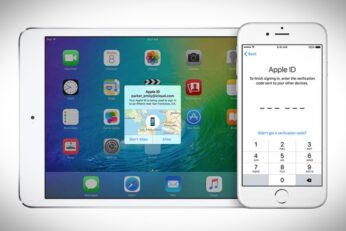
Starting from iOS 11 and macOS High Sierra, Apple will move users from two-step verification to two-factor authentication in order to ensure their data is less likely to be compromised.

30+ Hidden macOS 10.13 High Sierra Features Apple Didn’t Tell You About

Paul Morris·June 8, 2017
Here are 30+ hidden macOS 10.13 High Sierra features that Apple didn't tell you about when announcing the new Mac operating system.

Download Wallpaper Of iOS 11, macOS 10.13 High Sierra Betas From Here

Paul Morris·June 6, 2017

Download macOS 10.13 High Sierra Beta 1 For Your Mac Right Now

Paul Morris·June 6, 2017
You can now download macOS 10.13 High Sierra Beta 1 for your compatible Mac right now. Here are the details on it.

iMac Pro Announced, Existing iMac Gets 2017 Refresh

Paul Morris·June 6, 2017
Apple has finally brought some good news to Mac hardware fans, with the opening keynote of this year's WWDC announcing iMacs with updated internals and a new iMac Pro range.

macOS 10.13 High Sierra Features, Release Date And More Announced, Here Are The Details

Paul Morris·June 5, 2017

Download: iOS 10.3.3 Beta 2, macOS 10.12.6, tvOS 10.2.2, watchOS 3.2.3 Released

Paul Morris·May 30, 2017
Apple has released for download iOS 10.3.3 beta 2, macOS 10.12.6 beta 2, tvOS 10.2.2 beta 2 and watchOS 3.2.3 beta 2 to users registered on the Apple Developer Program with immediate effect.

How To Get Google Assistant On Your Mac

Paul Morris·May 23, 2017
Here's how to get Google Assistant on your macOS Sierra powered Mac with the newly released MacAssistant utility.

Download: iOS 10.3.3 Beta 1, macOS 10.12.6, tvOS 10.2.2, watchOS 3.2.3 Out Now

Paul Morris·May 16, 2017

Download: iTunes 12.6.1 Released For Windows And macOS

Taimur Asad·May 15, 2017
Apple has just made available to download iTunes 12.6.1 version for both Microsoft's Windows running PCs and Apple's macOS running Macs.

Download: macOS 10.12.5 Final Version Released For Macs

Paul Morris·May 15, 2017
You can now download macOS 10.12.5 final version and update your Mac to the latest macOS public release from Apple. Here are the details.

WWDC 2017 Keynote Date And Time Confirmed Through Media Invites

Oliver Haslam·May 10, 2017

macOS 10.12.5 Beta 5 Released To Developers And Public Testers

Oliver Haslam·May 2, 2017
Apple has seeded macOS 10.12.5 beta 5 seed to both developers and those on the public beta program, with the update coming a week after the fourth was pushed out to a similar audience.

Download: iOS 10.3.2, macOS 10.12.5 Public Beta 2 Released

Oliver Haslam·April 12, 2017
You can now download iOS 10.3.2 and macOS 10.12.5 Public Beta 2 as part of Apple's Public Beta Software Program. Here are the details.

Download: Beta 2 Of iOS 10.3.2, macOS 10.12.5, watchOS 3.2.2, tvOS 10.2.1 Now Available

Paul Morris·April 10, 2017
Load More

TRENDING NOW

iOS 27 Battery Life And Performance Video Put Apple’s New Update To The Test

Apple Added A New Scam Prevention Feature With iOS 27

iPhone 17 Pro / Max Case Compatibility For iPhone 18 Pro According To Apple

PSA: This iOS 27 Bug Can Freeze Your iPhone

Celebrities Are Desperate To Get Their Hands On iPhone Duo

iOS 27.2 Update Will Overwrite iPhone Storage With Blank Data When Erasing It

Download: iOS 27.2 Beta 1 And More Released, Here’s What Is New

Apple Details iPhone 18 Pro’s New Reference Image Camera Feature

AppleCare One Family Arrives With $49.99 A Month Fee

Apple’s iCloud+ Now Includes Apple Arcade, Apple TV, And More In Over 100 Countries

FOR YOU

iOS 27 Public Beta 1: How To Install The Update On iPhone Right Now

Download iOS 27 Beta 1 IPSW Links For Developers Now

Apple Announces Brand-New Siri AI, Apple Intelligence Upgrades, And More

iOS 27 Will Allow iPhone Users To Choose Between Different AI Providers

iOS 27 Could Bring Siri Apple Intelligence Support To The iPhone’s Camera App

Download: iOS 27 Beta 7 IPSW Links, OTA Update, And More Out Now

Download: iOS 27 RC IPSW Links, OTA Update For iPhone Released

iOS 27 iPhone Slow Or Overheating? Turn Off Siri AI And Liquid Glass

  • About
  • Advertise
  • Privacy Policy
  • Tip Us
Copyright © 2008-2026 Redmond Pie. All Rights Reserved.
  • About
  • Advertise
  • Privacy Policy
  • Apple
  • Google
  • Microsoft
  • Tesla
  • Reviews
  • Deals
Start typing to see results or hit ESC to close
Apple iPhone deals iPad Android
See all results

SUBSCRIBE

Join 100k+ other tech lovers and get the latest news in your inbox
[mc4wp_form id="389"]