• December 23, 2025
  • Apple
    Apple

    Apple’s To Begin iPhone 18 Trial Production In February 2027

    Hypertension Notifications Have Been Approved For Australian Apple Watches

    iOS 26.2 Battery Life Drain Performance Tested

  • Google
    Google

    Google’s First AI Smart Glasses Will Debut In 2026

    Google’s Latest Pixel Ad Mocks Apple’s iPhone With A Wicked Twist

    Apple’s AirDrop Now (Sort Of) Works With Android Phones

  • Microsoft
    Microsoft

    iOS 26.2 Features A New AirDrop Privacy Feature

    Get Microsoft Windows 11 And More For Just $14 With These Christmas Microsoft Software Deals

    Apple Is Breaking Sales Records Thanks To The iPhone 17

  • Tesla
    Tesla

    Tesla’s 2025 Holiday Software Update Is Now Rolling Out

    Tesla Might Add CarPlay, But Android Users Could Be Left Out

    Tesla Launches $36K Model 3, $39K Model Y

  • Reviews
    Reviews

    VideoProc Converter AI Helps Restore Old Videos Up To 4K [Review]

    Why Choose CZUR StarryHub For Meeting Solution?

    Stellar Repair For MS SQL – Product Review

  • Deals
    Deals

    Never Run Out Of Juice Again With 35% Off This Anker Laptop Power Bank

    Take Notes In Style And Save $140 Off This Amazon Kindle Scribe

    Get Your Coffee Fix And Save $200 With This Breville Barista Touch Espresso Machine Deal

Latest
  • Latest
  • Oldest
  • Random
  • A to Z

Snapchat

Snapchat Users With iPhone 12 Pro Can Create LiDAR Lenses

Oliver Haslam·October 17, 2020
Snapchat users with iPhone 12 Pro can create LiDAR lenses thanks to the new Lens Studio. Here is everything you need to know.

Snapchat Spectacles 3 Announced With Dual-Cameras And New Design

Oliver Haslam·August 14, 2019
If you’ve been waiting for new Snapchat Spectacles, you’re going to have a good day in November. Snap has now announced Spectacles 3 and they’ll cost $380 when they go on sale in, you guessed it, November.

Snapchat Is Now Banning All Accounts Running On Jailbroken iOS 12 Devices

Paul Morris·May 10, 2019

How To Download Snapchat Stories On iPhone The Right Way

Paul Morris·April 25, 2019
Here's how you can download Snapchat stories on your iPhone the right way. Best of all, there's no jailbreak required for this.

Snapchat Brings Its 250,000 AR Lenses To Mac, Windows With New Snap Camera App

Oliver Haslam·October 28, 2018
Snapchat users who don't want to have to create their masterpieces on a smartphone can now do so on a computer, whether that is a PC or Mac, after Snapchat launched its latest software, dubbed Snap Camera.

Snap’s Spectacles 2 Get Two New Frames That Look Like Standard Sunglasses

Oliver Haslam·September 6, 2018

How To Screenshot Snapchat Without Sending Notification Or Getting Banned

Paul Morris·August 27, 2018
Here's how to screenshot Snapchat on iOS without sending notification or getting banned. Jailbreak is required for this to work.

U.S. Teenagers Seeking Plastic Surgery For Better Selfies, Using Snapchat Filters As Reference

Oliver Haslam·August 4, 2018
A new report by The American Academy of Facial Reconstructive Plastic Surgery says that the majority of its clinicians have now seen patients who want to undergo plastic surgery in order to look like their Snapchat-filtered selves.

Snapchat Makes Bitmoji’s Friendmoji Available As An iOS iMessage App

Oliver Haslam·June 9, 2018

How To Screenshot Snapchat Without Sending Notification, Sort Of

Paul Morris·May 29, 2018
Here's how to take a Snapchat screenshot without notification being sent to other party, well sort of anyway.

How To Use Snapchat To Check For Unknown Numbers Calling Or Texting You

Oliver Haslam·May 10, 2018
Here's how you can use Snapchat to check for unknown phone numbers calling or texting you on an iPhone or Android device.

Snapchat Brings AR Games To Its App With “Snappables”

Oliver Haslam·April 26, 2018

Snapchat Lens Studio Now Lets You Build Your Own Face Filters, Gets GIPHY Integration

Oliver Haslam·April 19, 2018
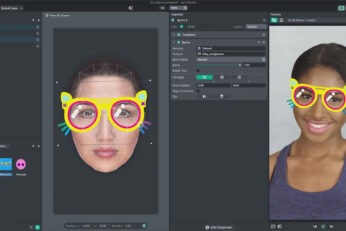
Today, Snap announced that it is expanding its developer platform to allow creators to build their own face filters for the very first time while also adding GIPHY integration to Lens Studio.


How To Fix “You’re Trying To Access Snapchat Through A Third-Party App” Error

Paul Morris·April 10, 2018
Here's how to fix "You're trying to access Snapchat through a third-party app" error on iPhone or iPod touch.

Snapchat Launches iPhone X-Exclusive Face Filters That Use TrueDepth Camera

Paul Morris·April 7, 2018
Load More

TRENDING NOW

Apple’s To Begin iPhone 18 Trial Production In February 2027

Hypertension Notifications Have Been Approved For Australian Apple Watches

iOS 26.2 Battery Life Drain Performance Tested

Apple Released A New Open-Source 2D To 3D Photo Model

ChatGPT’s Apple Music Limited Integration Goes Live

Apple Reportedly Working On A New iMac Pro With An M5 Max Chip Inside

iOS 26.2 Features A New AirDrop Privacy Feature

New iOS 26.4 and iOS 27 Features Have Leaked Ahead Of Release

Kodi 21.3 Omega Final APK Android Download And iOS IPA, Along With Windows And Mac Version, Out Now

Download: iOS 26.3 Beta 1 Released Alongside iPadOS 26.3, macOS 26.3, tvOS 26.3, watchOS 26.3, visionOS 26.3

FOR YOU

iPhone 17 Recovery & DFU Mode: How To Enter, Exit, And Fix Stuck Bugs Complete Guide

iPhone 17 Pro Max Gets Thicker, While iPhone 17 Air Goes Ultra-Thin

iOS 26

Download: iOS 26 Beta 7 OTA Profile, IPSW Links Released

iOS 26.0.1 To Fix iPhone 17 WiFi And CarPlay Disconnecting Issue?

Apple’s iPhone 17e Is Now Rumored For A New Design

New iPhone 17 Pro Leak Claims To Out This Year’s Color Options

How To Jailbreak iOS 26 On iPhone 17/16/13? Safe Guide & Downgrade Tips

iOS 26

iOS 26 Brings Liquid Glass UI To iPhone

  • About
  • Advertise
  • Privacy Policy
  • Tip Us
Copyright © 2008-2025 Redmond Pie. All Rights Reserved.
  • About
  • Advertise
  • Privacy Policy
  • Apple
  • Google
  • Microsoft
  • Tesla
  • Reviews
  • Deals
Start typing to see results or hit ESC to close
Apple iPhone deals iPad Android
See all results

SUBSCRIBE

Join 100k+ other tech lovers and get the latest news in your inbox
[mc4wp_form id="389"]