Google is constantly improving its famed Gmail client, and with the new iPhone 6 and 6 Plus having recently been rolled out by Apple, the Gmail for iOS app has been given its customary update for optimization with the new display sizes. In true geek style, the release is numbered 3.1415926, or Pi, and we've got the rest of the details as well as the download link right here.
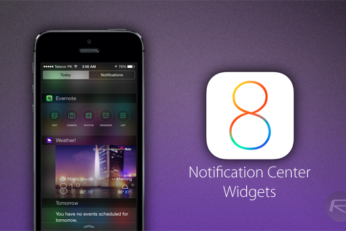
If you're lamenting the loss of Launcher on iOS 8 following Apple's rather disappointing decision to pull it from the App Store, then Quick-Tap widget could be right up your street.
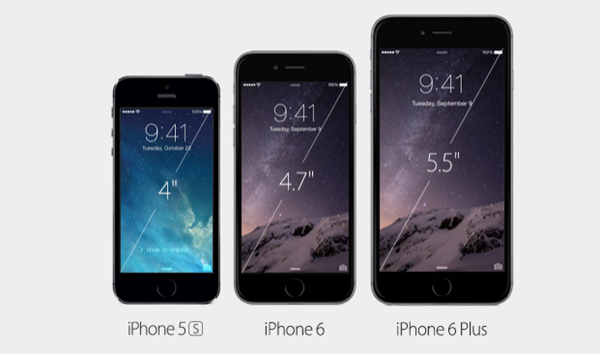
It was suggested in the build-up to the launch of the iPhone 6 and iPhone 6 Plus, particularly by analysts, that Apple's decision to increase the display real estate would prompt a surge in upgrades. The same reports also indicated that hordes of Android users would jump ship, and the 4+ million pre-orders of the Cupertino company's latest smartphone would appear to corroborate this notion. While, for existing iPhone users, the iPhone 6 and 6 Plus will seem familiar for the most part, those making the leap from Android mightn't be as seamless, and so, rather nobly, Apple has prepped a guide on how those switching allegiances can do so painlessly.
Having been announced earlier on this week at the special keynote address in Cupertino, the iPhone 6 and iPhone 6 Plus are now available to pre-order. Given that demand is surely likely to outweigh supply, you'll need to act quickly if you want to secure yourself a handset, and below, we've got all of the details.
Tuesday's Apple event is fast approaching, and while the world speculates on the extent of what Tim Cook and team will introduce, one thing we know for sure is that we will definitely welcome the next-generation iPhone into our lives. Leaked information pertaining to the "iPhone 6" has been coming thick and fast over the last few months, with the challenge being having the ability to filter through all of the speculation to be pull out the genuine details. As we get ever closer to the reveal, a new video has emerged online that bills itself as the first real visual review of Apple's 4.7-inch smartphone.
It's inevitable that once the iPhone 6 is announced on September 9th’s media event, it won't be too long before we begin getting excited about what's next with the iPhone 7. In fact, it often feels as though we're constantly sitting in wait for the Next Big Thing once the novelty of the latest and greatest has worn off, and a rather humorous new comic documenting iPhone Fever completely hits the nail on the head.
Apple's iPhone 5s mightn't have brought many changes from an aesthetic standpoint, but in terms of hardware, the Cupertino based company really upped the ante. For instance, alongside the much-improved A7 SoC, the device also included the M7 coprocessor, and with the next-gen iPhone 6 set to include an A8 chip, details of the handset's corresponding M7 have now emerged.
When you carry something around that's likely to spontaneously combust then you usually get a little hazard pay, but it's becoming increasingly possible that many of us are doing it without even realizing it, after yet another iPhone was found alight, apparently of its own volition.
As Apple continues to roll out its iOS 8 betas, the latest to hit development devices is beta 5 and it's been around for almost a week now. In that time those using the beta on their iPhones and iPads have been discovering new features as well as changes to old ones, and one of those new features has cropped up very recently indeed.
Mobile devices are not always safe from an outside attack, which can lead to your personal data being compromised. To say the least, non of the mobile software we’ve encountered so far is fully intruder-proof, and today, we’ve outlined a simple - but yet detailed guide - on how to make your iPhone more secure by putting in place certain security measures.