Earlier on the week, Popcorn Time, the so-called "Netflix of Torrents," finally made its way to iOS, although given Apple's rules on what can and what cannot pass through the App Store's moderation process, its developers could only target the jailbreak community. Many iOS 7 users have held back on updating to iOS 8 in a move to preserve their jailbreaks, and so could take advantage of Popcorn Time's introduction, but for the majority now running on the all-new iOS 8, the haven of free movies is out of bounds. There are, however, alternatives out there, and the one we're featuring here today has the advantage of not requiring a jailbreak, so if you're running stock software, this one may be for you.
Apple may currently be working to bring forth iOS 8.1 later on this month, which will include some exciting new features like Apple Pay, but even at its current duration, iOS 8 offers plenty of changes and improvements for the iDevice community to familiarize themselves with. Along with some of the more blatant additions to iOS 8, such as third-party keyboards and Notification Center widgets, Apple has made a multitude of subtle, less obvious adjustments, and among them, a long-standing gripe regarding App Store purchases has now been addressed.
The introduction of Notification Center widgets with iOS 8 has brought a whole new dynamic to Apple's mobile platform, and of all the areas of the ecosystem that have been opened up to third parties with the latest software updates, Notification Center widgets appear to be thriving the most during these early stages. We've already seen dozens of great widgets as developers seek to take advantage of what is a brand new category, and here, we feature one of our favorite widgets to have landed so far.
Guide on how to download and install SiOS SNES emulator on iOS 8 running on iPhone 6, iPhone 6 Plus, older iPhone models, iPad or iPod touch.
Apple's iOS 8 has brought with it some truly impressive new features as well as some that should probably have been there since day one. Unfortunately, it also brings with it an extra icon or two that belong to apps that most people don't want on their home screen and, as we all know, if Apple wants us to use an app, there's no deleting it. Ever.
Here are the top 10 best Notification Center widgets for iOS 8 which you should download and install on iPhone right away.
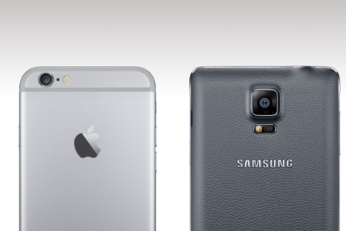
We've already seen the iPhone 6 completely wipe the floor with Samsung's Galaxy S5 in an unofficial speed test, and with the Galaxy Note 4 now in the process of rolling out to the masses, how does it compare to Apple's latest and greatest in terms of the benchmarks?
Apple's iPhone 6, which first hit the scene two weeks ago, managed to shift ten million units in its first three days alone, and at the time, the 4.7-inch iPhone 6 accounted for the lion's share of sales. This may, at least in part, have been due to the fact that the iPhone 6 Plus wasn't as readily available, and whether down to the reported production delays or an underestimation of the larger model's popularity, the Plus's shipping times quickly pushed back to 3-4 weeks. Now, it looks like the admiration of Apple's phablet is beginning to show, with a new report suggesting that the 5.5-inch handset is accounting for three in every five iPhone 6 models being shipped at present.
Posting an update to any social network - or sending out a plain old IM - without an emoji is considered a minor sin these days. And while iOS does feature a brilliant built-in emoji keyboard to get things done, but Apple’s implementation does lack a few things which this new third-party iOS 8 keyboard swiftly fulfills.
Last year with iOS 7, Apple took an even more minimalist approach than usual to its mobile OS, removing all sign of skeuomorphism and instead opting for clean lines and flat shapes. This ethos for keeping things simple is reflected throughout the company’s product range, and with iOS 8 having recently been released, the desire for subtlety has remained. If you’re also a fan of simplicity, you’ll be pleased to learn of a little-known feature bundled into iOS 8 that allows you to enjoy a blank home screen, giving it a desktop OS like look, and below, we’ve compiled a simple step-by-step guide on how you can achieve it.