When you set up a brand new iPhone or iPad, the excitement is usually enough to carry you through the entire setup process itself, but when the dust settles and you're left with your new toy, there tends to be one thing that catches your eye - first-party apps that you just don't want.
iOS 9 includes significant improvements to the already-awesome Continuity feature which made its debut with OS X 10.10 and iOS 8. The initial announcement of Continuity signaled yet another progression in the Cupertino company's journey to ensure that using and interacting with multiple Apple products is as easy as it possibly can be. The latest improvements to the feature seem to suggest that it's here to stay and will only get better as iOS and OS X mature further.
iOS 9 jailbreak for iPhone, iPad, iPod touch already in the works by Chinese ‘Keen Team’. More details on this can be found here.
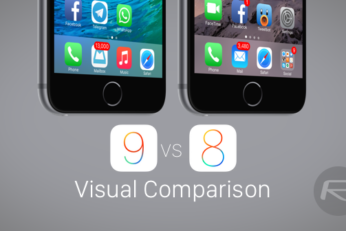
Here's a visual comparison of iOS 9 beta vs iOS 8, showing differences and all the changes which Apple has made in its latest OS for mobile devices.
The following tutorial will help you downgrade iOS 9 beta to iOS 8.3 on any iPhone, iPad or iPod touch. It is important to note that once you downgrade back to iOS 8.3 from iOS 9, you won't be able to restore any full device iOS 9 backup you made on iCloud or using iTunes, this is because backups made on iOS 9 are NOT backwards compatible to work on iOS 8. You will either have the choice to restore to a old backup made on iOS 8.x, or start from scratch on iOS 8.3. You've been warned.
Apple released iOS 8.4 beta 4 download to developers just yesterday, and now we have confirmation that this new build (12H4125a) has fixed the bug which caused an iOS device to crash whenever it received a particular string of Unicode characters through iMessage or SMS.
As developers spend more time with the beta software that Apple made available immediately following the WWDC 2015 opening keynote, more and more features are starting to crop up which Apple either skipped over during its event or didn’t announce at all. Some of them are actually quite important, too.
List of jailbreak tweaks that Apple has effectively killed with iOS 9 for iPhone, iPad and iPod touch. Think we missed any? share with us in the comments below.
iOS 9 features a hidden iCloud Drive app and you can enable it right away on your iPhone or iPad, here’s how you can do it.
Yes you can install iOS 9 beta without developer account or registered UDID on your iPhone or iPad. More details on this can be found here.