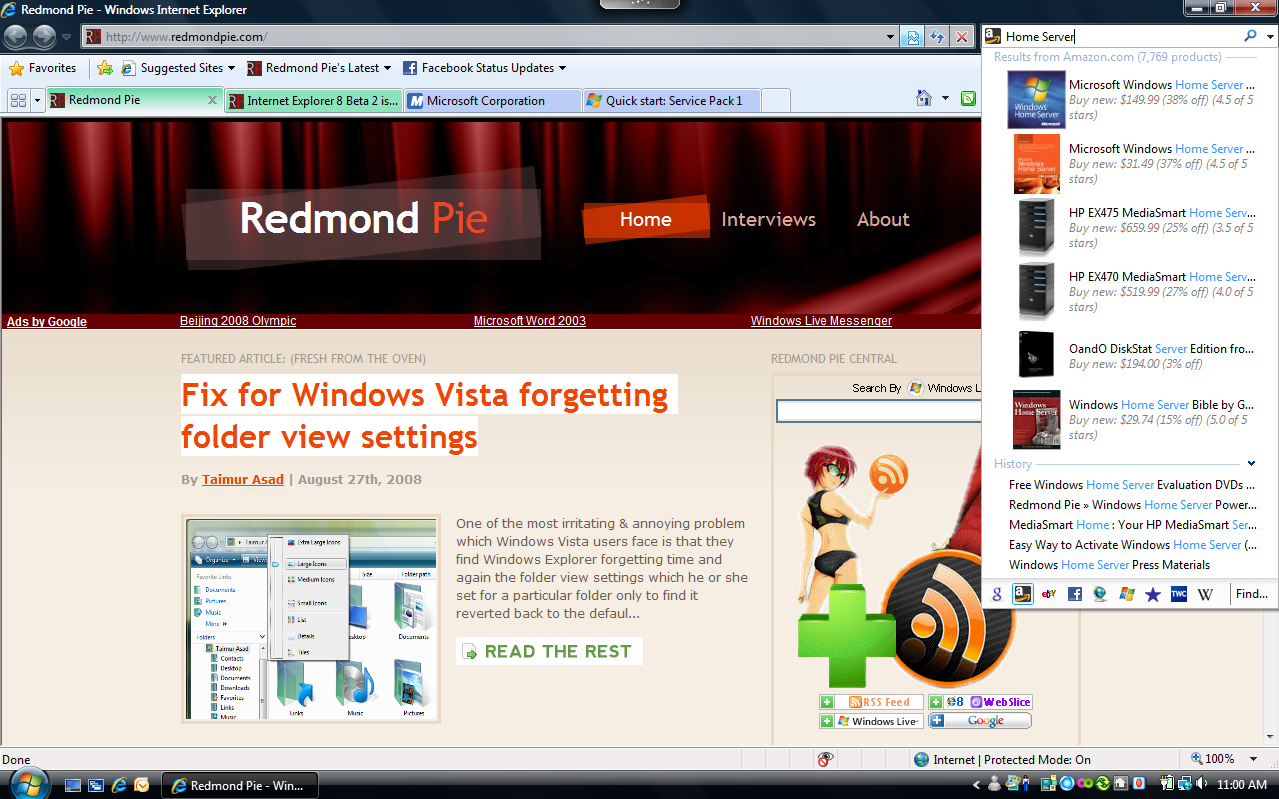
The second beta of Internet Explorer 8 is here. We’ve got some screenshots for you along with a quick run down on the experience so far.
- You have to uninstall the previous Beta to install the new one. Which means uninstall IE 8 Beta 1, restart, install IE 8 Beta 2 and restart again.
- The color scheme is a bit different as you can see from the screenshots. Even the tabs are somewhat different, not a bad change.
- The performance doesn’t seem too fast. It’s still not on par with Firefox. When you open a new tab, it’s a bit laggy.
- Hotmail, Gmail, Wordpress, Redmond Pie all have rendering issues!! Microsoft, stop breaking the Internet please!!
- Finally, inline search!
- InPrivate browsing is there, but nothing that I’m too excited about. ( Don’t need any P0rn Mode!)
- Emulate IE 7 mode gone. Replaced with Compatibility mode button. Placed on the left of the refresh button and fixes the rendering problems. Maybe this should be the default option for rendering websites in IE!
- Compatibility mode also seems to load websites faster than before. You can use the compatibility mode for any particular website without having to restart the browser as in the Beta 1 Emulate IE 7 feature.
- No slow down when browsing Apps ridden Facebook websites or any other heavily scripted website! Yay for Web 2.0!
- Tabs have different colors. Have to yet figure out why?
- Oh yea, here’s the download link http://www.microsoft.com/windows/internet-explorer/beta/worldwide-sites.aspx
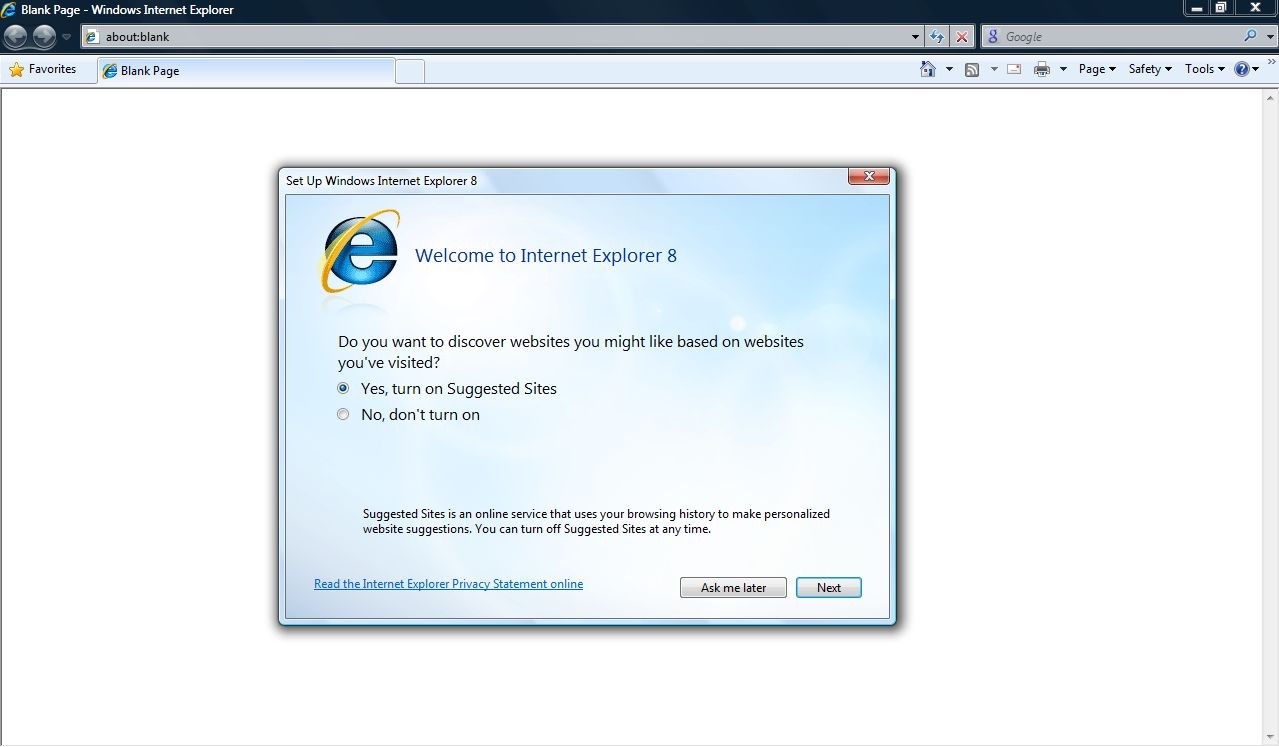
Welcome Screen
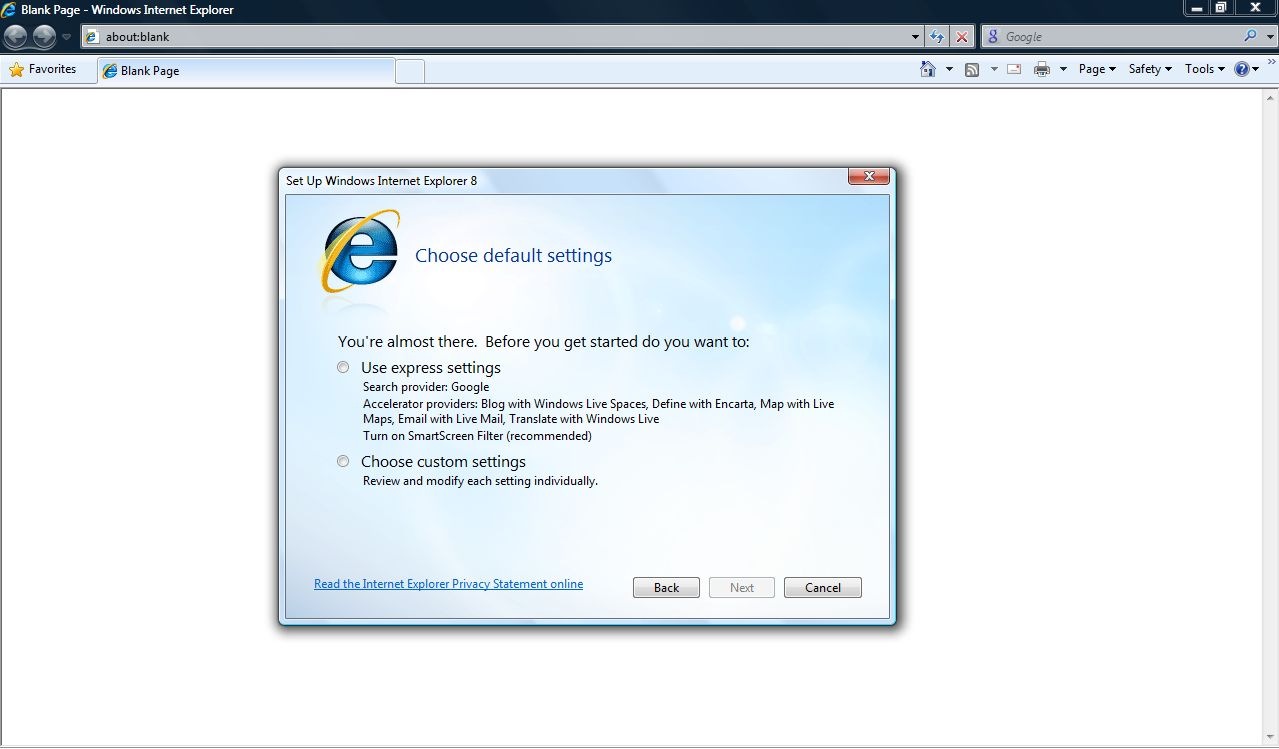
Settings for Search defaults, Accelerators and more..
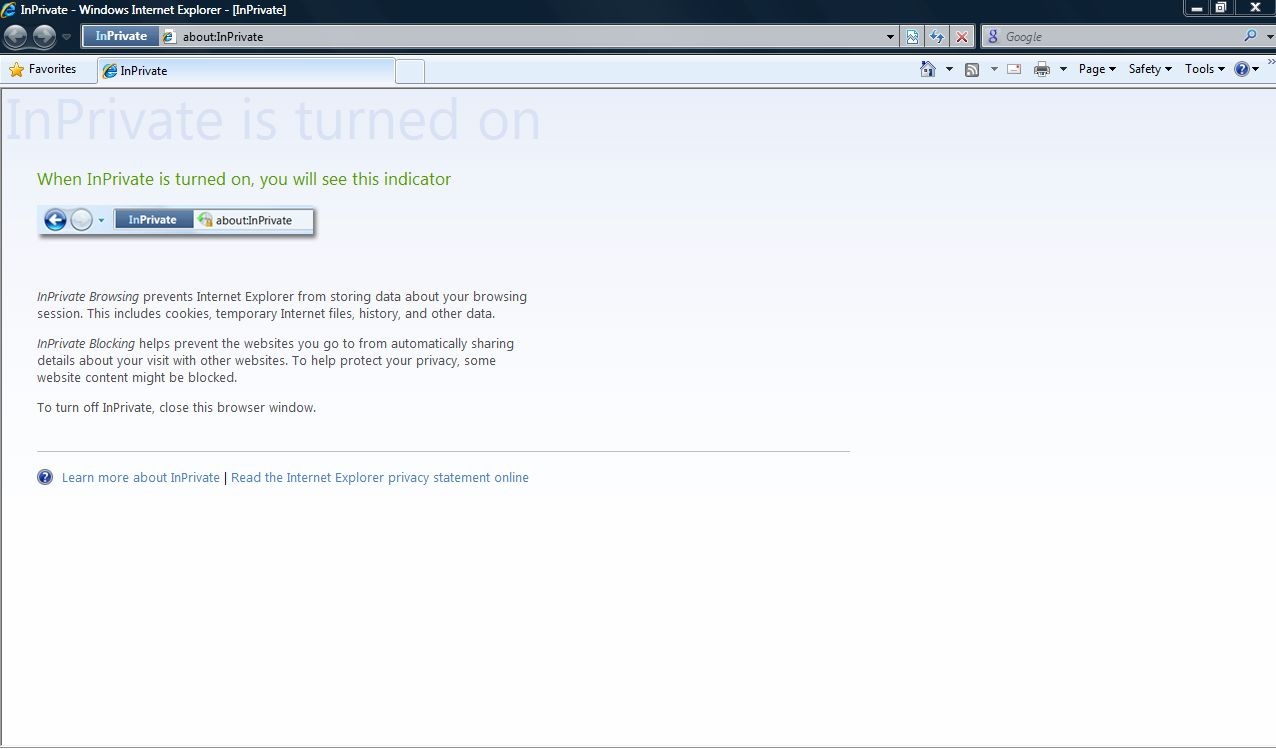
InPrivate Browsing
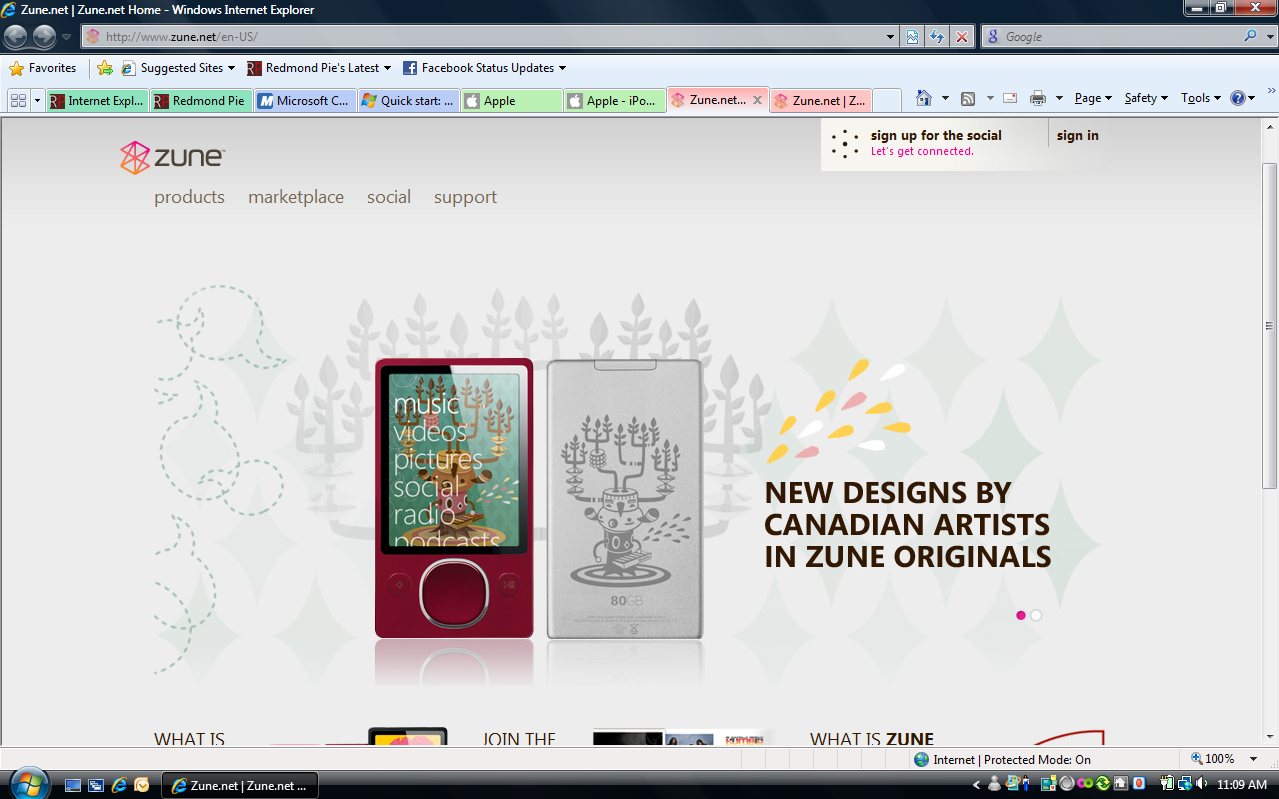
New Colored Tab Groups
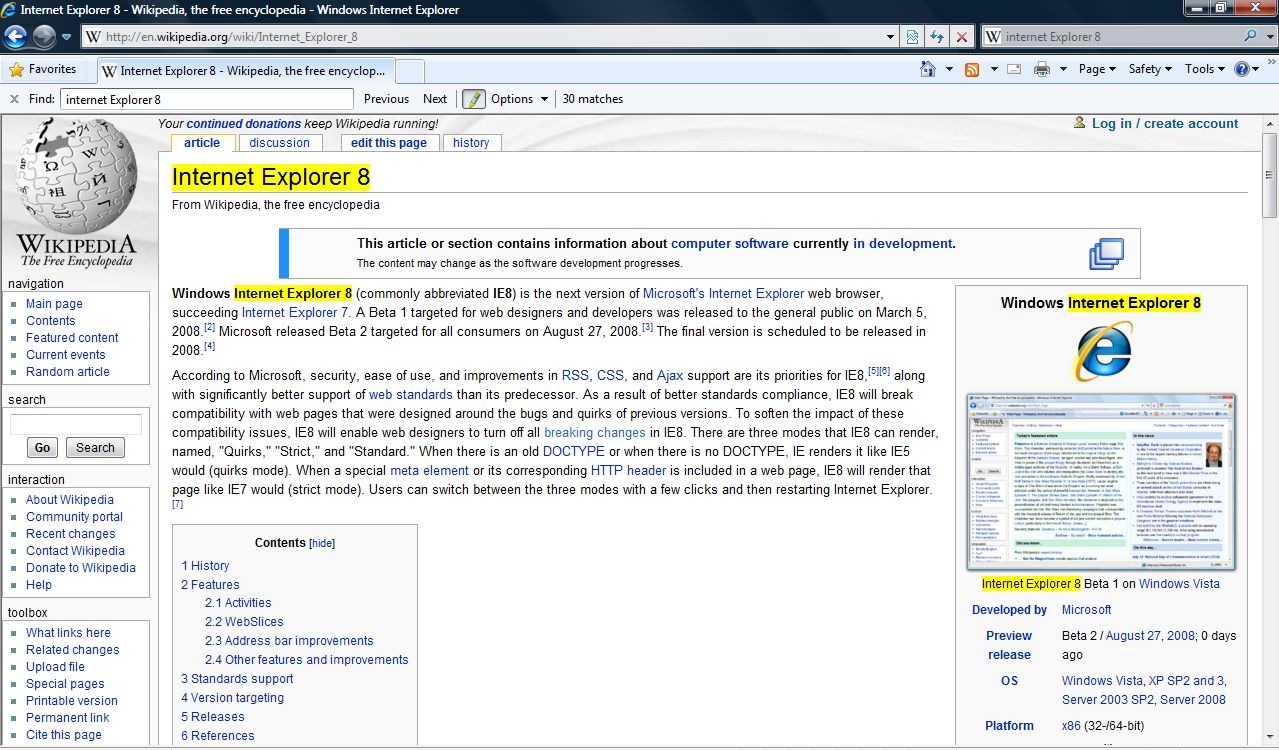
Inline Search finally in IE!
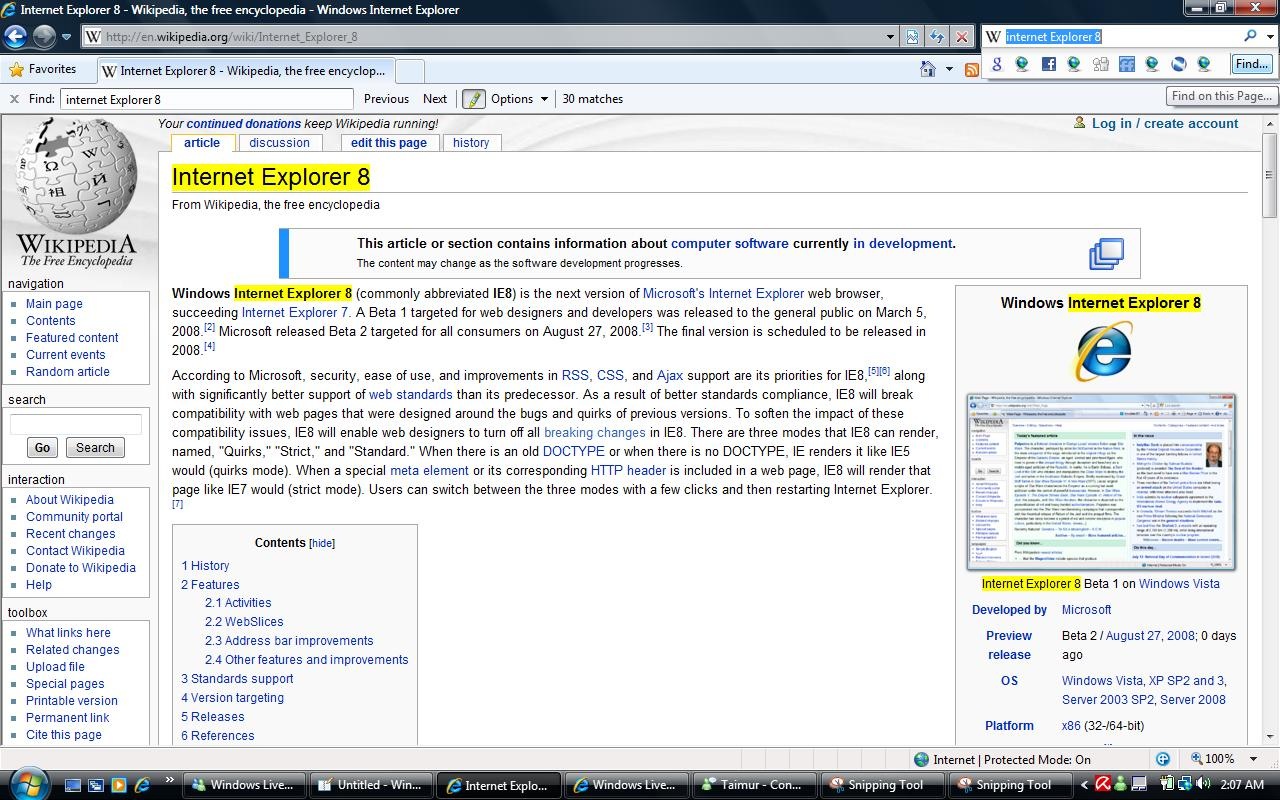
Instant Search. The drop down search results are a great!
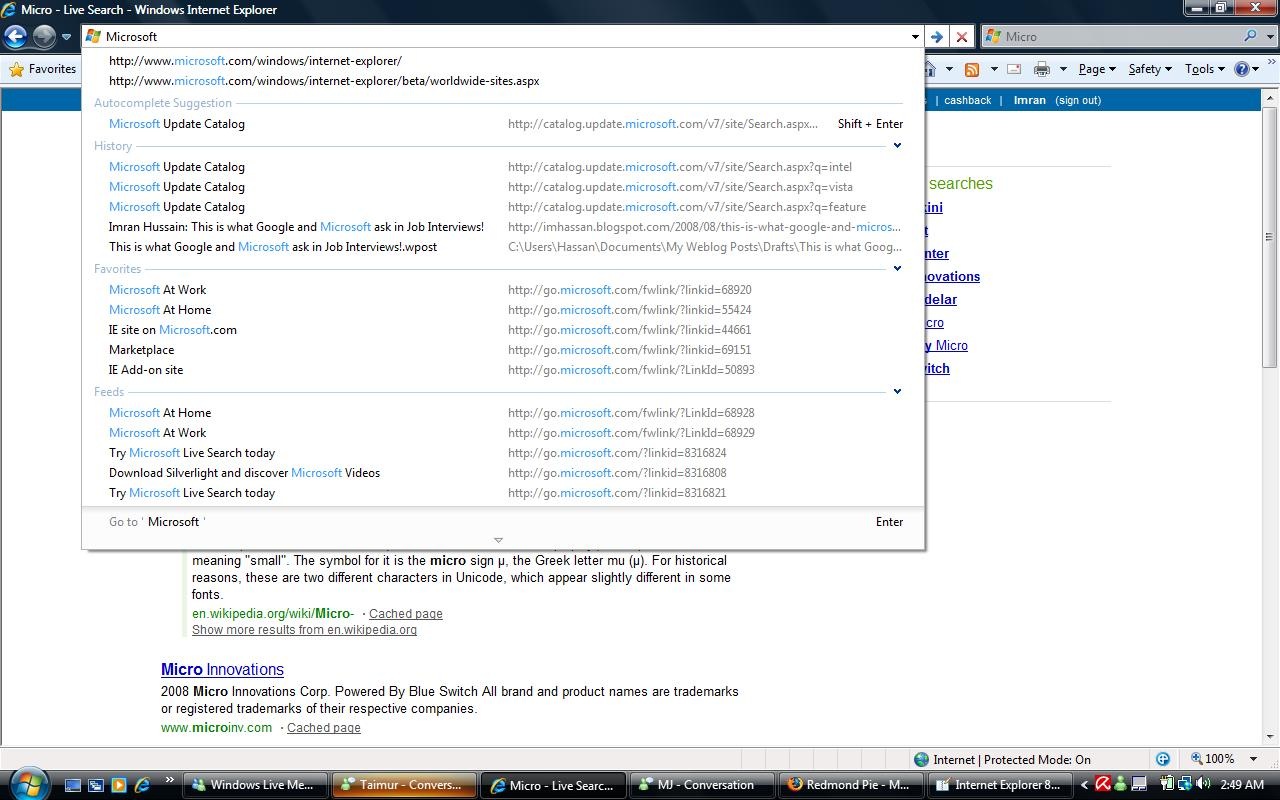
Microsoft’s answer to the Firefox Awesome Bar!
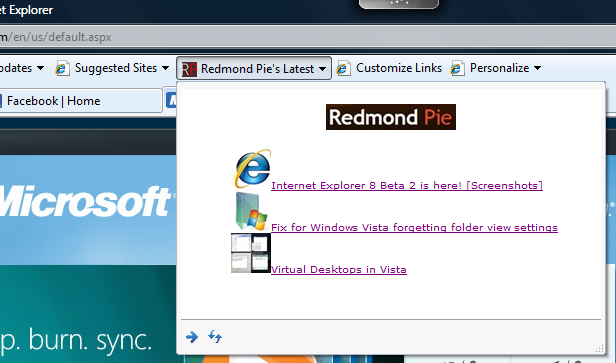
Web Slice. Check out more Web Slices on the official Internet Explorer Gallery page.
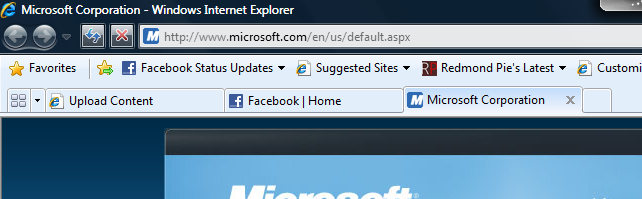
Moving Stop & Refresh buttons on the left side.
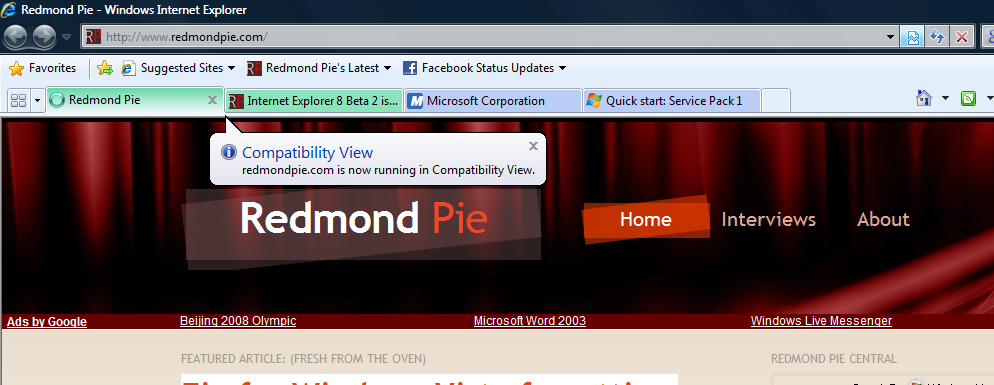
Compatibility Mode
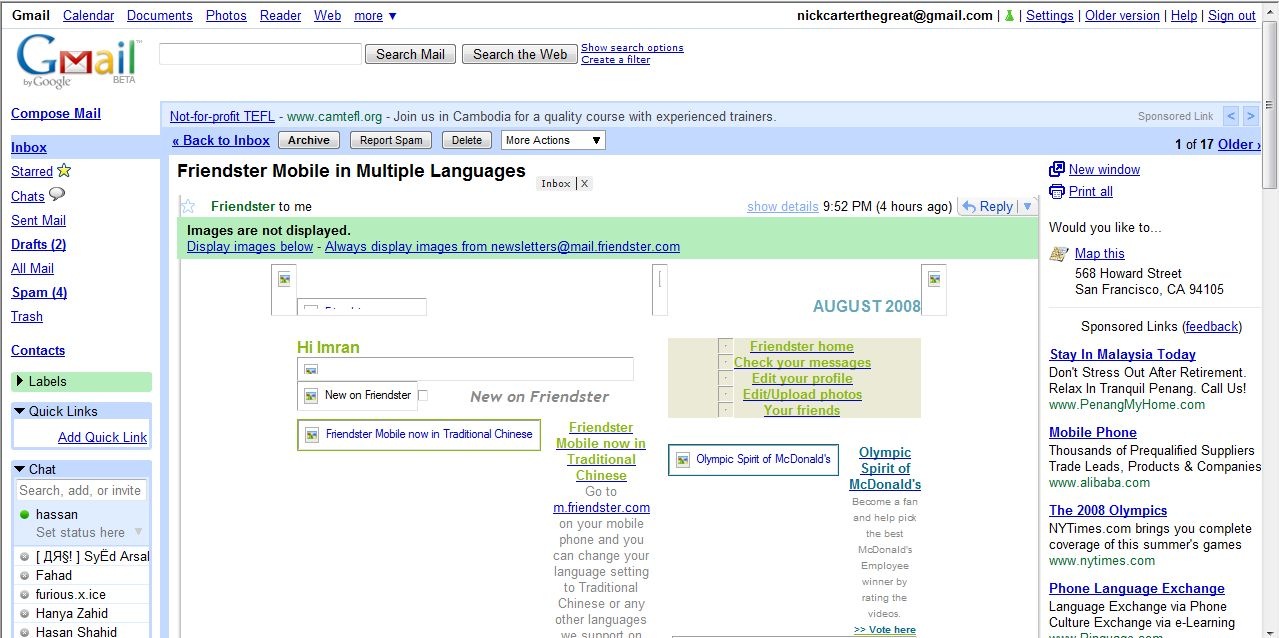
Gmail rendering isn’t all that perfect in the normal mode. Compatibility mode fixes it.
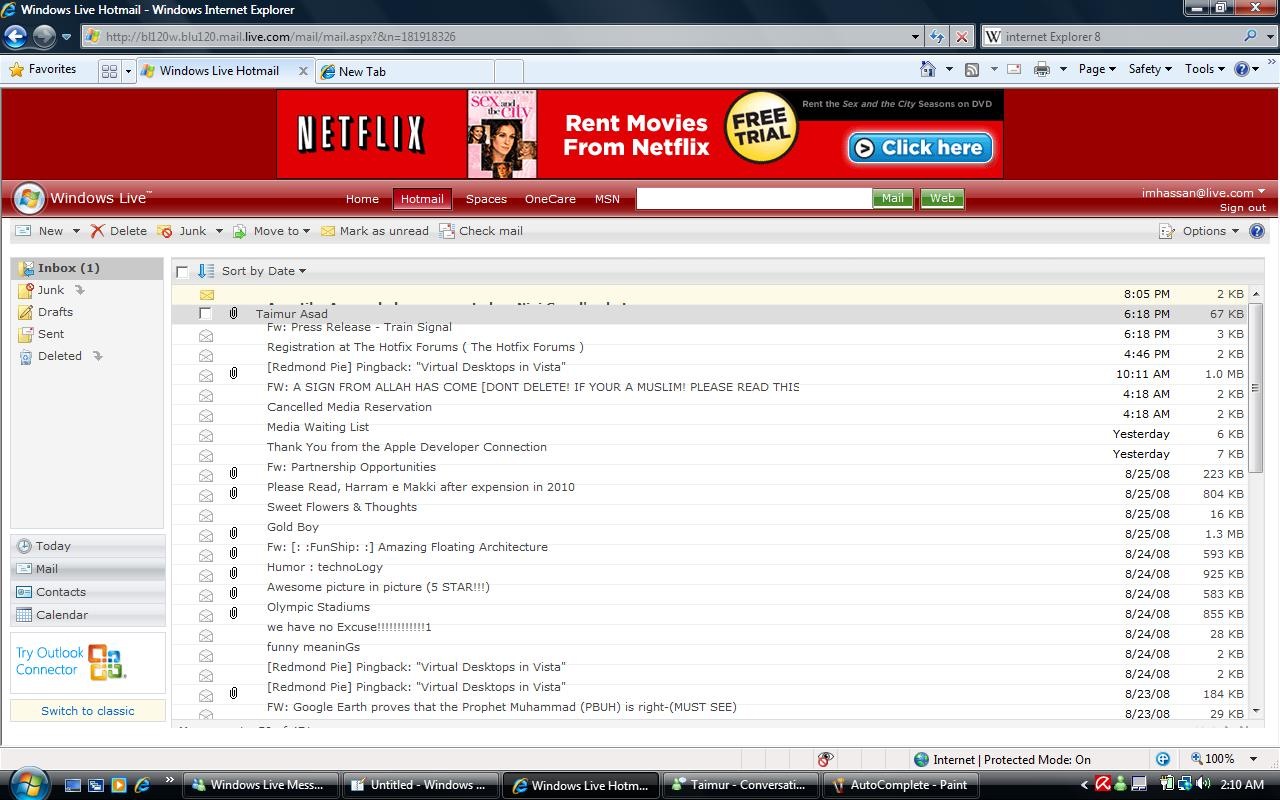
Hotmail issues. Note the Email titles overlaying each other.
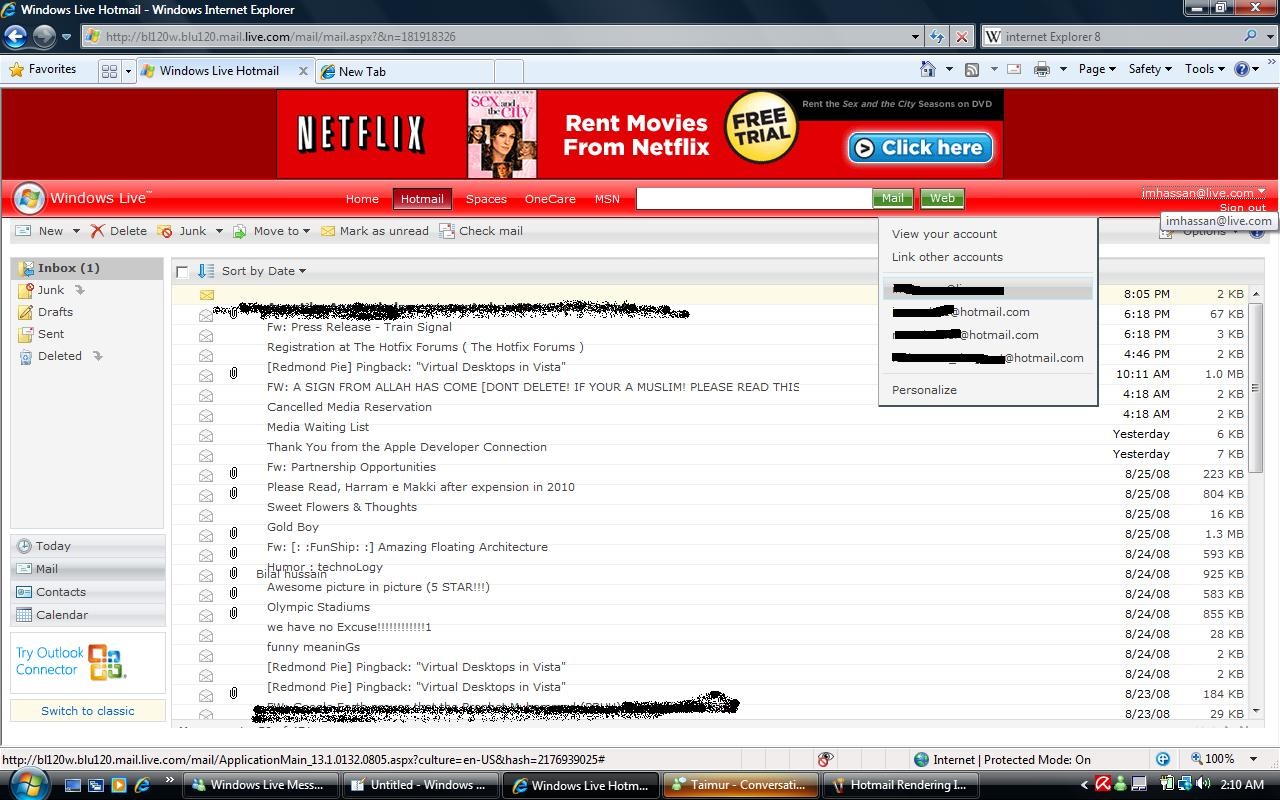
The Red header bar turns bright in Hotmail. This is very weird. Plus, no compatibility mode for Hotmail !
Even Redmond Pie suffers
Not Wordpress too!!
Download Windows Live Toolbar and customize your Web experience!

Windows Vista
Windows Server 2008
Windows Home Server
Windows Live
Live Mesh


November 15th, 2008
27 Comments/Trackbacks on "Internet Explorer 8 Beta 2 is here! [Screenshots]"
(#)
Wow, it looks just a rubbish as the other won
firefox ftw
[Reply]
Graham said:
October 23rd, 2008 at 10:22 pm
Whoever uses firefox these days needs a reality check - nearly everybody I know has gone away from firefox because mozilla are fast making all the mistakes that microsoft made - over-developing a perfect program.
Firefox 1.5 was perfect then they released 2.0 (big mistake) which lagged the system to hell and pages loaded slower the longer you used it. Then came FF3 - different GUI than earlier versions, and no improvements on resource hogging.
I then tried Safari - much better than Firefox speed-wise but still not very good.
Then tried Google Chrome Beta and Flock (Netscape Navigator’s Successor) and am perfectly happy with the two browsers on all sites but one
For this one site (FACEBOOK), Microsoft have made the biggest leap, as IE8 is now the browser which loads pages fastest and is second best when it comes to system resources, Google Chrome being #1
This rate, Microsoft and Google are going to be at loggerheads - Mozilla are already out of the picture with their lame new versions that are exactly as frustrating as previous versions.
[Reply]
Imran Hussain said:
October 23rd, 2008 at 10:34 pm
You are clearly mistaken Graham. IE 8 is a memory hog. I’ve tested the loading times myself, and IE 8 comes third to Chrome and Firefox when loading Facebook. If you think Mozilla are out of the game, then you should take a look at the difference in their market share ever since they released version 2. What are your own opinions don’t really match the ones of the general public at all.
[Reply]
Graham said:
October 23rd, 2008 at 10:24 pm
oh and as for compatability, all new browsers are having the same problems, because the internet is evolving. Soon enough, these webpages that aren’t displaying correctly will be obsolete. purely because these new format standards are loads faster and secure.
One of the other browsers I am referring to is of course Chrome Beta.
[Reply]
(#)
While you’re scoping out the newest version of IE8, be sure to check out Me.dium if you are looking for a more social and personal touch.
I’m Jen, part of the team at Me.dium. Today, we join EBay, Amazon, Facebook, Digg and Yahoo as a featured partner for IE8’s Beta 2 launch.
We’ve got a lot of exciting things going on for the newest version of IE8 like our What’s Hot WebSlice, Me.dium Discovery Accelerator, and Visual Search, (you can check out our social search homepage at http://me.dium.com/search.)
For all the details of Me.dium+IE8 take a look at http://blogme.dium.com/content/2008/08/medium-makes-hot-stuff-for-ie8/
Thanks, and feel free to email me with any questions or thoughts on Me.dium: Jboyle@me.dium.com
[Reply]
(#)
For hotmail issue try deleting your cache, temp internet files and cookies
[Reply]
(#)
You didn’t even answer the only question that matters! Nobody cares about new features. Address the issue preventing corporate decision-makers from greenlighting IE7… the reason thousands of people uninstalled IE7 and went back to IE6, and millions more still haven’t bothered to install it… Has the crappy, uncustomizable UI of IE7 been fixed in IE8?
Can you move the stop/reload buttons back to the left side of the location bar? Can you move the command bar and favorites icons elsewhere to make more room for tabs? Can you tell it to hide the tab bar if there’s only one tab?
If not, I expect to see the same painfully slow adoption rate as IE7. IE6 surpassed IE5 within months, and IE5 was almost gone within a year. IE7, almost two years after its release, has only recently surpassed IE6. All because of the UI. Without a customizeable interface, IE8 is as worthless as IE7. So which is it?
[Reply]
(#)
Yes you can move the stop & reload button on the left side as also illustrated by one of the screenshots.
[Reply]
(#)
@ “Is it customizable”
Trust me, the UI of IE7 has NEVER been the reason why corporations are reluctant to let go of IE6, even as IE8 looms large.
The PHB cares not a whit about where the “back” button is, or if toolbars can be moved around or how the tabs work. NOBODY as EVER expressed those concerns to me in the enterprise. You are right that IE8 will be a dismal failure unless there are some big improvements, but if you’d even bothered to look at the screenshots you’d see that the UI HAS been addressed (they even explicitly pointed out the new back button location).
Just like you don’t get it, MSFT doesn’t seem to get it. It’s about CONTENT COMPATIBILITY stupid! They’ve shot themselves in the foot and they’re still smarting. Up until IE6 MSFT totally ignored standards. Even as they worked to bring about CSS and other standards at W3C they rolled out very broken implementations in their own browser. They extended the WWW with ActiveX and put out horrid FrontPage that vomited out hideous HTML and they even neglected to to proper cross-platform testing on their own websites. They were sloppy and reckless and encouraged others to be too–deliberately (not only was it OK to put out rotten tag soup riddled with ActiveX, it BETTER in their view).
When ActiveX-riddled, IE-only websites became hacker targets and a source of mockery and derision for internet web users, the WWW changed for the better–it is realistic to use FF for all your browsing and code is cleaner and activex is dead, except as a delivery vehicle for a select few plugins. Developers valiantly worked around IE6 bugs with CSS and JS hacks. Of course those ahcks broke in IE7 as it moved (for the better) towards standards, but on the ‘net this was just an annoyance.
On corporate intranets, the situation is different. This is a world of controlled environments, where you can count the number of different kinds of client machines on two hands (or even just one) and they all get delivered with a carefully-tailored corporate install image. This is a world where PHBs have an almost emotional investment to their ERP systems and portals and whatnot, and those client images are created to cater to those often badly-engineered and IE-specific apps, whereas the internet is the opposite (the apps must cater to the clients).
MSFT messed up in their quest to dominate the ‘net and establish some kind of global lock-in. They foisted garbage upon the world and the world got fed up with it and MSFT had to hit the reset button. However the corporate “walled garden” is a holdover that has been left behind. MSFT has left those users in the lurch–sometimes even FF is an easier transition than upgrading IE, and the lazy app developers once lured by MSFT are now betrayed. Those apps will be fixed, but they will not repeat history and succumb to browser lock-in again. MSFT has lost its edge post IE6.
[Reply]
(#)
Great reply @ MSH. Couldn’t have put it better myself
[Reply]
(#)
So, no adblocker?
[Reply]
(#)
I’m more concerned with how my website will display in Internet Explorer, if it even displays at all.
[Reply]
(#)
@Tmac: You can install IE7Pro(a addon) for IE 7 & IE 8 if you want ad blocker.
@a: Many sites are having compatability issues when browsed in IE 8 mode. However they work just as fine when browsed through “Compatibility View”
[Reply]
(#)
So far I am liking IE8 a lot. Strange, even this very site appears to have red/brownish background when viewed in standard mode, but when I switch to compatibility - the background is white.
I don’t like the favorites bar but fortunately it is easy to remove and keep the clean look of IE7. Although others moan about the placement of the refresh and back buttons I have grown accustom to them and prefer them this way.
The “view as source” no longer just opens Notepad but a color coded editor - nice
Colored tabs are cool also although I have no idea the logic behind them.
[Reply]
(#)
Yes Robert. Currently our site has problems when accessed in IE 8 mode but that would be solved soon. It works perfectly in compaitability though.
I guess the logic behind the colored tabs is that when you have multiple tabs opened, it gets difficult to recognize or manage them. Colored tabs basically groups multiple pages from a single site into one color which makes it easier to navigate.
[Reply]
Mary Branscombe said:
September 12th, 2008 at 1:51 am
Colour-coded tabs: when you open a new tab from an existing page they are colour-coded to match each other, so you can see which tabs you might want to look at together.
[Reply]
Robert said:
September 12th, 2008 at 3:10 am
Interesting observation - when I search for something I right click on the links in the search results page and open them in a new tab. All the tabs are the same color even though they are from different sites.
[Reply]
Taimur Asad said:
September 13th, 2008 at 4:47 pm
That is because those tabs were opened by one same page i.e. Google. Its part of colored-tabs functionality in IE.
Trackbacks
Comment Now!