• December 22, 2025
  • Apple
    Apple

    Hypertension Notifications Have Been Approved For Australian Apple Watches

    iOS 26.2 Battery Life Drain Performance Tested

    Apple Released A New Open-Source 2D To 3D Photo Model

  • Google
    Google

    Google’s First AI Smart Glasses Will Debut In 2026

    Google’s Latest Pixel Ad Mocks Apple’s iPhone With A Wicked Twist

    Apple’s AirDrop Now (Sort Of) Works With Android Phones

  • Microsoft
    Microsoft

    iOS 26.2 Features A New AirDrop Privacy Feature

    Get Microsoft Windows 11 And More For Just $14 With These Christmas Microsoft Software Deals

    Apple Is Breaking Sales Records Thanks To The iPhone 17

  • Tesla
    Tesla

    Tesla’s 2025 Holiday Software Update Is Now Rolling Out

    Tesla Might Add CarPlay, But Android Users Could Be Left Out

    Tesla Launches $36K Model 3, $39K Model Y

  • Reviews
    Reviews

    VideoProc Converter AI Helps Restore Old Videos Up To 4K [Review]

    Why Choose CZUR StarryHub For Meeting Solution?

    Stellar Repair For MS SQL – Product Review

  • Deals
    Deals

    Get Your Coffee Fix And Save $200 With This Breville Barista Touch Espresso Machine Deal

    Christmas Special: Save $150 Off Apple’s Powerful M4 iMac

    This Elegoo Centauri Carbon 3D Printer Is $80 Off With Pre-Christmas Delivery

Latest
  • Latest
  • Oldest
  • Random
  • A to Z

iPhone X

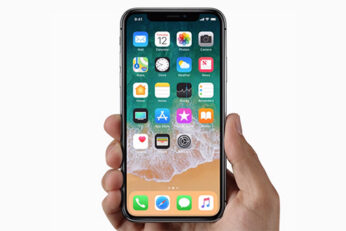
Here’s Why iPhone X Features Two-Cell Dual Batteries

Paul Morris·November 5, 2017
Here's the likely reason as to why the iPhone X features two-cell dual batteries, a first for any Apple smartphone.

How To Quickly Switch Between Apps On iPhone X Without App Switcher

Paul Morris·November 5, 2017
Here's how you can quickly switch between apps on your iPhone X without having to use the App Switcher.

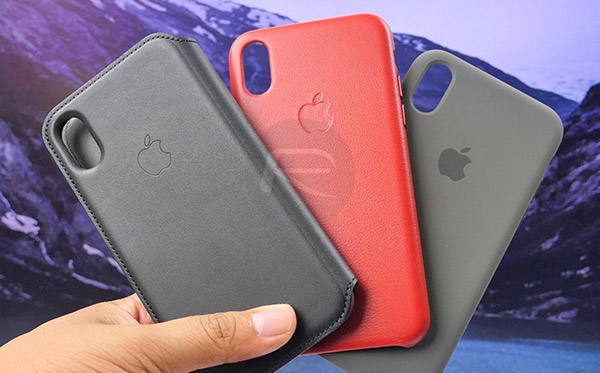
Apple’s iPhone X Leather Folio, Leather, And Silicone Case Review [Video]

Joel Barron·November 5, 2017

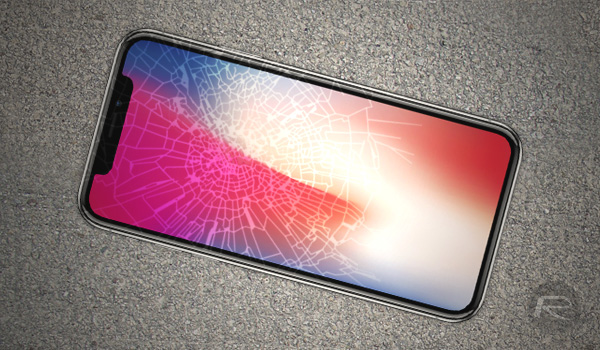
Apple Warns Of iPhone X OLED Screen Burn-In, Color Shift In New Support Document

Oliver Haslam·November 5, 2017
Apple has released a support document specifically aimed at allaying fears surrounding the iPhone X's new OLED display and any potential for image persistence. It also makes mention of color shift, something that many people have noticed is particularly troublesome on the Pixel 2 XL.

How To Invoke Siri On iPhone X

Paul Morris·November 5, 2017
With home button now removed from iPhone X, here's how you can invoke Siri on your brand-new Apple iPhone X.

iPhone X Dunked In River, Scratch, Burn, And Bend Tested [Videos]

Paul Morris·November 4, 2017

Tim Cook Says iPhone X Costs Less Than A Coffee A Day, Attends Launch At Palo Alto Apple Store

Oliver Haslam·November 4, 2017
Tim Cook came to the Palo Alto Apple Store to greet customers in line for the launch of the iPhone X. Cook's appearance at the store came after Thursday's quarterly earnings conference call, during which he spoke about the high starting price of an iPhone X, comparing it to the cost of a coffee per day.

Tech Deals: Discounted iPhone X Accessories Edition

Paul Morris·November 4, 2017
Got an iPhone X today? In our tech deals of the day, we have discounted iPhone X accessories for you. Check them all out right here.

iPhone X Vs iPhone 8 Vs Galaxy S8 Drop Test [Video]

Oliver Haslam·November 4, 2017

How To Access iPhone X Control Center And Notification Center

Paul Morris·November 4, 2017
Here's how to access and use iPhone X Control Center and Notification Center on iOS, complete with step by step instructions.

How To Invoke iPhone X Multitasking App Switcher, Force Quit Apps

Paul Morris·November 4, 2017
Here's how to invoke and use iPhone X multitasking App Switcher and then force quit (kill) apps at will on your brand new smartphone.

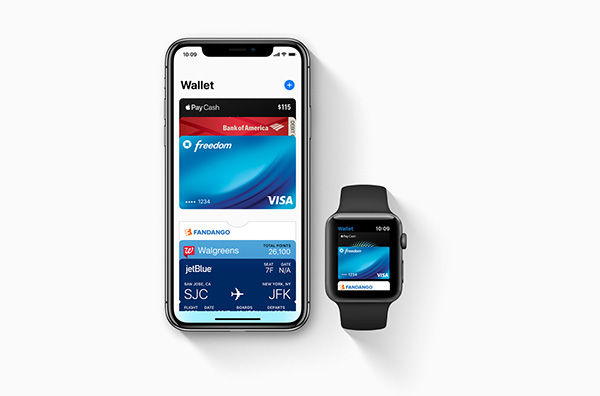
How To Use Apple Pay With Face ID On iPhone X

Oliver Haslam·November 4, 2017

iPhone X Tips & Tricks Video Tutorial Guide, Support Documents Released By Apple

Oliver Haslam·November 4, 2017
Apple has released a series of documents and iPhone X tips & tricks video tutorial guide in the hope of reducing the time that learning curve takes to navigate the new gesture-based interface on iPhone X.

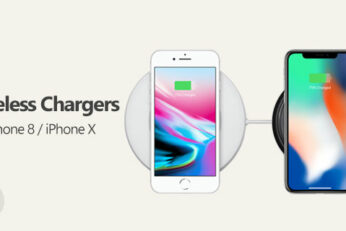
The Best iPhone X / iPhone 8 Wireless Chargers

Paul Morris·November 4, 2017
Here are the best iPhone X, iPhone 8 and iPhone 8 Plus wireless chargers that you can get today for your new Apple smartphone.

Getting iPhone X Activation “Could Not Activate iPhone” Error? You’re Not Alone

Oliver Haslam·November 4, 2017
Load More

TRENDING NOW

Hypertension Notifications Have Been Approved For Australian Apple Watches

iOS 26.2 Battery Life Drain Performance Tested

Apple Released A New Open-Source 2D To 3D Photo Model

ChatGPT’s Apple Music Limited Integration Goes Live

Apple Reportedly Working On A New iMac Pro With An M5 Max Chip Inside

iOS 26.2 Features A New AirDrop Privacy Feature

New iOS 26.4 and iOS 27 Features Have Leaked Ahead Of Release

Kodi 21.3 Omega Final APK Android Download And iOS IPA, Along With Windows And Mac Version, Out Now

Download: iOS 26.3 Beta 1 Released Alongside iPadOS 26.3, macOS 26.3, tvOS 26.3, watchOS 26.3, visionOS 26.3

Apple Car Keys Support Is Coming To Some Toyota Vehicles

FOR YOU

iOS 26

iOS 26 Dynamically Adjusts Storage Space For Future System Updates

Download: iOS 26 Build 23A345 For iPhone 17 Pro / Max Released

iOS 26

How To Fix iOS 26 Update Requested Stuck Issue On iPhone And iPad

iOS 26

Apple Foundation Models Already Powering New iPhone, iPad, And Mac Apps

Fix iOS 26 WiFi: Not Working, Keeps Dropping, Disconnecting And Slow Issues

Apple Releases New FineWoven MagSafe Wallets And AirTag Key Rings

Download iOS 26 RC IPSW Links, OTA Update For iPhone Here

iOS 26 logo

iOS 26 Will Be The Name Of iPhone’s Next OS, Not iOS 19

  • About
  • Advertise
  • Privacy Policy
  • Tip Us
Copyright © 2008-2025 Redmond Pie. All Rights Reserved.
  • About
  • Advertise
  • Privacy Policy
  • Apple
  • Google
  • Microsoft
  • Tesla
  • Reviews
  • Deals
Start typing to see results or hit ESC to close
Apple iPhone deals iPad Android
See all results

SUBSCRIBE

Join 100k+ other tech lovers and get the latest news in your inbox
[mc4wp_form id="389"]