The Family Sharing feature, as the name implies, will allow families and groups of people to share apps without having to connect to the same Apple ID. Since the introduction of the App Store, folks have shared the same account in order to save on buying many of the exact same apps or content, but the system is flawed in that every user of said account then has a list of content that they don't want or need, and never actually downloaded in the first place. To resolve this, Family Sharing essentially binds a number of Apple IDs into one parent account, and provided that they all feed from the same credit or debit card, can readily go ahead and download apps and content purchased by other members of the same family.
Apple's iTunes App Store is awash with content, and as the company itself pointed out at the big iPhone 6 event last week, now home to some 1.3 million apps and games. But while it's easy to find an app you head about through a friend, say, by using the Search feature, discovering new content is not such a simple task, and with this view being shared by many users and commentators alike, Apple has just made it easier for developers to promote their stuff.
Although the numerous jailbreaking gurus have been relatively quiet regarding a potential untethered jailbreak for the all-new iOS 8, the Chinese team Pangu has just delivered some very encouraging news. Although the collective stopped short of putting any kind of time frame on when the world might see its very first jailbreak on the new software, the group did say that it's well on the way to cracking the new OS, and given that Pangu was responsible for bringing Cydia to folks seemingly stranded on iOS 7.1.x, we're quietly excited about these claims.
Emoji icons are a major part of the social experience, and in a large portion of Twitter posts and Facebook status updates, you're likely to see a little smiley face, a thumbs up, or any one of the many other 847 emojis available. With third-party keyboard support now a part of iOS 8, developers have a new angle through which to entice the mobile market, but while the big names like SwiftKey, Fleksy and Swype have all come through with their as-expected ports of the corresponding Android apps, several others have sought to offer something a little different.
As well as providing Android switchers with a guide on using its latest fleet of iPhones, Apple has just added an iOS 8 User Guide to iBooks for iPhone and iPad users. Ideal for anybody looking to get the most out of the new software, it covers every aspect from the simple stuff like sending emails to the other little quirks like using customizable keyboards, and as Apple describes in the release notes, serves as "an essential part of any iBooks library."
With every new iOS release, there are those devices that, due to age and thus antiquated hardware, are sadly left behind. In the case of iOS 8, only the iPhone 4 was culled, but by the reactions of many iPhone 4s users who've just jumped on the new software, perhaps its successor should also have been left behind. Many owners of the 2011 flagship release have reported issues since updating to iOS 8, and with general functionality suffering as a result, those of you currently clutching a 4s may well want to hold off for the time being.
Unless you've been too busy to check the tech headlines today, you'll know that Apple has just rolled out iOS 8, and with developers having scrambled to make the necessary tweaks to their apps, the Cupertino company has been making some adjustments of its own. A number of Apple-made applications have just been updated for iOS 8, and we've got all of the info right here.
When Apple announced iOS 8 at the Worldwide Developers' Conference back in June, it made a couple of unprecedented moves. In opening up certain areas of the ecosystem to third parties, iOS 8 is the most customizable release to date, and along with third-party keyboard support, the Cupertino also allowed developers to produce Notification Center widgets. To get you started with iOS 8, we've drawn up a list of the best apps supportive of these new widgets.
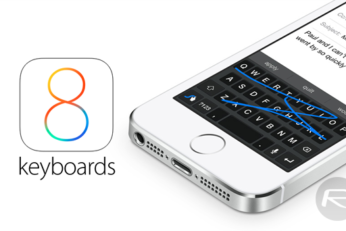
iOS 8 has been significant for a number of reasons, but for the makers of third-party keyboards, it has been something of a godsend. For a while, Android users have benefited from the enhanced functionality offered by the likes of Fleksy and SwiftKey, and with little by way of surprise, many of familiar faces are in the pool of developers vying for the newly-found audience on iPhone and iPad. Here, we round up the various keyboards now downloadable via the iTunes Store, and if you're in the hunt for a better typing experience, check out the list after the break!
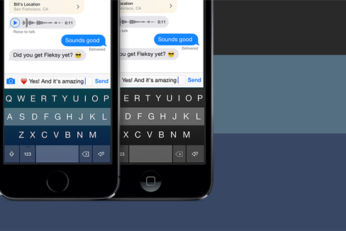
The release of iOS 8 is a nice little prelude to the iPhone launch later on this week, and as developers once again rush to roll out their updates for the new Apple software, the changes made with this latest iOS release mean that it's not just regular apps hitting the iTunes Store. Back at WWDC, the Cupertino-based company also opened the door for third-party keyboard makers to port their wondrous inventions over from Android, and Fleksy, which just so happens to be one of our favorites, has been among the first to the draw. Already live on the App Store, you can download it immediately for your iOS 8-running device, and below, we've got the details.