• January 2, 2026
  • Apple
    Apple

    How To Set Up A New iPad For A Child In 2026

    Best Apple Home Accessories In 2026

    iPhone 11 Pro, Last Intel MacBook Air, Apple Watch Series 5 And More Are Now Vintage

  • Google
    Google

    Google’s First AI Smart Glasses Will Debut In 2026

    Google’s Latest Pixel Ad Mocks Apple’s iPhone With A Wicked Twist

    Apple’s AirDrop Now (Sort Of) Works With Android Phones

  • Microsoft
    Microsoft

    iOS 26.2 Features A New AirDrop Privacy Feature

    Get Microsoft Windows 11 And More For Just $14 With These Christmas Microsoft Software Deals

    Apple Is Breaking Sales Records Thanks To The iPhone 17

  • Tesla
    Tesla

    Tesla To Add Apple Car Key Support Soon?

    Tesla’s 2025 Holiday Software Update Is Now Rolling Out

    Tesla Might Add CarPlay, But Android Users Could Be Left Out

  • Reviews
    Reviews

    VideoProc Converter AI Helps Restore Old Videos Up To 4K [Review]

    Why Choose CZUR StarryHub For Meeting Solution?

    Stellar Repair For MS SQL – Product Review

  • Deals
    Deals

    Brand New Nest Wifi Pro Wi-Fi 6E Router Available For Half The Price Today

    Save 60% Off This Anker Solix F3000 Power Station And Be Prepared For Anything

    How To Remove Activation Lock Without Previous Owner [2026 Guide]

Latest
  • Latest
  • Oldest
  • Random
  • A to Z

Apple

iOS 15 Shows ‘Hello’ Message First Time You Launch It On iPhone Or iPad

Oliver Haslam·June 8, 2021
iOS 15 shows the 'Hello' message first time you launch it on your iPhone or iPad. Check out how it looks right here.

iOS 15 Beta 1 Release Notes And Known Issues According To Apple

Paul Morris·June 8, 2021
Here are the iOS 15 beta 1 release notes, changes and known issues, as provided by Apple. If you're looking for information directly from the horse's mouth, then here it is!

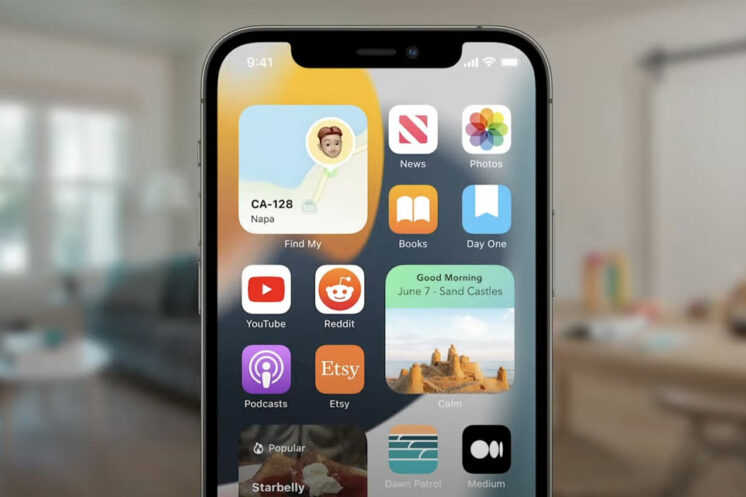
iOS 15 And iPadOS 15 Add New First-Party App Widgets To The Home Screen

Oliver Haslam·June 8, 2021

Apple Announces iCloud+ With New VPN, Email Hiding Features

Oliver Haslam·June 8, 2021
Apple has announced iCloud+, which features a new VPN, privacy features like email hiding and more. Here are the details on this.

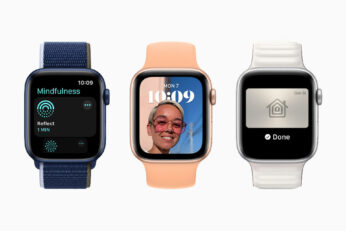
Apple Announces watchOS 8 With New Mindfulness Features And More

Oliver Haslam·June 8, 2021
Apple has just announced watchOS 8 with new mindfulness features, and much more. Here is everything you need to know.

macOS 12 Monterey Compatibility: Full List Of Macs Compatible With Apple’s Latest Desktop OS

Oliver Haslam·June 8, 2021

Download macOS 12 Monterey Beta 1 For Your Mac Right Now

Paul Morris·June 8, 2021
You can now download macOS 12 Monterey Beta 1 for your compatible Mac right now. Here are all of the relevant details that you need to know.

How To Download iOS 15 Beta 1 Along With iPadOS 15 Beta 1

Oliver Haslam·June 8, 2021
Here's how to download iOS 15 beta 1 along with iPadOS 15 beta 1 and install it the right way on your iPhone or iPad device.

iOS 15 Public Beta 1 Release Date Along With macOS 12, tvOS 15 Announced

Paul Morris·June 8, 2021

macOS 12 Monterey Announced, Here Are The Details

Oliver Haslam·June 8, 2021
Apple today took the wraps off the next big software update for the Mac – macOS 12. The update won't be ready to ship to the public until later this year, but early indications are that it's going to be a pretty great update once it arrives on our Macs.

Download: watchOS 8 Beta 1, tvOS 15 Beta 1 Released To Developers

Oliver Haslam·June 8, 2021
You can now download watchOS 8 beta 1 for Apple Watch and tvOS 15 beta 1 for Apple TV, assuming you have the required developer profiles installed, of course.

How To Downgrade iOS 15 Beta To iOS 14.6 / 14.7 [Tutorial]

Oliver Haslam·June 8, 2021

iOS 15 / iPadOS 15 Features, Release Date Announced, Here’s Everything You Need To Know

Paul Morris·June 7, 2021
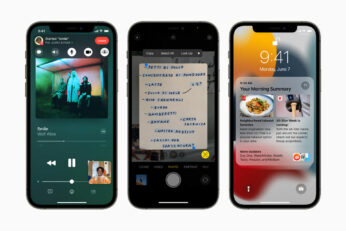
Apple iOS 15 / iPadOS 15 features, release date information and more details have been announced. Here’s everything you need to know about Apple’s latest mobile firmware for compatible iPhone, iPad and iPod touch devices.

Download iOS 15 Beta 1 IPSW Links And Install On iPhone 12, Pro, 11, XS Max, X, XR, 8, 7, Plus, iPad, iPod [Tutorial]

Oliver Haslam·June 7, 2021
You can now download iOS 15 beta 1 IPSW links and install on iPhone 12, Pro, 11, Pro Max, XS Max, X, XR, 8, 7, Plus, iPad, and iPod seventh-generation. It’s currently available to those registered on Apple Developer Program as announced at this year’s revamped WWDC 2021.


Our WWDC 2021 Keynote Coverage Starts At 10am PT Today, Here Are The Details

Paul Morris·June 7, 2021
Load More

TRENDING NOW

How To Set Up A New iPad For A Child In 2026

Best Apple Home Accessories In 2026

iPhone 11 Pro, Last Intel MacBook Air, Apple Watch Series 5 And More Are Now Vintage

iPhone 17 Pro / Max Reportedly Has Static Speaker Noise Issue When Charging

Tesla To Add Apple Car Key Support Soon?

iPhone Fold Renders Show Apple’s First Crease-Free Foldable Display

Apple’s To Begin iPhone 18 Trial Production In February 2027

Hypertension Notifications Have Been Approved For Australian Apple Watches

iOS 26.2 Battery Life Drain Performance Tested

Apple Released A New Open-Source 2D To 3D Photo Model

FOR YOU

How To Disable iPhone Lock Screen Camera Swipe Starting From iOS 26.1

iOS 26

Download: iOS 26 Beta 7 OTA Profile, IPSW Links Released

iOS 26

iOS 26 Public Beta: How To Install The Update On iPhone

Download: iOS 26 Beta 6 OTA Profile, IPSW Links Out Now

Google Uses Apple’s iOS 26 To Tease Its Upcoming Pixel 10 Phone In New Ad

Apple’s Launching iPhone 17 Pro In September, Here’s What to Expect

iPhone 17 Pro Might Borrow Antenna Tech From Apple Watch Ultra

Download: iOS 26 Build 23A345 For iPhone 17 Pro / Max Released

  • About
  • Advertise
  • Privacy Policy
  • Tip Us
Copyright © 2008-2026 Redmond Pie. All Rights Reserved.
  • About
  • Advertise
  • Privacy Policy
  • Apple
  • Google
  • Microsoft
  • Tesla
  • Reviews
  • Deals
Start typing to see results or hit ESC to close
Apple iPhone deals iPad Android
See all results

SUBSCRIBE

Join 100k+ other tech lovers and get the latest news in your inbox
[mc4wp_form id="389"]