• December 15, 2025
  • Apple
    Apple

    Apple’s iPhone Fold Will Offer A Huge Boost To Foldable Display Makers

    F1: The Movie Is Now Streaming To Apple TV Subscribers

    Jailbreak iOS 26.2: Everything We Know So Far

  • Google
    Google

    Google’s First AI Smart Glasses Will Debut In 2026

    Google’s Latest Pixel Ad Mocks Apple’s iPhone With A Wicked Twist

    Apple’s AirDrop Now (Sort Of) Works With Android Phones

  • Microsoft
    Microsoft

    Get Microsoft Windows 11 And More For Just $14 With These Christmas Microsoft Software Deals

    Apple Is Breaking Sales Records Thanks To The iPhone 17

    10 Best Black Friday Deals Still Available And Worth Checking Out

  • Tesla
    Tesla

    Tesla’s 2025 Holiday Software Update Is Now Rolling Out

    Tesla Might Add CarPlay, But Android Users Could Be Left Out

    Tesla Launches $36K Model 3, $39K Model Y

  • Reviews
    Reviews

    VideoProc Converter AI Helps Restore Old Videos Up To 4K [Review]

    Why Choose CZUR StarryHub For Meeting Solution?

    Stellar Repair For MS SQL – Product Review

  • Deals
    Deals

    Enjoy VR Gaming With $100 Off This PlayStation VR2 Headset Today

    The Fan-Favorite Dyson Airwrap Hair Multi-Styler Is 26% Off, Now $479 Only

    Save 30% Off This 2.5L LEVOIT Top Fill Bedroom Humidifier For Limited Time

Latest
  • Latest
  • Oldest
  • Random
  • A to Z

Tips

How To View Emails With Attachments Only In iOS Mail App [Tip]

Zayed Rehman·April 12, 2016
Here's a useful little tip for iOS Mail app users. Here's how to setup the Mail app to show emails with attachments only on iPhone, iPad or iPod touch.

10 PlayStation 4 Tips And Tricks Every PS4 User Should Know [Video]

Paul Morris·March 2, 2016
Here are 10 PlayStation 4 tips and tricks that you as a PS4 user should really know about. Check out the video for a full overview.

How To Add ‘Unread’ Folder In iOS Mail App [Tip]

Paul Morris·February 12, 2016

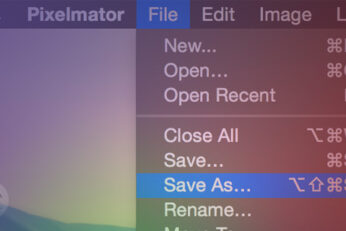
How To Enable ‘Save As’ Option In Mac OS X

Oliver Haslam·August 25, 2015
This handy little tip shows you how to enable the Mac OS X 'Save As' option in both third-party and Apple's own apps that Cupertino-based company killed off a few years ago.

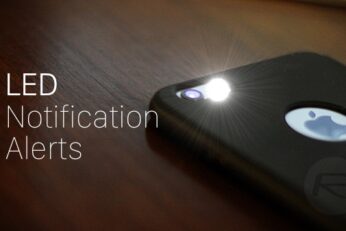
How To Use LED Flash On Your iPhone As A Notification Light For Alerts

Oliver Haslam·June 28, 2015
Here's how to turn on LED Flash for Alerts on iPhone for incoming notifications. Enabling it takes just a few taps and once you have, all incoming alerts will be met with a flashing LED on the back of your iPhone. If you leave your iPhone face-down on a table, the flashing LED will certainly catch your attention and it will continue to flash whether your iPhone is in silent mode or not.

Check MacBook Battery Charge Cycle Count, Here’s How

Oliver Haslam·June 23, 2015

How To Cancel A Message From Being Sent On iPhone

Zayed Rehman·June 6, 2015
Here’s how to stop or cancel a text message on iPhone from being sent and save yourself from that moment of embarrassment.

How To Upload Photos To Imgur From iPhone

Zayed Rehman·June 6, 2015
Here’s how to upload photos from iPhone to Imgur the easy way and share them with people using different mediums such as Twitter, Facebook etc.

Disable Photos App Auto Launch When iPhone Or Camera Connects To Mac

Zayed Rehman·June 5, 2015

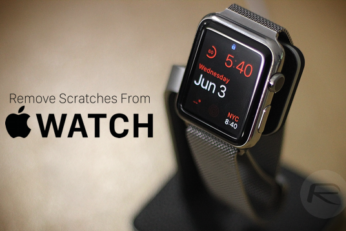
How To Remove Scratches From Apple Watch Stainless Steel [Guide]

Oliver Haslam·June 5, 2015
Here’s how to fix or remove scratches from Apple Watch stainless steel and make it look shiny and brand new again.

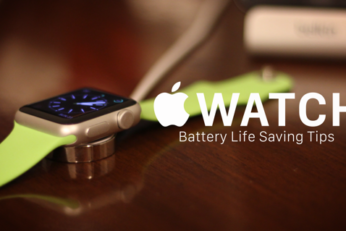
16 Tips To Save Apple Watch Battery Life [Guide]

Uzair Ghani·May 31, 2015
Here is a guide with best 16 tips on how to save Apple Watch battery life and get the most out of your wearable.

How To Change Mac OS X Screenshot Location

Zayed Rehman·May 23, 2015

How To Use Apple Watch With 5GHz WiFi Network [Workaround]

Oliver Haslam·May 23, 2015
Here's how you can use Apple Watch with 5GHz WiFi networks using this simple workaround. Complete details, along with step-by-step guide - with screenshots - can be found right here.

Get Apple Watch ‘San Francisco’ Font On Mac OS X Right Now, Here’s How

Oliver Haslam·May 21, 2015
How to get Apple Watch font - San Francisco - on Mac OS X right away in a few easy steps. Complete how-to guide can be found right here.
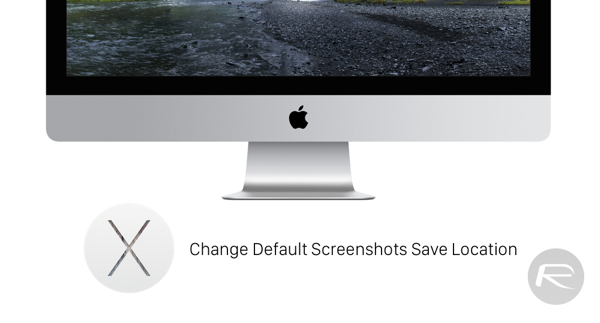
How To Check Last Reboot Time Of Your Windows PC

Oliver Haslam·May 19, 2015
Load More

TRENDING NOW

Apple’s iPhone Fold Will Offer A Huge Boost To Foldable Display Makers

F1: The Movie Is Now Streaming To Apple TV Subscribers

Jailbreak iOS 26.2: Everything We Know So Far

iPadOS 26

Download: Apple Releases Final Versions Of iPadOS 26.2, macOS 26.2, tvOS 26.2, watchOS 26.2, visionOS 26.2

Download: iOS 26.2 Final OTA Update And IPSW Links Out Now

2026 Porsche Cayenne And Macan Support For Apple Digital Keys Nears

Apple Releases Second RC Of iOS 26.2 To Testers

Apple’s New F1 Streaming Deal Previewed As 2025 Season Draws To A Close

Mac Users Can Get Christmas-Ready Lights And Snow To Their Mac With This App

Apple’s Hypertension, Sleep Apnea, And Hearing Health Features Come To New Countries

FOR YOU

iOS 26

iOS 26 Beta 1 OTA Profile Update Download: Here’s How To Install It [Guide]

iOS 26

Download: iOS 26 Beta 8 OTA Profile, IPSW Links Out For iPhone

iOS 26 watchOS tvOS macOS visionOS iPadOS

iOS 26.1 RC Download Released Alongside macOS 26.1, iPadOS 26.1 And More

iOS 26

How To Fix iOS 26 Update Requested Stuck Issue On iPhone And iPad

iPhone 17 Is Tipped For New Green And Purple Colors

Entire iPhone 17 Lineup To Feature Upgraded Front Camera

iOS 26

Apple’s Fifth Public Beta Releases For iOS 26 And More Are Now Available

iOS 26 iPadOS 26

iOS 26 Public Beta 1 OTA Release Date Set For Next Month Alongside iPadOS 26, macOS 26, tvOS 26

  • About
  • Advertise
  • Privacy Policy
  • Tip Us
Copyright © 2008-2025 Redmond Pie. All Rights Reserved.
  • About
  • Advertise
  • Privacy Policy
  • Apple
  • Google
  • Microsoft
  • Tesla
  • Reviews
  • Deals
Start typing to see results or hit ESC to close
Apple iPhone deals iPad Android
See all results

SUBSCRIBE

Join 100k+ other tech lovers and get the latest news in your inbox
[mc4wp_form id="389"]