Here’s a tutorial on how to install PlayStation and N64 emulator on iOS to play console games on iPhone, iPad or iPod touch. Complete instructions and video tutorial can be found right after the break.
Getting CarPlay up and running in your vehicle is a pretty expensive ordeal, considering the amount of money you have to invest in the accompanying hardware. But if you’re in the ownership of an iPhone and iPad, then you can use CarPlay right away on your device, without the need of an external receiver, thanks to a new jailbreak tweak called Ignition.
Camera apps really are ten-a-penny on the App Store, with some not worth the effort they take to download and some being true works of art that turn the iPhone into nothing short of a professional grade camera. Well, considering its obvious hardware limitations, that is.
If you've ever struggled to connect to a Wi-Fi hotspot that you know is there but may be on the brink of its wireless range then you will know how irritating it can be when iOS keeps showing it, then hiding it in the Settings app. That's because by default the Settings app will hide any Wi-Fi network that it deems to not have the required signal strength, effectively hiding anything it deems not usable.
New Cydia alternative jailbreak store iMods is a promising front for tweaks and apps in the future. More details and video demonstration of the beta can be found right here.
Earlier on this year, the famed AirBlue Sharing tweak / app for jailbroken devices was updated for iOS 7. Now, finally, it has been given its customary bump for iOS 8, and with a couple of new features and quirks besides, is a must-have for file sharers in search of flexibility.
UPDATE: Team Pangu has released a tool to jailbreak iOS 8 to iOS 8.1 untethered on iPhone 6, 6 Plus, 5s, 5c, 5, 4s, all iPads, and iPod touch 5. You can read more about it all, along with jailbreaking instructions, download link and more for new jailbreak in our dedicated articles given below.
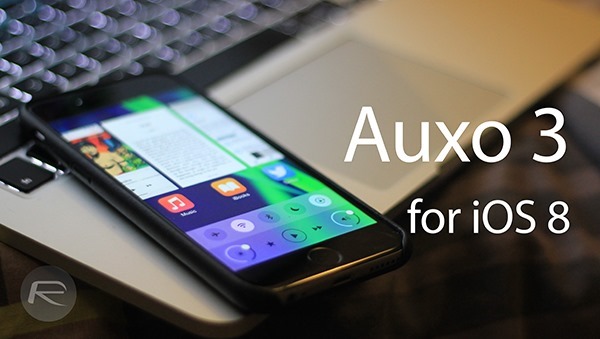
Getting iOS 8 updates out for some of the biggest jailbreak tweaks on the planet is no mean feat but Jay Freeman, or Saurik if you're more familiar with that name, has tweeted that two of his most popular tweaks are now not just iOS 8 / 8.1 ready, but also sport reworked interfaces that take better advantage of both the iPhone 6 and iPhone 6 Plus.