Apple has been busy today in releasing new software, and accompanying the second beta of iOS 8.3, the Cupertino based company has also rolled out another beta of OS X 10.10.3 for Mac. With the first iOS 8.3 and OS X 10.10.3 betas that arrived a couple of weeks back, we learned that the emoji system would be getting a revamp, and now, things are beginning to take shape. More details below.
Apple has just released download links of iOS 8.3 beta 2 build exactly two weeks after releasing first beta of iOS 8.3. Details on what's new, and how to get it is detailed below.
TaiG iOS 8.2 jailbreak has been released for beta 1 and beta 2. Here's a complete tutorial on how to jailbreak any iPhone or iPad on iOS 8.2.
Looking forward to a Saturday app hunt? Here are a few paid iOS and Mac apps that have gone absolutely free on the App Store for a limited period of time, and you should download them right now. Check out our rundown for today right after the jump!
Our smartphones and tablets are not only useful forms of communication, productivity and reference, but they also make for great entertainment devices, and as such, the likes of the Google Play Store and iTunes App Store are awash with some awesome titles. For a limited time, an immensely popular puzzler for iOS has gone completely free of charge, and if you're looking for a challenging title with effortless pick-up-and-play-ability, then check the details below.
iOS 9 public beta for iPhone, iPad, iPod touch users is on its way to fight and fix bugs. More details on the development can be found here.
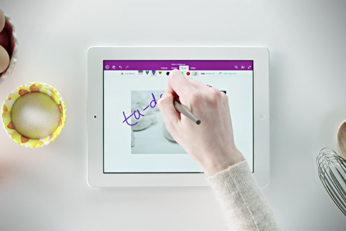
Microsoft has just updated its OneNote app for the iPad, bringing in a host of new features to the fore. And we’ll take a look at what’s new right after the jump.
Want to explore the digital artist in you, but don't have that much needed graphics tablet? Well if you're a Mac user and happen to own an iPad, then you can simply turn your Apple slate into a graphics tablet with an app called Astropad. We take a closer look at what the app has to offer, right after the jump.
Taking screenshots on iOS couldn't be easier. Just by holding down the Home and sleep/wake buttons simultaneously, anyone can take a screenshot that is automatically saved to the device’s Camera Roll. Screenshots are great for showing developers what bugs look like, or just sharing something awesome with your friends. Some people even like to see what everyone else's home screens look like and you'll need to take a screenshot for that.
Dropbox for iOS today received a major update that added a feature we have all been crying out for ever since the app first found its way onto the App Store: the ability to save any file directly to Dropbox without having to open the app.