• March 24, 2026
  • Apple
    Apple

    Apple Announces WWDC 2026 Dates Starting June 8

    Hermes Just Launched A $5,150 MagSafe Charger For iPhone And Apple Watch

    Apple Releases iOS 26.4 RC For iPhone To Testers Ahead Of Public Release

  • Google
    Google

    Google Maps Is Getting Gemini AI And 3D Immersive Navigation

    It’s Official: Google Gemini Will Power Future Apple Intelligence And Siri Upgrades

    Google’s First AI Smart Glasses Will Debut In 2026

  • Microsoft
    Microsoft

    How To Get Microsoft Genuine Product Keys For Cheap: Windows 10 From Only $9, Windows 11 From Just $12 With These Limited-Time Spring Deals

    Upgrade Your PC: Get Windows 11 Pro Keys For Just $26 at WhatsGameKey March Sale!

    Valentine’s Day Microsoft Sale: Embrace New Tech With Windows 11 Pro For Only $14 – Great Offers On Office 2024 And More

  • Tesla
    Tesla

    Tesla’s Full Self-Driving Is Being Tested In The UAE

    Tesla Just Added A Cheaper Cybertruck And Slashed The Cyberbeast’s Price

    Tesla Is Killing The Model S And Model X To Focus On Making Robots Instead

  • Reviews
    Reviews

    VideoProc Converter AI Helps Restore Old Videos Up To 4K [Review]

    Why Choose CZUR StarryHub For Meeting Solution?

    Stellar Repair For MS SQL – Product Review

  • Deals
    Deals

    Get Two 45W Chargers And Cables From Baseus For Less Than $25 Today

    Apple’s Brand-New 13-Inch M5 MacBook Air Is Already $50 Off

    How To Get Microsoft Genuine Product Keys For Cheap: Windows 10 From Only $9, Windows 11 From Just $12 With These Limited-Time Spring Deals

Latest
  • Latest
  • Oldest
  • Random
  • A to Z

ios 11

Apple And IKEA Working On AR App For iOS 11 To Let Users Try Out Virtual Furniture At Home

Oliver Haslam·June 19, 2017
Apple and IKEA are working on an AR app for iOS 11 devices based on ARKit which would allow users to place and try out virtual furniture at home before buying them. Here are the details.

How To Use iOS 11 Automatic Setup Feature On New iPhone Or iPad

Paul Morris·June 19, 2017
Here's how to use the new iOS 11 Automatic Setup feature on your compatible iPhone, iPad or iPod touch when setting up a new device.

HEVC And HEIF Device Compatibility In iOS 11, macOS High Sierra

Paul Morris·June 18, 2017

How To Use iOS 11 Instant Markup Feature On iPhone Or iPad

Paul Morris·June 18, 2017
Here's how to use iOS 11 Instant Markup feature on your compatible iPhone, iPad or iPad Pro with Apple Pencil device.

AirPlay 2 On iOS 11: Features, Compatibility, Speakers And More

Oliver Haslam·June 17, 2017
Here are AirPlay 2 on iOS 11 and macOS High Sierra features, device and speakers compatibility, and more. In short, here's everything you need to know about Apple AirPlay 2.

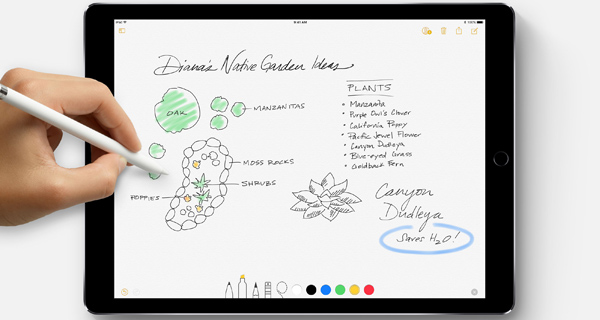
How To Use iOS 11 Instant Notes Feature On iPad Pro With Apple Pencil

Paul Morris·June 17, 2017

New In iOS 11: Lock Screen Unlock Fade-In Animation Changes Based On Wallpaper

Oliver Haslam·June 16, 2017
New in iOS 11 is a Lock Screen fade-in animation that changes based on the wallpaper set on the device. Here's how it exactly works.

HomeKit In iOS 11: Here’s What Is New

Oliver Haslam·June 16, 2017
Apple HomeKit in iOS 11, here are all the new changes and features coming to home automation on iPhone and iPad in one place.

How To Fix Snapchat “Could Not Connect” Error On iOS 11

Oliver Haslam·June 15, 2017

How To Scan And Sign Documents Using iOS 11 Notes App

Paul Morris·June 15, 2017
Here's how to use the iOS 11 new Scan Documents and Markup features in the Notes app on iPhone, iPad and iPod touch devices.

How To Use iOS 11 Live Photos Effects, Set Key Photo, More

Oliver Haslam·June 14, 2017
Here's a iOS 11 guide on how to set a new Key Photo for, use new effects on, and trim Live Photos on a compatible iPhone.

iOS 11 Takes Less Storage Space Compared To iOS 10, Will Help Increase Storage Capacity

Paul Morris·June 13, 2017

New iOS 11 Media Formats HEIF, HEVC Take Up 50% Less Storage

Oliver Haslam·June 13, 2017
iOS 11 brings a host of new technologies to Apple's portable devices with HEIF and HEVC media formats being two of them, which Apple claims can save up to 50% of storage space.

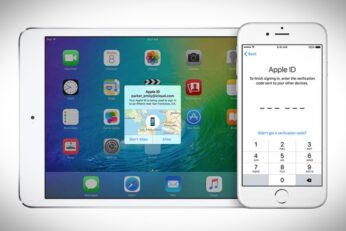
iOS 11, macOS High Sierra To Automatically Switch Users To Two-Factor Authentication

Oliver Haslam·June 13, 2017
Starting from iOS 11 and macOS High Sierra, Apple will move users from two-step verification to two-factor authentication in order to ensure their data is less likely to be compromised.


iOS 11 Lets You Sync Health Data To iCloud

Paul Morris·June 13, 2017
Load More

TRENDING NOW

Apple Announces WWDC 2026 Dates Starting June 8

Hermes Just Launched A $5,150 MagSafe Charger For iPhone And Apple Watch

Apple Releases iOS 26.4 RC For iPhone To Testers Ahead Of Public Release

Apple Releases New Background Security Improvement Update For iPhone, iPad, And Mac

Nike And Beats Announce Collaboration For New Powerbeats Pro Wireless Earbuds

Apple’s F1 Movie Picks Up An Oscar Win For ‘Best Sound’

Apple Unveils AirPods Max 2 With Live Translation, Adaptive Audio, And More

Apple Announces Plans To Celebrate Its 50th Birthday

iOS 26.3.1 Battery Life Drain And Performance Tested

A Premium Flight Simulator Is Coming To Apple Vision Pro

FOR YOU

iOS 26

Fix iOS 26 Bugs And Most Common Issues On iPhone Or iPad

iOS 26.2 Beta 1 New Features, Release Notes, Changelog

iOS 26

iOS 26 Beta 1 Release Notes For iPhone Released

Download: Apple Releases iOS 26.4 Beta 3

New iPhone 17 Leak Hints At Display Upgrades And New Slim Model

iOS 26

iOS 26 Beta 1 On iPhone 11, 12, 13 Performance Test

iPhone 17 Could Use Apple’s Own 5G And WiFi Chip With More Products To Follow

iOS 26 Wallet Boarding Pass Live Activity Is Supported By 10 Airlines At This Time

  • About
  • Advertise
  • Privacy Policy
  • Tip Us
Copyright © 2008-2026 Redmond Pie. All Rights Reserved.
  • About
  • Advertise
  • Privacy Policy
  • Apple
  • Google
  • Microsoft
  • Tesla
  • Reviews
  • Deals
Start typing to see results or hit ESC to close
Apple iPhone deals iPad Android
See all results

SUBSCRIBE

Join 100k+ other tech lovers and get the latest news in your inbox
[mc4wp_form id="389"]