iOS 8 opened up the iPhone camera API to developers, allowing them to take full advantage of all of the power hidden inside the very capable shooter. Even though the native iOS Camera app is pretty barebones, the new APIs have allowed third-party app makers to get creative with the iPhone camera. So far, a few apps have sprung forth that claim to give you a higher degree of manual control over the iPhone camera, but none have been able to impress so far. Either they were plagued by inconvenient controls, smallish sliders, or an incomplete feature set. Enter Camera+, with its version 6 update that has just been released to the iTunes App Store. The famous camera replacement app has just received a massive makeover, going full manual, and we’ll tell you what the fuss is all about right after the break.
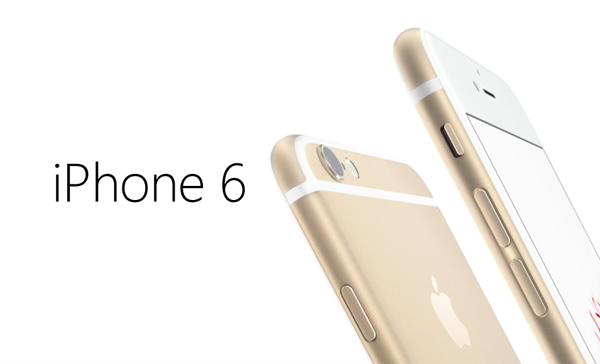
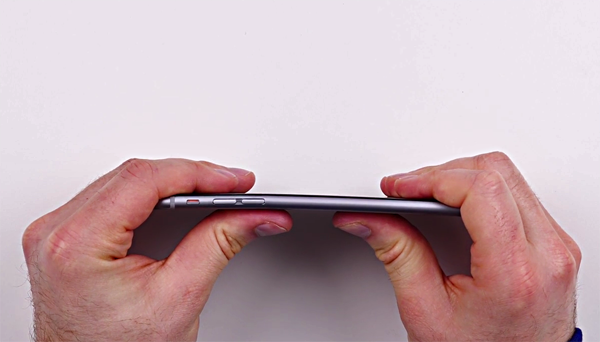
Unless you've been stuck under a rock for the past couple of days, you'll surely have caught the Bendgate coverage, in which it was claimed that Apple's new iPhones, particularly the iPhone 6 Plus, was susceptible to losing its shape. Given that it's largely comprised of aluminum, a soft, malleable metal, it was never going to be as robust as a handset laden in stainless steel, but while it did seem like the whole fiasco was merely a small number of incidents that had been blown way out of proportion, Apple has stepped out and confirmed that to date, only nine complaints have been registered.
We love a freebie or two here, and although it's been a while since we've posted a paid apps gone free article for our Android-wielding readers, we believe that today's mammoth list was well worth the wait. Not only does the list of 20+ apps offer a combined saving well in excess of $100, but there are some huge apps and titles in there from big-name companies like SEGA, Autodesk. If your Android device is in need of some new content, we've all of the details coming right up for you after the leap.
For a good year or so now, it has been suggested that Apple would be coming through with a tablet larger and more powerful than the current flagship 9.7-inch model, and given the introduction of would-be rival products like the Microsoft Surface and Samsung's Galaxy Tab Pro line, the idea of a 12.9-inch iPad Pro seems even more plausible. Today, new information has emerged about the slate, with a report suggesting that the SoC powering the top-end slab will be a more robust, A8X chip.
Yesterday, Apple rolled out its very first mobile software update since iOS 8 first appeared a couple of weeks back. Therein, we were told, lied a number of fixes to early issues that had plagued some users, but unfortunately, iOS 8.0.1 did more harm than good. Many iPhone 6 and 6 Plus owners were left with no cellular service whatsoever as well as a non-functioning Touch ID fingerprint sensor, and given the critical nature of these two features, Apple quickly decided to pull the update altogether. We already showed you how you could downgrade your firmware back to iOS 8.0 to regain service and use of Touch ID, and since, Apple has also advised users to do likewise.
If you're in the market for a new smartphone, but took the opportunity to pass on Apple's recently released iPhone 6 and iPhone 6 Plus in the hope that rumors pertaining to the Google Nexus 6 might be true, then you could be in luck.
Apple's new iOS 8 software is literally rammed with features and perks, but actually finding them all and learning how to use them once you've located them can be quite a trying task. To ease the burden, we've been running you guys through a series of tutorials and tips, helping you make the very most out of your new device and / or software, and with the Health app having been a major talking point in the months leading up to iOS 8's showcasing at the Worldwide Developers' Conference back in June, we're going to show you how to set up your emergency Medical ID right now.
Experiencing slow or Wi-Fi related issues on iOS 8 running on iPhone, iPad? Try this simple fix to get things up and running in no time.
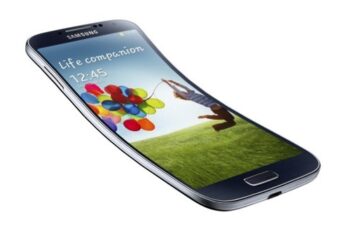
Social media has been abuzz over the past 24 hours with reports that the iPhone 6 Plus has a bit of a problem, in that the aluminum shell appears to bend while in users' pockets with apparently very little force being applied. The controversy has sparked a fierce debate on Twitter, and while some believe that Apple's own design is at fault, others are of the opinion that if you sit on your device or place it in a precarious position, then you're basically asking for trouble. Apple has yet to make a comment, and given that the scale of the issue doesn't seem to be widespread, there's no telling whether the company will release a statement on the matter, but for the sake of entertainment / argument, one YouTuber has also carried out the 'bend test' on a Samsung Galaxy S4. Does it bend? Find out after the fold.
The iOS 8.0.1 update was released a while ago, and though it fixes a lot of lingering bugs, but the update is a nightmare for users who are in the ownership of an iPhone 6 or iPhone 6 Plus, as it breaks cellular network capabilities of the devices along with Touch ID. But luckily, there’s a fix for those who have updated to iOS 8.0.1 and are left with a $650+ paperweight.