We love apps, and so do you, so if you got yourself a shiny new iPad or iPhone this Christmas then you probably want to get your hands on some bargain apps to go along with it. With this time of year being so expensive for everyone, we really can’t blame you.
When writing emails, responding to WhatsApp or even just making shopping lists, you may find that you're tapping in the same phrases every time. Recognizing this, one app developer has decided to help you save time, creating a keyboard through which you can store and conveniently prepare and access such phrases while bypassing the tedium of keying in the same stuff over and over.
There have been a countless number of jailbreak tweaks touted at improving various aspects of the iOS platform's user interface, including the lock screen. The popular LockInfo jailbreak tweak has just landed on iOS 8 after quite a while since Apple’s latest mobile OS was first cracked, and happens to be a beta for now. More information on the tweak, that is LockInfo 8, is available right after the jump.
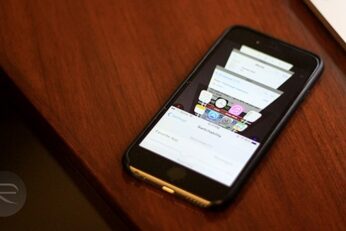
One of the bigger quirks of iOS 8 running on iPhone 6 and iPhone 6 Plus is the Reachability feature in these devices, which essentially allows for a convenient one-handed operation despite the large display size of both these phones. In reality, Apple's implementation of one-handed UI for iOS 8 is better than what any other manufacturer has been able to achieve. Still, when you look at Reachability, it's evident that there's so much more that can be done with this feature, especially if it’s opened up to developers. Well, that's what we have jailbreaking for, and thanks to a new tweak released just recently in Cydia, your Reachability space becomes a new multi-tasking interface, providing a mix of the app switcher and Safari's 3D tabs.
At this time of year, when we're all spent up and waiting for the credit card bills to arrive, nothing's more welcome than the possibility of getting something for nothing. Our regular readers will know that we have a bit of a tradition of telling our dear ones of paid apps that have gone free, whether for a limited time or for good.
Here’s how you can quickly and easily take photos and videos on iOS 8 without launching the Camera app. More details on how to do so can be found after the jump.
If you happen to find a little time for yourself from an otherwise busy Christmas schedule, you might want to check out these iOS apps gone free today for a limited period. Check them all out, right after the jump.
Here’s a tutorial on how to install PlayStation and N64 emulator on iOS to play console games on iPhone, iPad or iPod touch. Complete instructions and video tutorial can be found right after the break.