
iCloud Activation Lock helps protect Apple devices from unauthorized access after they are lost or stolen. However, it can also cause problems for legitimate owners who buy a second-hand iPhone or iPad or forget their account credentials. In these situations, finding a suitable iCloud Activation Lock removal tool may be helpful.
This article introduces four popular tools, compares their main features, and explains what to consider before choosing one.
What Is iCloud Activation Lock?
Designed to help prevent unauthorized use, iCloud Activation Lock ties an iPhone or iPad to the Apple Account associated with Find My. Factory reset the device won’t necessarily clear this protection, so the linked account information may be required during reactivation.
This protection helps prevent unauthorized use of lost or stolen devices. However, it can become an obstacle when a device is purchased second-hand, inherited, or recovered after the original owner forgets their login details.
Consider Apple’s own recovery options first. Or have the previous owner unlink the device from their Apple Account. If these options are unavailable, an Activation Lock removal tool may be worth considering.
What to Look for in an iCloud Activation Lock Removal Tool
Not every tool supports every Apple device. Before choosing one, consider these factors:
- Device compatibility: Check supported iPhone and iPad models and iOS or iPadOS versions.
- Supported scenarios: Confirm whether the tool addresses your specific Activation Lock situation.
- Ease of use: Clear instructions and a simple interface can make the process easier.
- Pricing and support: Review the license terms, refund policy, and customer support options.
- Security and transparency: Choose a provider with clear documentation and avoid tools that promise universal results.
Top 4 iCloud Activation Lock Removal Tools for iPhone and iPad
- TunesKit iPhone Unlocker
TunesKit iPhone Unlocker is a desktop utility designed to help users address several iPhone and iPad lock-related problems. Its functions include Activation Lock removal, screen passcode removal, MDM lock removal, and other supported unlocking tasks. The software is worth considering if you want a reliable and effective solution.
Why TunesKit Stands Out
- Multiple unlocking functions: Handles supported screen passcode, Apple ID, MDM, Screen Time passcode, and Activation Lock-related scenarios in one desktop application.
- Windows and Mac support: Offers desktop versions for both operating systems, giving users flexibility when choosing a computer.
- Guided operation: Provides step-by-step instructions to help users navigate the unlocking process without advanced technical knowledge.
- Support for different lock situations: Offers separate functions for different iPhone and iPad access issues.
- Broad Compatibility: Supports a wide range of iPhone and iPad models and keeps up with the latest iOS version and Apple devices, including iOS 27.
How to Bypass Activation Lock Using TunesKit iPhone Unlocker
The general workflow is as follows. Exact steps and requirements may vary by device and software version.
Step 1. Install and connect the device: Install TunesKit iPhone Unlocker from its official website on a compatible computer. Use a USB cable to connect your iPhone or iPad.
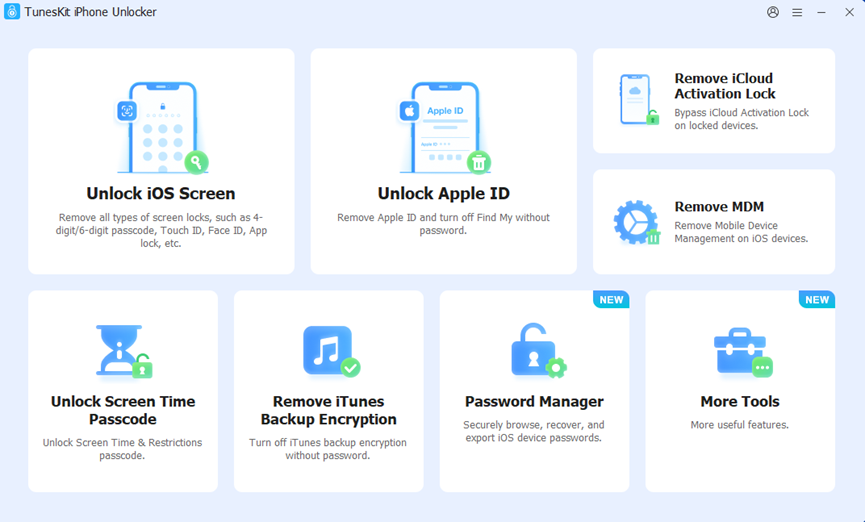
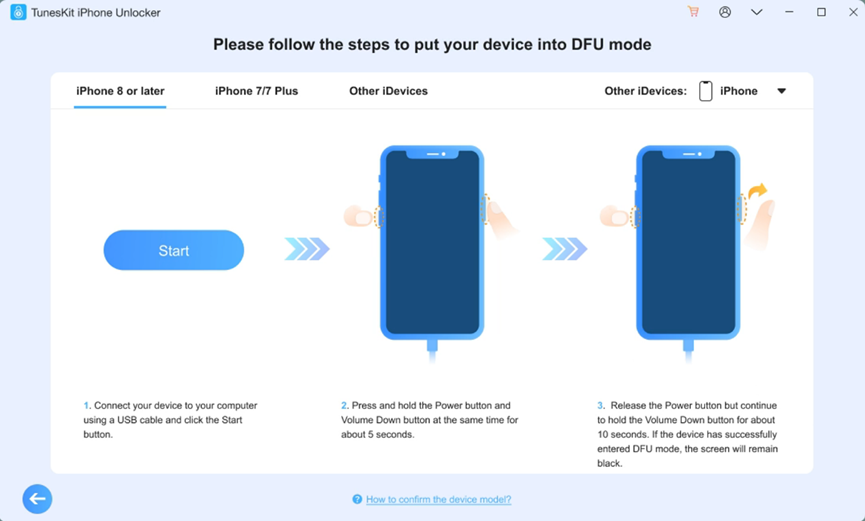
Step 2. Follow the instructions: Choose the Remove iCloud Activation Lock option. Click Start and put your device into DFU Mode manually according to the on-screen guide.
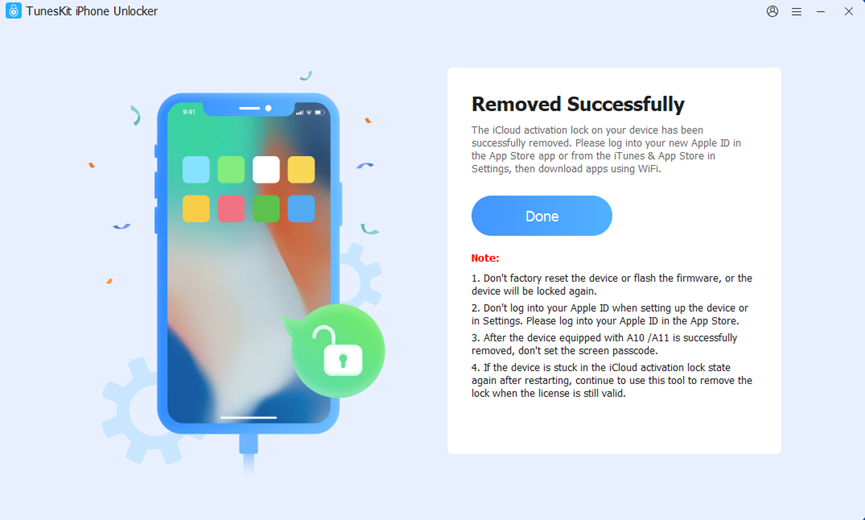
Step 3. Wait for the process to finish: TunesKit will start the Activation Lock removal process. Wait for the process to complete. It may take 10 to 20 minutes.
Before starting, review the compatibility requirements carefully. Use the tool only on a device you own or are authorized to manage.
- iMobie AnyUnlock
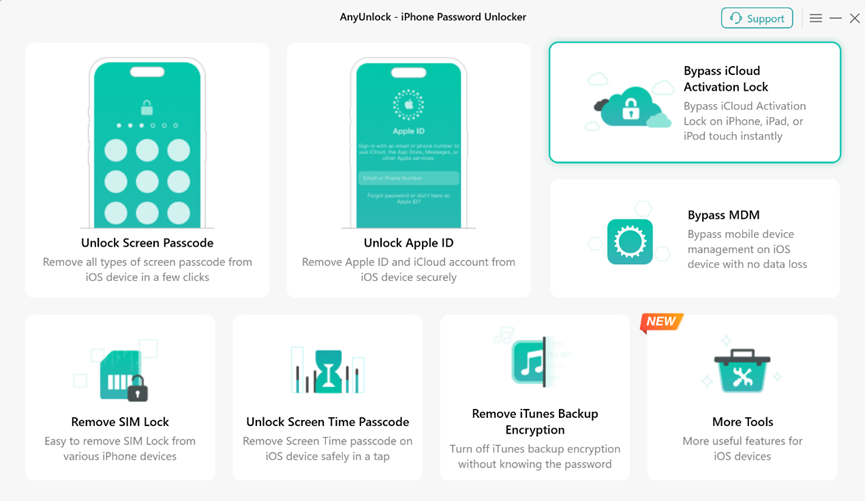
iMobie AnyUnlock is another desktop utility that supports solutions for certain iOS device lock problems, including iPhone locked to owner, forgot iPhone passcode, and iPhone is disabled. Its interface is designed to guide users through the process.
Pros
- Provides a dedicated Activation Lock removal function for supported iPhone and iPad models.
- Offers a guided workflow designed to simplify the removal process.
- Provides a free trial to check device compatibility before purchasing.
Cons
- Some supported configurations require jailbreaking, which may introduce security risks.
- Certain functions have limitations after removal, including restrictions on cellular services for some iOS versions.
- Compatibility and available features vary by device model and iOS version.
- Tenorshare 4uKey
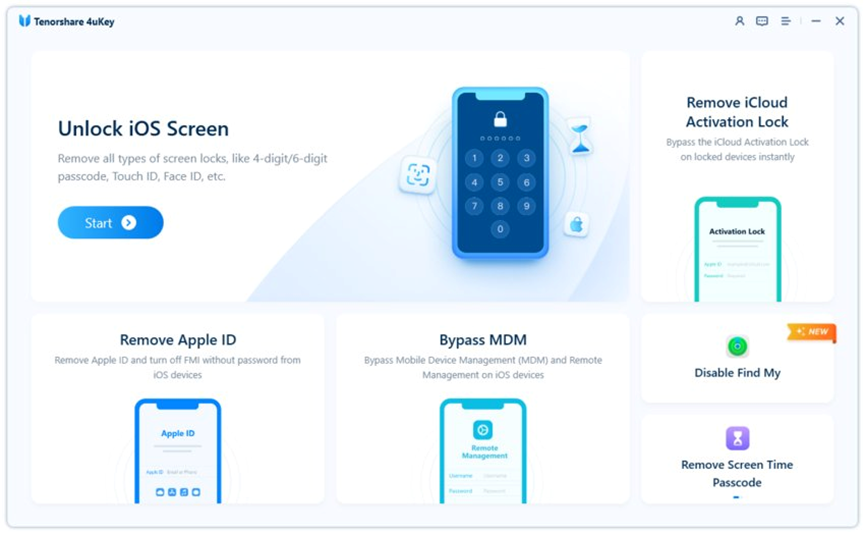
Tenorshare 4uKey provides several iPhone unlocking functions. It offers solutions for different lock-related situations, such as iPhone unavailable, Activation Lock, and MDM lock. One point to consider is that different functions may have separate compatibility requirements.
Pros
- Combines Activation Lock removal with other unlocking functions, including screen passcode and Apple ID-related solutions.
- Supports a range of iPhone and iPad models and offers Windows and Mac versions.
- Provides compatibility information and product updates for supported devices.
Cons
- Activation Lock removal is not guaranteed to work with every device or system version.
- Some procedures may involve technical requirements or limitations.
- Some features need a paid license to use.
- iMyFone LockWiper
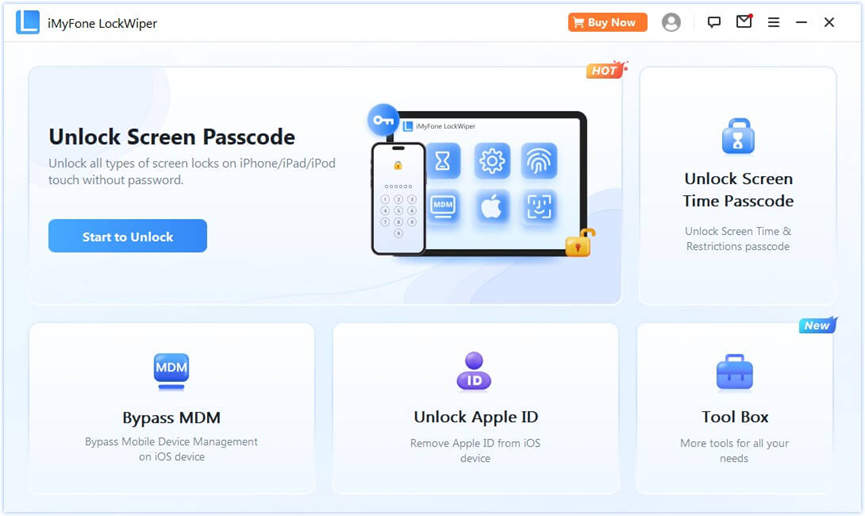
iMyFone LockWiper is designed to address certain iPhone and iPad access issues. It provides different solutions for supported Apple Account and device-lock scenarios. Its suitability depends on the exact problem, device model, and operating system.
Pros
- Offers multiple iOS unlocking functions, including screen passcode, Apple ID-related issues, Screen Time passcodes, and MDM restrictions.
- Provides a free trial for checking device compatibility.
- Offers different subscription options, allowing users to compare plans based on their needs.
Cons
- Activation Lock bypass is available only with eligible plans, so buyers should compare feature lists carefully.
- Some Apple ID removal functions require the device to be activated, with two-factor authentication and a screen passcode enabled on certain iOS versions.
- Completing the unlocking process generally requires a paid license.
Frequently Asked Questions
- Can You Remove iCloud Activation Lock Without the Previous Owner?
You can contact Apple Support and provide valid proof of purchase if eligible. Third-party tools can offer solutions for certain supported configurations, but they cannot guarantee success on every device. Avoid services that promise universal removal without checking compatibility.
- Are iCloud Activation Lock Removal Tools Safe?
Safety depends on the provider, software, and method used. Download tools only from official websites, review their privacy policies, and check independent feedback before paying.
- Can Activation Lock Be Removed on Both iPhone and iPad?
All tools listed support both iPhone and iPad, but compatibility varies by model, operating system, and removal method. Check the provider’s current compatibility list before proceeding.
Conclusion
Choosing the right iCloud Activation Lock removal tool starts with understanding your device and the reason it is locked. Among the four tools listed, TunesKit iPhone Unlocker is the top recommendation based on compatibility, pricing, ease of use, and safety. Whenever possible, use Apple’s official recovery methods first, and choose third-party software only when your device and circumstances are supported.
You may also like to check out:
- Download: iOS 27.2 Final IPSW Links, OTA Update Released
- Jailbreak iOS 27.0.1: Everything You Need To Know
- How To Fix Bad iOS 27 Battery Life Drain On Your iPhone
You can follow us on X, or Instagram, subscribe to our YouTube channel and even like our Facebook page to keep yourself updated on all the latest from Microsoft, Google, Apple, and the Web.
