Ever since Apple bought Shazam, the feature has been rolled into iPhones and Apple Watches everywhere. The feature allowed users to tap a button and have Shazam identify a song that was playing nearby.
But with iOS 27 and watchOS 27, Apple added the ability for an Apple Watch to automatically identify a song without any prompting.
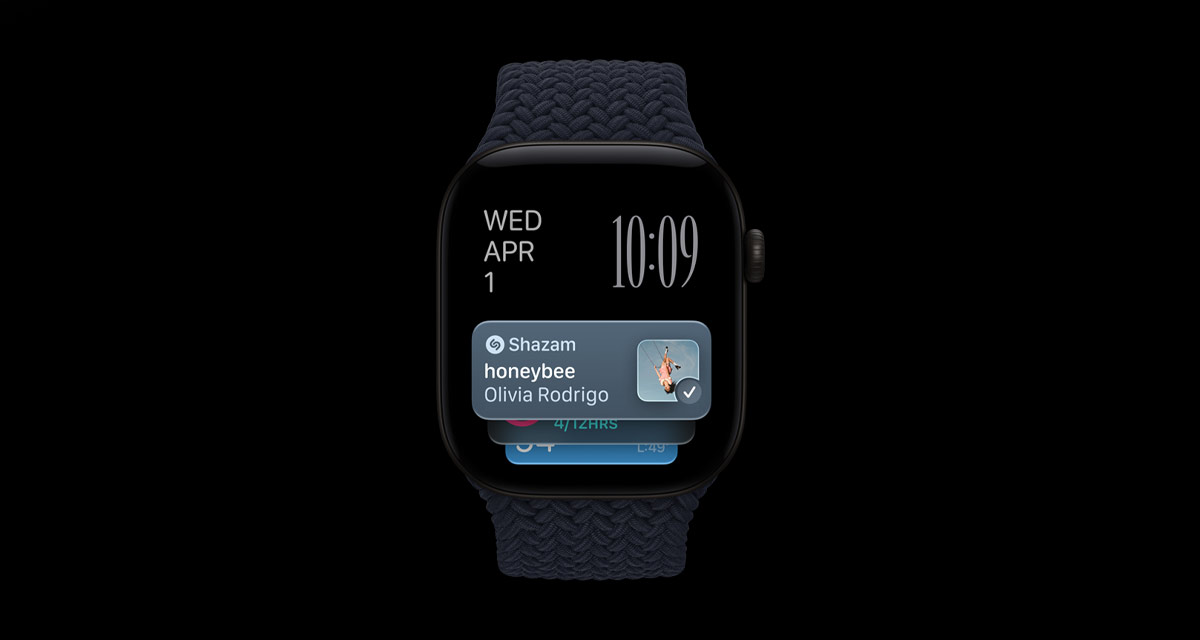
The new feature is part of Audio Intelligence, which itself is part of Apple Intelligence. It’s also only available on the Apple Watch Series 12 and Apple Watch Ultra 4, just like other Audio Intelligence features.
Using the new feature is incredibly easy, with Shazam surfacing the name of the song and the artist via a Smart Stack card whenever it identifies them. All you have to do is swipe up on your Apple Watch or turn the Digital Crown to see it.
If you aren’t seeing Shazam’s Smart Stack card, you can make sure that the automatic detection feature is enabled via the Apple Watch’s settings.
Step 1: Open the Settings app on your Apple Watch.
Step 2: Scroll down and tap Smart Stack.
Step 3: Enable the Music Detection toggle.
That’s all there is to it. Older Apple Watches can still use Shazam to identify songs, of course, but you’ll need to manually ask it to do so.
You may also like to check out:
- Download: iOS 27.2 Final IPSW Links, OTA Update Released
- Jailbreak iOS 27.2: We We Know So Far
- How To Fix Bad iOS 27 Battery Life Drain On Your iPhone
You can follow us on X, or Instagram, subscribe to our YouTube channel and even like our Facebook page to keep yourself updated on all the latest from Microsoft, Google, Apple, and the Web.