• December 5, 2025
  • Apple
    Apple

    Apple Announces Its 2025 App Store Awards Winners

    Apple Is Breaking Sales Records Thanks To The iPhone 17

    Apple Makes iOS 26.2 Release Candidate Available To Download

  • Google
    Google

    Google’s Latest Pixel Ad Mocks Apple’s iPhone With A Wicked Twist

    Apple’s AirDrop Now (Sort Of) Works With Android Phones

    Apple’s Next Big Siri Upgrade Could Be Powered By Google

  • Microsoft
    Microsoft

    Apple Is Breaking Sales Records Thanks To The iPhone 17

    10 Best Black Friday Deals Still Available And Worth Checking Out

    Get 4 Outdoor Solar-Powered Smart Cameras For Nearly 50% Off With This Black Friday Deal

  • Tesla
    Tesla

    Tesla Might Add CarPlay, But Android Users Could Be Left Out

    Tesla Launches $36K Model 3, $39K Model Y

    Tesla Cybertruck Available To Order Now In UAE, Saudi Arabia, Qatar

  • Reviews
    Reviews

    VideoProc Converter AI Helps Restore Old Videos Up To 4K [Review]

    Why Choose CZUR StarryHub For Meeting Solution?

    Stellar Repair For MS SQL – Product Review

  • Deals
    Deals

    Samsung’s Galaxy Watch 8 Smartwatch Is Now $120 Off, But Only For Today

    Ditch Your Old Phone And Upgrade To Google’s Pixel 10 Pro for Just $699 Today

    This No-Heat Dyson Airstrait Straightener Is Now A Massive $150 Off

Latest
  • Latest
  • Oldest
  • Random
  • A to Z

Apple ID

iOS 16.4 Adds Option Of Adding Apple ID For Betas

Oliver Haslam·March 8, 2023
iOS 16.4 has added the option of adding an Apple ID for beta downloads. Here are all the details on this.

How To Set Apple ID Recovery Contact In iOS 15

Oliver Haslam·October 15, 2021
iOS 15 and iPadOS 15 now finally let you set a Recovery Contact for your Apple ID. Here's a step-by-step guide on how you can do that.

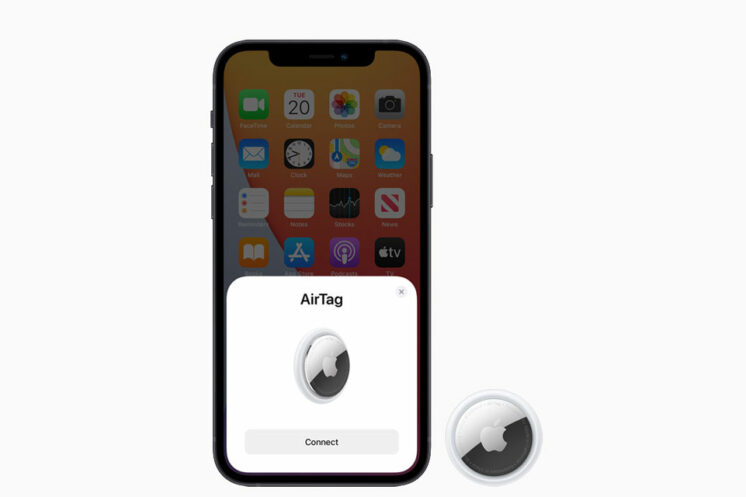
A Single Apple ID Allows A Maximum Of 16 AirTags To Be Paired

Paul Morris·April 25, 2021

Apple Offer: Get 10% Credit Bonus When Adding Funds To Your Apple ID For A Limited Time

Oliver Haslam·March 12, 2019
Apple is offering a 10% credit bonus when adding funds to your Apple ID for a limited time. Here's everything you need to know about it.

Apple ID Of Some iPhone Users Are Getting Locked Requiring Password Reset, Here’s What You Need To Know

Oliver Haslam·November 13, 2018
Apple ID of some iPhone users are getting locked, requiring a password reset in some cases. Here's what you need to know about this.

How To Delete / Deactivate Your Apple ID Account Or Data

Paul Morris·May 24, 2018

New Apple ID Website To Let Users Download All Their Data, Permanently Delete Accounts

Oliver Haslam·March 30, 2018
Apple is set to introduce a new website dedicated to the management of Apple IDs and it will allow users to download a copy of all of the data stored by the company, according to a new report.

Apple IDs Are The Most Valuable Non-Financial Credentials On The Dark Web

Oliver Haslam·March 8, 2018
Phishing emails that attempt to con users into handing over their Apple ID credentials are far from accidental, with a new report suggesting that each stolen Apple ID can be sold for as much as $15.39 on the dark web.

Beware: Yet Another Apple ID Scam Is Looking To Get Hold Of Your Credentials Through Email

Oliver Haslam·February 5, 2018

How To Change Apple ID From Third-Party To Apple Email Address

Paul Morris·November 1, 2017
Here's how you can change or switch an Apple ID with third-party email address to an Apple email address.

Change iTunes App Store / Apple ID Country To US Or Other Without Credit Card, Here’s How

Paul Morris·September 8, 2017
How to change your existing iTunes App Store Apple ID country to US or any other region without credit card. This method confirms to be working in 2017.

Beware: Do Not Fall For This iMessage / SMS iPhone Scam

Oliver Haslam·August 17, 2017

iPhone 7 And iPhone 6s Activation Lock Issues Affecting Some Users

Paul Morris·October 7, 2016
Some iPhone 7 and iPhone 6s users are facing Activation Lock problems. Here are the details on this issue.

Enable Two-Factor Authentication On Apple ID / iCloud, Here’s How

Paul Morris·July 10, 2016
Here we explain how to enable Two-Factor Authentication on Apple ID / iCloud account as well as the difference between Two-Step Verification and Two-Factor Authentication, and how to opt-out of Two-Step Verification if it's already enabled on an Apple ID.


Apple ID Two-Step Verification Available In 59 More Countries, Here’s How To Enable it Now

Oliver Haslam·July 18, 2014
Load More

TRENDING NOW

Apple Announces Its 2025 App Store Awards Winners

Apple Is Breaking Sales Records Thanks To The iPhone 17

Apple Makes iOS 26.2 Release Candidate Available To Download

Your Apple Music Replay 2025 Is Now Available

Cyber Monday All-Time Low Price: Get 2025 M4 MacBook Air For Just $738 Today Only

Cyber Monday Deal: Buy $100 Apple Gift Card And Get Free $15 Amazon Credit

The Best Apple Black Friday 2025 Deals

The iPhone 17 Has Helped Apple Take Top Spot In The Smartphone Market

The First Foldable iPhone Could Cost A Whopping $2,400

Apple’s iOS 27 Will Be About Improved Quality And Performance

FOR YOU

iOS 26

iOS 26 Beta Has A Secret Ringtone, Here’s What It Sounds Like

The iPhone 17 Could Bring 8K Video Recording To Apple Devices For The First Time

This Could Be The iPhone 17’s New Crossbody Strap Accessory

iOS 26

iOS 26 Battery Life On iPhone Gets Extended Thanks To New ‘Adaptive Power’ Feature

Under-Display Face ID Coming To iPhone 17 Pro

iPhone Air, iPhone 17, iPhone 17 Pro Max Available To Pre-Order Now

AirPods Pro 3 Owners Will Need An iPhone Air Or iPhone 17 For This New Feature

iOS 26

Download: iOS 26 Public Beta 1 OTA Update Released Along With iPadOS 26, tvOS 26, macOS 26, watchOS 26

  • About
  • Advertise
  • Privacy Policy
  • Tip Us
Copyright © 2008-2025 Redmond Pie. All Rights Reserved.
  • About
  • Advertise
  • Privacy Policy
  • Apple
  • Google
  • Microsoft
  • Tesla
  • Reviews
  • Deals
Start typing to see results or hit ESC to close
Apple iPhone deals iPad Android
See all results

SUBSCRIBE

Join 100k+ other tech lovers and get the latest news in your inbox
[mc4wp_form id="389"]