
The European version of Droid – the Motorola Milestone has been finally rooted for full file system access on Android 2.0. This has been made possible by folks over at the German site named Android-Hilfe.de (English translated version). Root access will enable you to modify the phone’s firmware to whatever you want to have on your phone like themes, apps and custom Roms just like you do on the Verizon Droid, or the jailbroken iPhone.
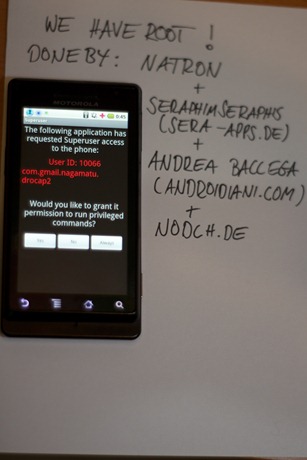
Simply follow the step by step guide posted below to root Milestone on Android 2.0. We are not to be held responsible if you ended up bricking your phone.
Step 1: Download all the necessary .zip files required to root your phone from the source link here.
Step 2: Rename the .zip file to Update.zip and move it on the SD card (-) directory.
Step 3: Switch off the phone.
Step 4: Press and hold the camera button and power button to boot up the phone until this / ‘\ comes up.
Step 5: As often seems to Lautertaste and camera button text.
Step 6: Flash Update.zip
Feel free to ask me any question should you run into any problem in rooting your Motorola Milestone.
You may also like to check out:
- Download Motorola Milestone ROM for Droid
- How to Root Motorola Droid on Android 2.0.1
- How to Root Google Nexus One on Android 2.1
- How to Root Motorola CLIQ For Full Android Access
You can follow me on twitter or join our facebook fanpage to keep yourself updated on all the latest from Android phones.
