• February 8, 2026
  • Apple
    Apple

    Apple Will Allow Third-Party AI Chatbots To Work In CarPlay

    iPhone 18 Pro Max Rumored To Deliver Next-Level Battery Life

    iOS 26 watchOS tvOS macOS visionOS iPadOS

    Apple Releases iOS 26.3 RC Alongside RC Of tvOS 26.3, watchOS 26.3, visionOS 26.3 And More

  • Google
    Google

    It’s Official: Google Gemini Will Power Future Apple Intelligence And Siri Upgrades

    Google’s First AI Smart Glasses Will Debut In 2026

    Google’s Latest Pixel Ad Mocks Apple’s iPhone With A Wicked Twist

  • Microsoft
    Microsoft

    Valentine’s Day Microsoft Sale: Embrace New Tech With Windows 11 Pro For Only $14 – Great Offers On Office 2024 And More

    Microsoft’s Bitlocker Encryption Keys Given To The FBI Set A Worrying Precedent

    iOS 26.2 Features A New AirDrop Privacy Feature

  • Tesla
    Tesla

    Tesla Is Killing The Model S And Model X To Focus On Making Robots Instead

    Tesla To Add Apple Car Key Support Soon?

    Tesla’s 2025 Holiday Software Update Is Now Rolling Out

  • Reviews
    Reviews

    VideoProc Converter AI Helps Restore Old Videos Up To 4K [Review]

    Why Choose CZUR StarryHub For Meeting Solution?

    Stellar Repair For MS SQL – Product Review

  • Deals
    Deals

    4 Reliable Tools To Recover Formatted SD Card [Free & Paid]

    Make Your Front Door Smart With The Blink Video Doorbell At A 50% Discount

    Save $420 Off This Fully Unlocked Galaxy Z Fold 7 With 512GB Of Storage

Latest
  • Latest
  • Oldest
  • Random
  • A to Z

Mail

iOS 16 Mail App Bug Can Crash And Disable Apple’s Email App

Oliver Haslam·September 22, 2022
A new iOS 16 Mail app bug can crash and disable Apple's email app. Here are all the details on this.

Third-Party Hide My Email Support Disappears From macOS Ventura Spec Sheet

Oliver Haslam·August 12, 2022
Apple's upcoming macOS 13 Ventura software update was supposed to feature the ability for third-party apps to hook into the Hide My Email functionality that was previously limited to the Mail app.

iOS 16 Unsend Email Feature Works Up To 10 Seconds After Sending Them

Oliver Haslam·June 8, 2022

How To Change The Default Mail App In iOS 14

Oliver Haslam·September 18, 2020
Wondering how you can change the default mail app in iOS 14 and iPadOS 14? Here's a quick guide on how to do this.

There’s A New 0-Day Exploit For iOS Mail But Apple Already Has A Fix Coming

Oliver Haslam·April 23, 2020
There's a new 0-Day exploit for iOS Mail app but Apple already has a fix coming for it. Here's everything you need to know.

iOS 13 Users Are Accidentally Deleting Emails Because Of This Design Change

Paul Morris·November 4, 2019

Fix For iOS 11 Mail App Outlook, Exchange, Office 365 Issue Coming In Software Update, Confirms Apple

Paul Morris·September 20, 2017
Apple has confirmed that fix for iOS 11 "Cannot Send Mail. The message was rejected by the server." error in Outlook, Exchange, Office 365 accounts is coming in iOS 11.0.1 software update. Here are the details.

iOS 11 Automatically Creates ZIP Archives When Sharing Folders Via Email

Oliver Haslam·July 7, 2017
A newly discovered iOS 11 feature allows Apple's latest mobile operating system to automatically create a ZIP archive when you share an entire folder via email.

How To Speed Up Apple Mail App On Mac Running macOS

Paul Morris·November 12, 2016

Fix iOS 10 Mail Threading Layout On iPhone Or iPad, Here’s How

Paul Morris·October 17, 2016
Here's what you need to know about fixing iOS 10 Mail threading layout on your iPhone, iPad or iPod touch.

How To View Emails With Attachments Only In iOS Mail App [Tip]

Zayed Rehman·April 12, 2016
Here's a useful little tip for iOS Mail app users. Here's how to setup the Mail app to show emails with attachments only on iPhone, iPad or iPod touch.

How To Add ‘Unread’ Folder In iOS Mail App [Tip]

Paul Morris·February 12, 2016

Prevent iOS From Adding Events From Mail To Calendar, Here’s How

Oliver Haslam·January 1, 2016
Here's how you can prevent iOS from automatically adding events from Mail app to Calendar app. Useful for those who care a lot about privacy.

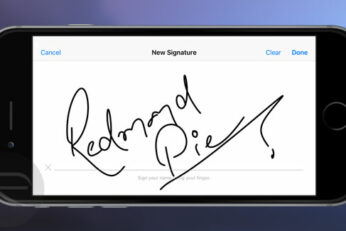
How To Digitally Sign Documents On iPhone Or iPad Using Markup In Mail

Zayed Rehman·December 15, 2015
Here are the instructions on how to digitally sign documents directly on an iPhone or iPad using Markup feature in iOS Mail app.

iOS 9 Users Getting “Message Not Yet Downloaded” Error For POP Mail Accounts

Oliver Haslam·October 10, 2015
Load More

TRENDING NOW

Apple Will Allow Third-Party AI Chatbots To Work In CarPlay

iPhone 18 Pro Max Rumored To Deliver Next-Level Battery Life

iOS 26 watchOS tvOS macOS visionOS iPadOS

Apple Releases iOS 26.3 RC Alongside RC Of tvOS 26.3, watchOS 26.3, visionOS 26.3 And More

Apple’s iPhone 17 Pro Max Crowned The Battery Life King Among 35 Devices Tested

Apple Announces Xcode 26.3 With Support For Agentic Coding

New Foldable iPhone Details Leak As Late-2026 Launch Edges Closer

iOS 26.2.1 Battery Life Drain Tested, Here’s How Your iPhone Will Fare

Apple’s iPhone Upgrade Program Ends For UK Customers

Apple CEO Tim Cook Promises ‘Innovations That Have Never Been Seen Before’

Apple Brings Pixelmator Pro To The iPad

FOR YOU

Download iPhone Air And iPhone 17 Pro Wallpapers Right Here

iOS 26 Beta 7 Download: When To Expect Release Date?

iOS 26

How To Downgrade iOS 26 Beta 1 To iOS 18.5 [Guide]

iOS 26

Download: iOS 26 Beta 4 OTA Profile Update, IPSW Links Out Now [Updated]

AirPods Pro 3 Owners Will Need An iPhone Air Or iPhone 17 For This New Feature

iPhone 17 / 17 Pro eSIM-Only Countries List Revealed

Apple Is Breaking Sales Records Thanks To The iPhone 17

iOS 26 logo

iOS 26 Will Be The Name Of iPhone’s Next OS, Not iOS 19

  • About
  • Advertise
  • Privacy Policy
  • Tip Us
Copyright © 2008-2026 Redmond Pie. All Rights Reserved.
  • About
  • Advertise
  • Privacy Policy
  • Apple
  • Google
  • Microsoft
  • Tesla
  • Reviews
  • Deals
Start typing to see results or hit ESC to close
Apple iPhone deals iPad Android
See all results

SUBSCRIBE

Join 100k+ other tech lovers and get the latest news in your inbox
[mc4wp_form id="389"]