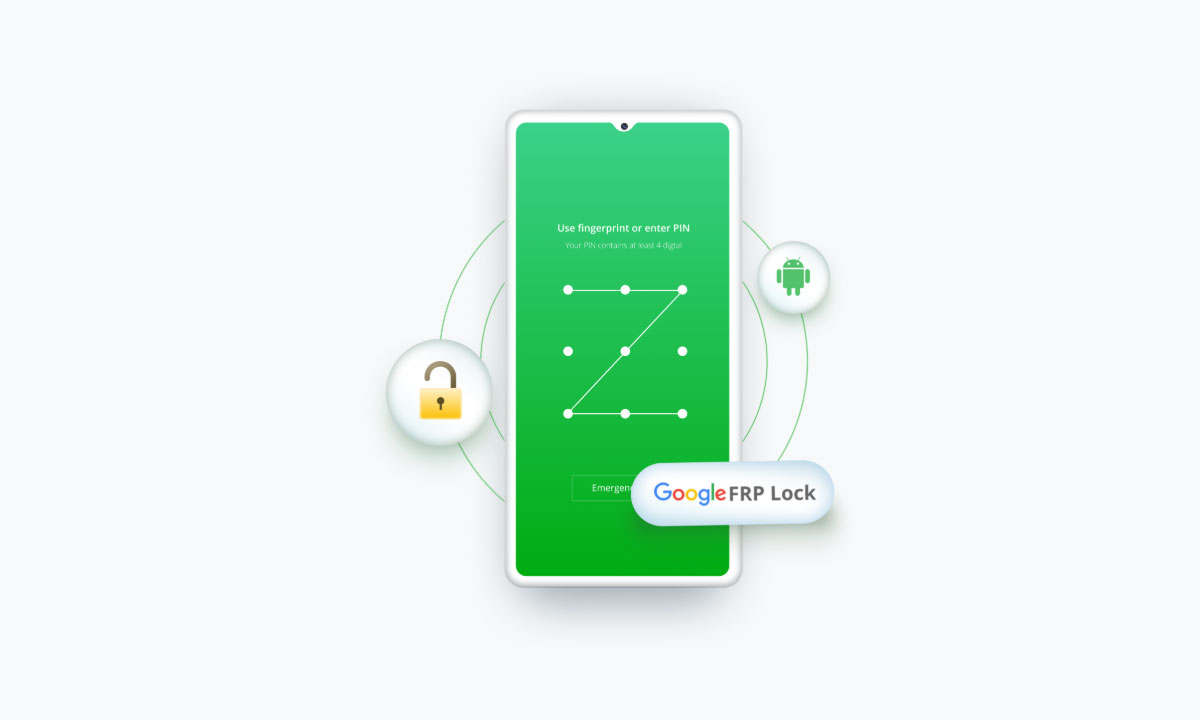
PassFab Android Unlock is worth buying if you’re locked out of a phone you own and can accept a factory reset. It removes PIN, pattern, password, and fingerprint locks and bypasses Google FRP on Windows or Mac.
The download is free, and the free version can check device compatibility. The tool is safe to download from passfab.com and is best for Samsung owners, especially newer models using the EDL cable method. But avoid cracked versions.
Introduction
You might have landed here after searching for whether PassFab Android Unlock is safe and legitimate and whether it functions. This PassFab Android Unlock review will clear your doubts. You’ll learn about the full functionality of the tool, what it costs, where it fails, what its benefits are, and how to use it without wasting your refund window.
Part 1: What Is PassFab Android Unlock?
PassFab has operated since 2010 and offers numerous smartphone and Windows utilities. PassFab Android Unlock is one of its products. It’s a Windows and Mac desktop tool that removes Android screen locks and bypasses FRP. It’s a “2-in-1” for lock screens and Google account lock after a reset. Here are its use cases:
- A second-hand phone or tablet still tied to the previous owner’s lock or Google account.
- A broken or dead screen where you can’t enter the passcode.
- A forgotten PIN, pattern, or password.
- A phone stuck on Google verification after a factory reset.
I personally tested PassFab Android Unlock on a Samsung Galaxy A12 running Android 12, using Windows 11 to unlock a screen lock. The process took around 15 minutes from connection to completion. The screen lock was successfully removed and no major errors occurred.
Part 2: Key Features of PassFab Android Unlock
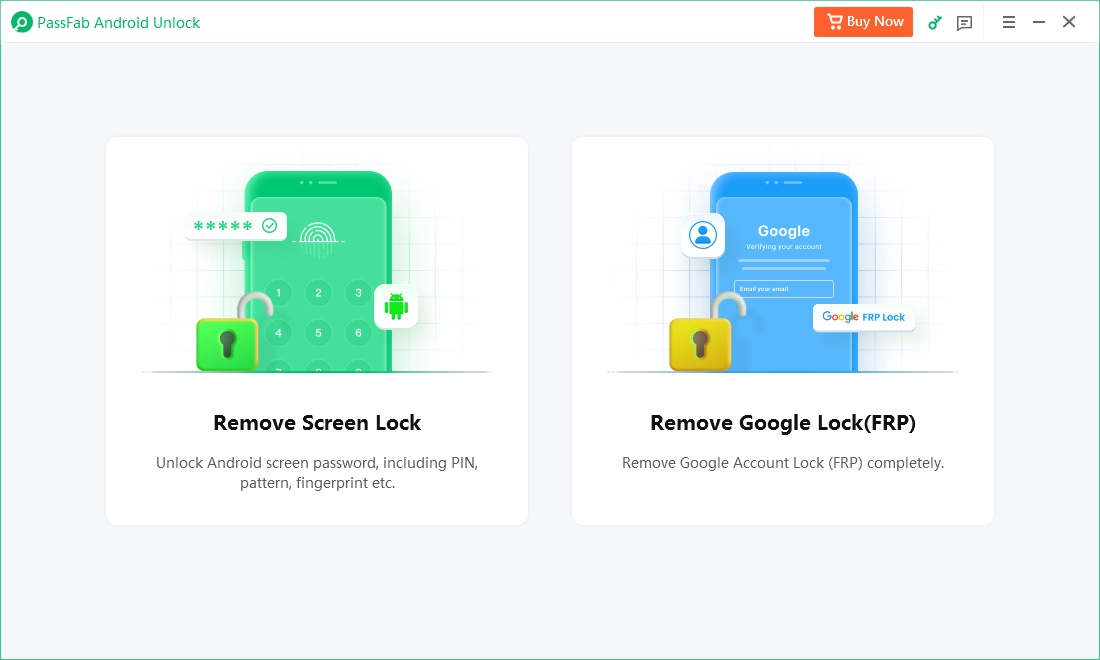
The core feature set of PassFab Android Unlock is lock removal, FRP bypass, and a no-data-loss mode for older Samsung phones:
- Screen Lock Removal: Handles pattern, PIN, password, and fingerprint. On Samsung, it completes the process within the tool. On other brands, you’ll be asked to enter recovery mode and factory reset the phone afterward.
- FRP Bypass Without a Google Account: It supports Samsung, Xiaomi, Redmi, Vivo, OPPO, Realme, OnePlus, Huawei, and Motorola.
- EDL Cable Method: For newer Qualcomm-based Samsung phones (S23, S24, and others), you need an EDL engineering cable, sold separately on marketplaces.
- No-Data-Loss Unlock: Early Samsung models only (e.g., Note 3, Note 4, and Galaxy S5) on Windows.
- Compatibility: 60,000+ phones and tablets.
- License Allowance: 5 mobile devices per 1 PC, with lifetime free upgrades.
Part 3: Download Full Version & Latest Version
The only safe PassFab Android Unlock full version is the official installer on the PassFab site with a paid license. Cracked or “activated” copies are a malware and legal risk, and they won’t carry the 30-day guarantee or support. Search results surface “crack” and “download full version PassFab Android Unlock free” pages for this exact product, which are not official. So avoid them.
- Windows: Official installer from passfab.com, listed for Windows 11/10/8/8.1/7/Vista/XP (32-bit/64-bit).
- Mac: Official installer from the same page, listed for “macOS 27 and below.”
- PassFab Android Unlock Latest Version: Version 2.14.3.1. Third-party download sites list older builds, so don’t rely on them for this.
- Android support: Compatible with the following devices and Android versions:
| Feature | Supported Devices / Android Versions |
| Samsung FRP Bypass | Samsung devices running Android 6–16 |
| Motorola FRP Bypass | Motorola devices running Android 11–12 |
| Vivo FRP Bypass | Vivo devices running Android 10–12 |
| Huawei FRP Bypass | Huawei devices running Android 10 |
| Xiaomi/Redmi FRP Bypass | Xiaomi and Redmi devices running Android 6–13 and MIUI 10–14 |
| OnePlus FRP Bypass | OnePlus devices running Android 6–16 |
| Remove Screen Lock | Android 4–17 |
Part 4: Is PassFab Android Unlock Safe and Legit?
Most users want to know, “Is PassFab Android Unlock safe?” The answer is yes, but only when downloaded from passfab.com. Here’s the safety checklist:
- Official download: The installers are hosted on PassFab’s own domain.
- Checkout security: PassFab lists the purchase as secured with 256-bit SSL on the product page, and payment data is SSL-secured.
- 30-day guarantee: Covered above, with conditions.
Real Risks to Know About:
- Data erasure: The screen lock removal may erases all data on most devices.
- Legal: Use it only on devices you own or are authorized to unlock. Recovering someone else’s password without permission is illegal.
Part 5: How to Use PassFab Android Unlock (Step-by-Step)
Screen lock removal with PassFab Android Unlock is three steps. FRP bypass takes longer and varies by model:
Method 1: Remove Screen Lock
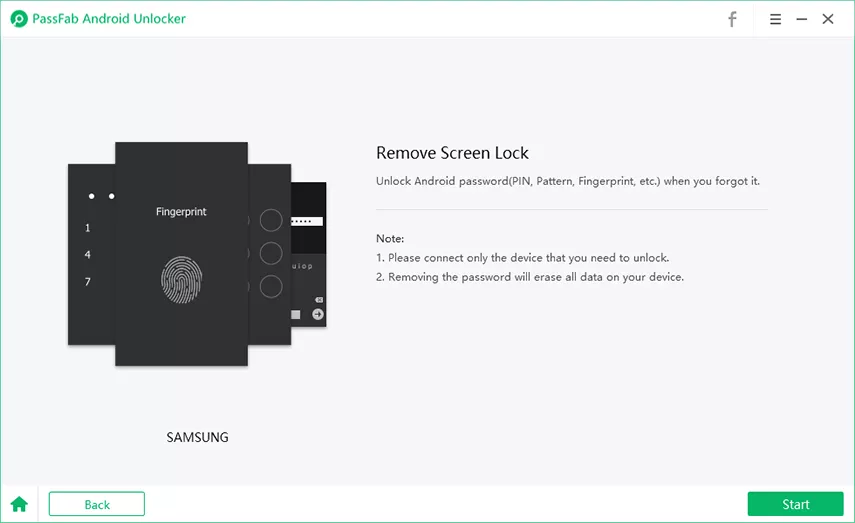
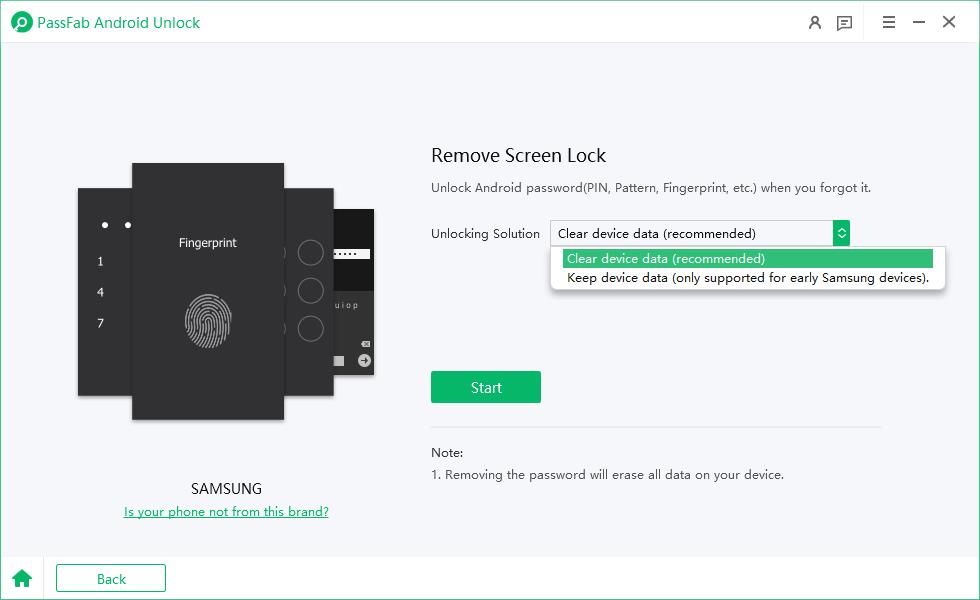
1. Install and launch PassFab Android Unlock, then choose “Remove Screen Lock” and connect the phone by USB.
2. Pick your brand. Hit “Start.” On Samsung, choose “Clear device data.” The tool auto-detects the brand, and a “Is your phone not from this brand?” link lets you correct it.
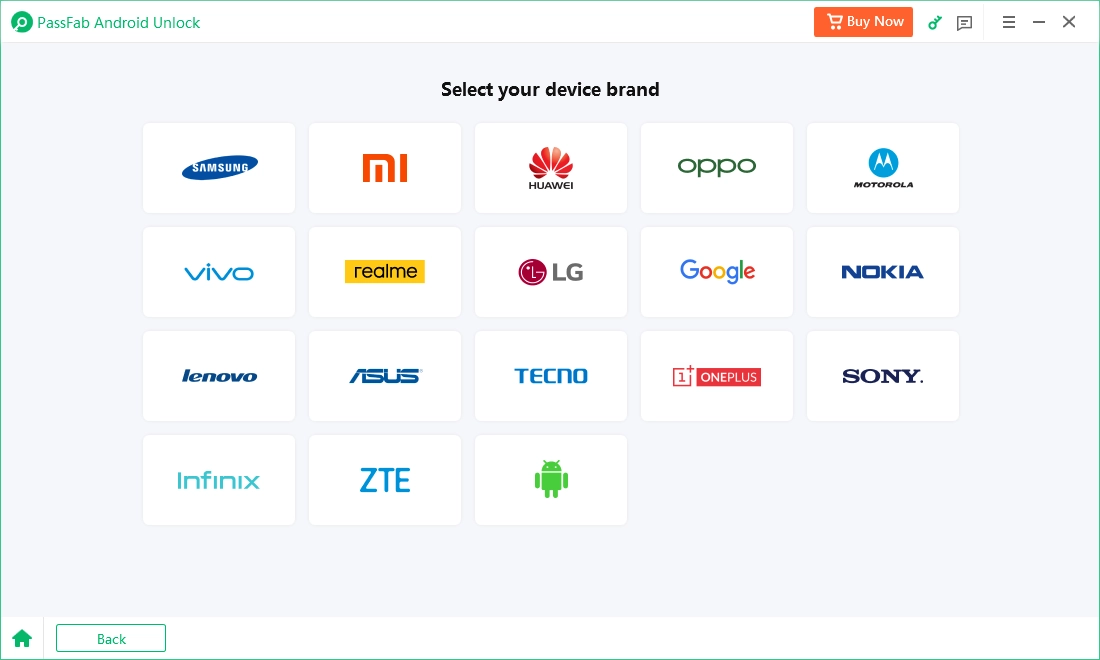
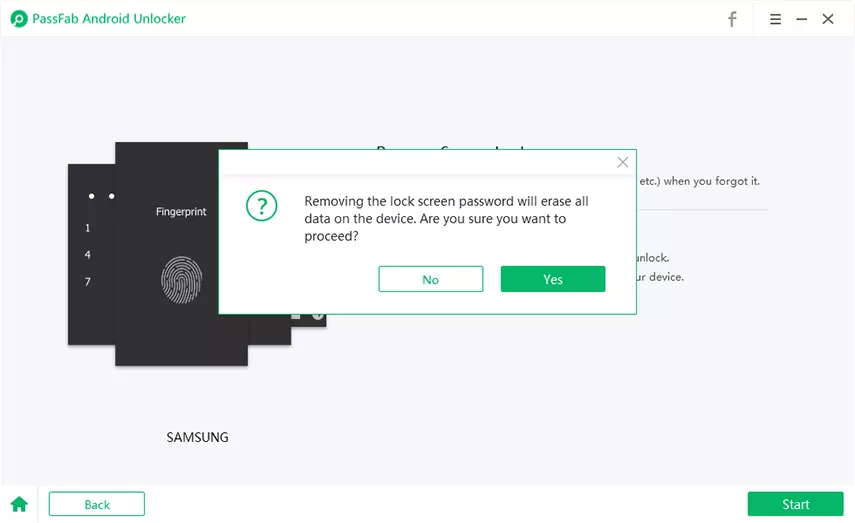
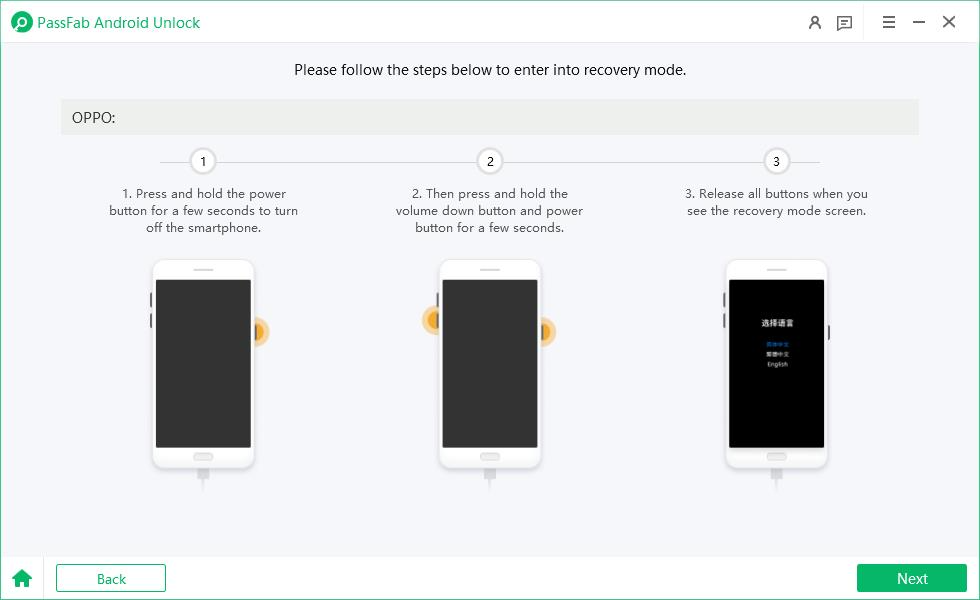
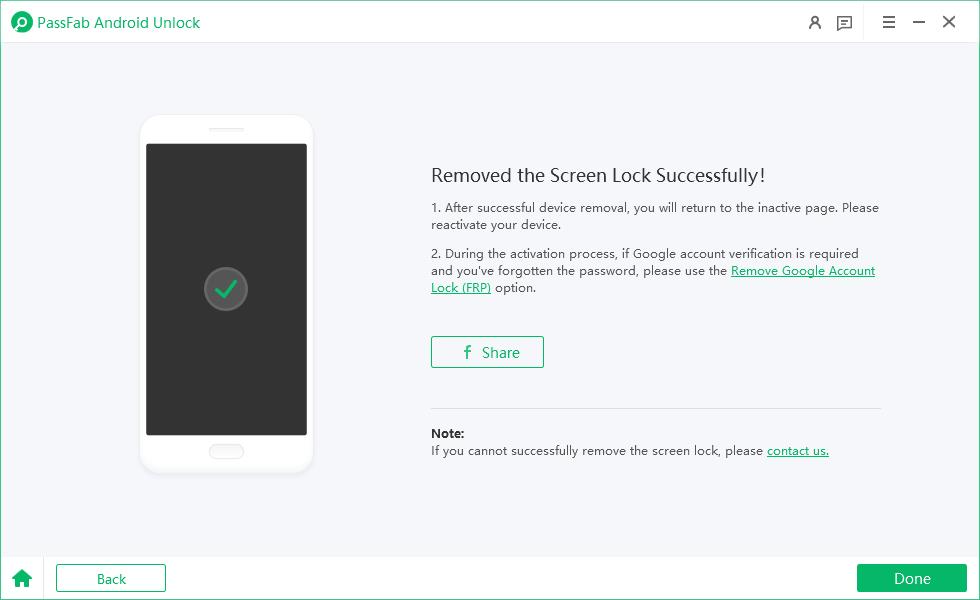
3. Confirm the erase-all-data warning and click “Yes.” Samsung finishes here. Other brands will prompt you into recovery mode and a factory reset.
Method 2: Bypass Samsung FRP
1. Choose “Remove Google Lock (FRP)” and select your OS version, or “All Android Versions” or “Standard Removal” if unsure.
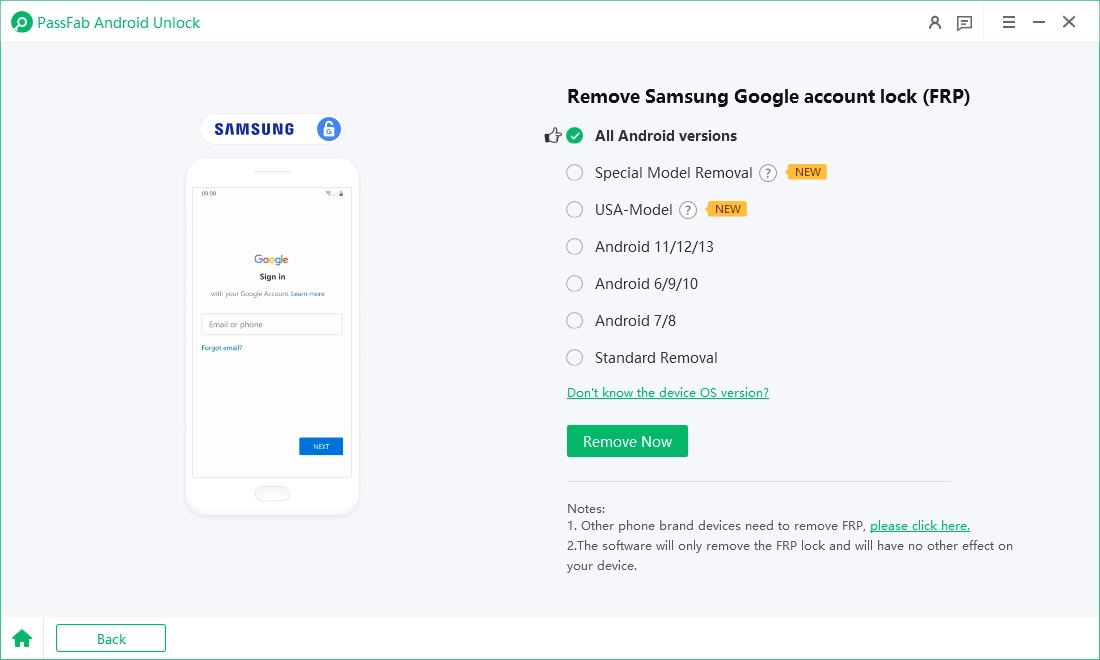
2. Follow the on-screen instructions for your path. The steps are split into All Versions, MTK, Qualcomm, USA-model, Android 11/12/13, Android 6/9/10, Android 7/8, and Standard Removal.
3. For newer Qualcomm Samsung models (EDL method): Connect the EDL cable, then put the phone into EDL mode. You must complete the steps within five minutes or return to the previous step and retry. Then select your model and wait a few minutes for the reboot.
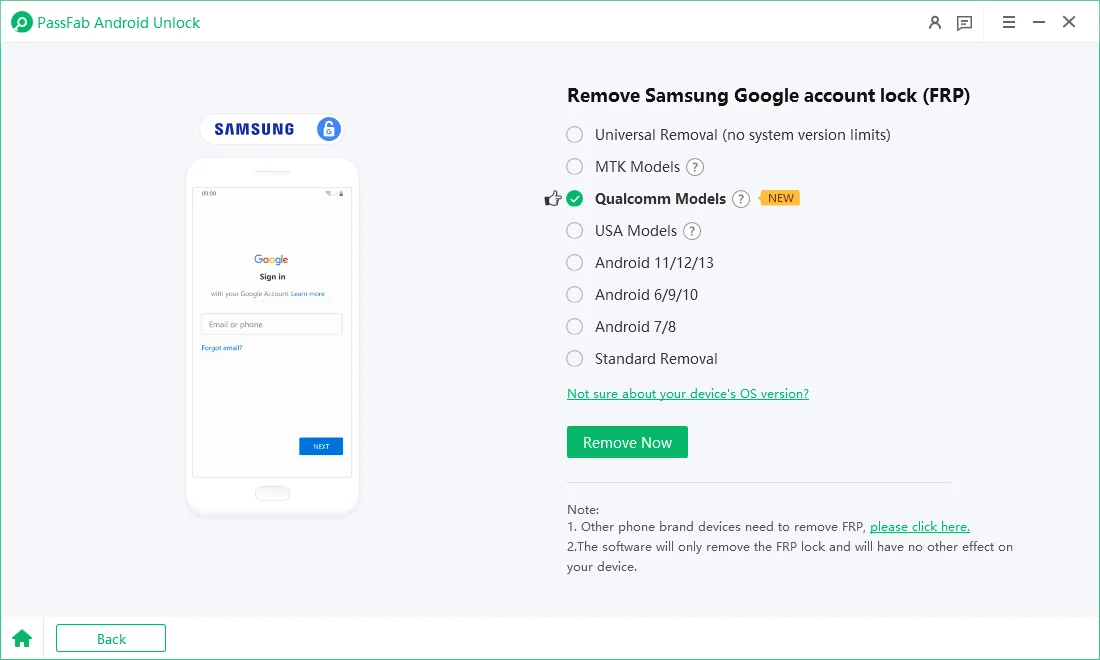
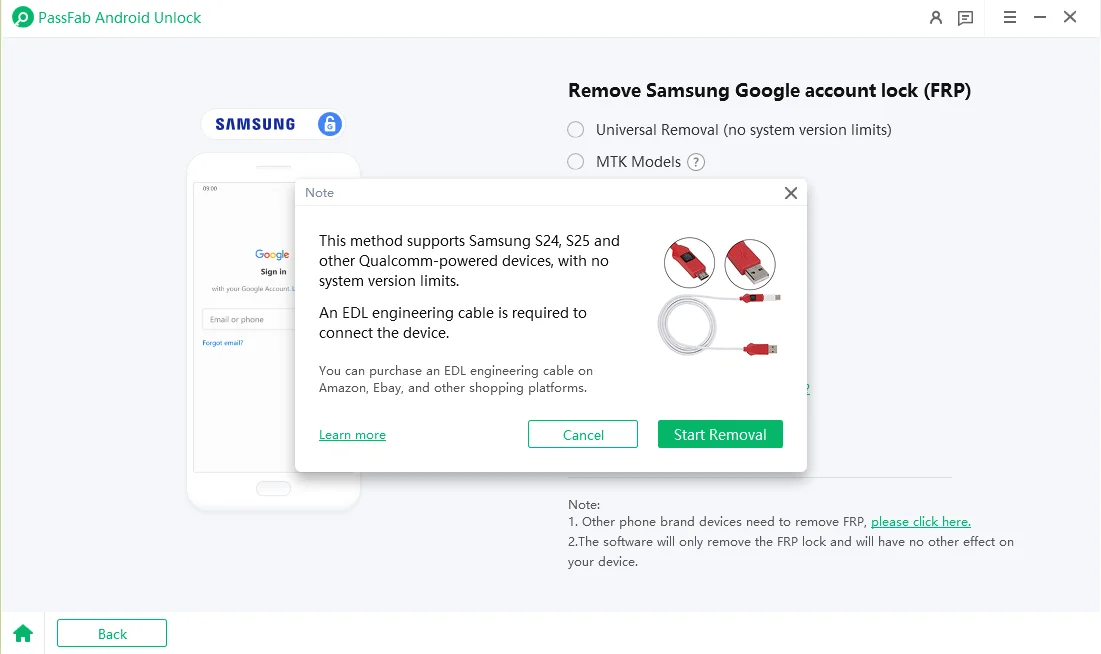
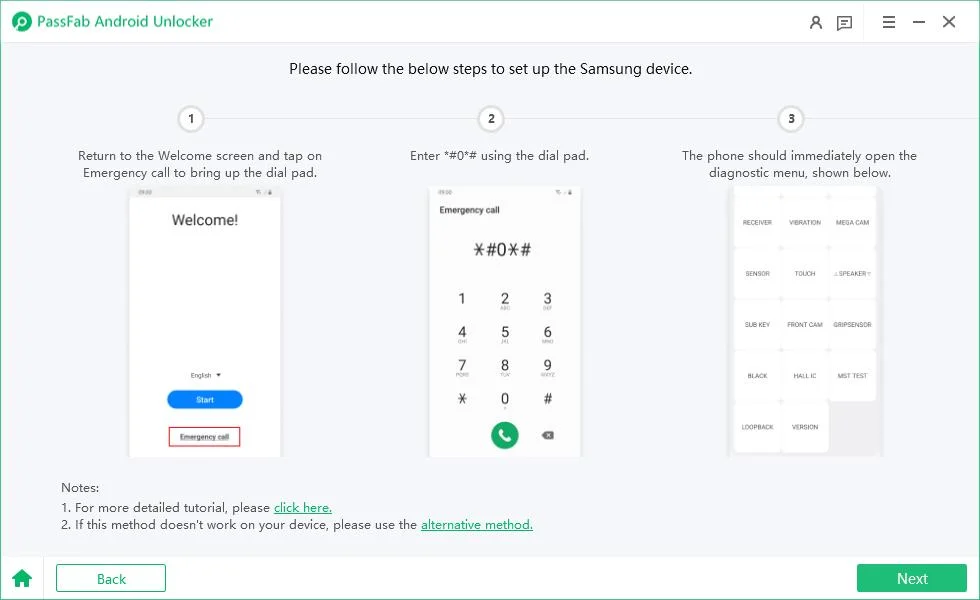
4. Android 11/12/13: Open the “Emergency call” screen, dial *#0*#, and tap “Allow” on the phone. After the tool finishes, you factory reset from “Settings” to fully clear FRP. If that fails, the alternative method requires the third-party Alliance Shield app, a new account, and Knox and Device Admin enabled.
Method 3 (Optional): Unlock Without Data Loss, Early Samsung Only, Windows Only
1. Choose “Remove Screen Lock,” then “Keep device data.”
2. Select the exact device name and model. If it isn’t listed, this mode won’t work for you.
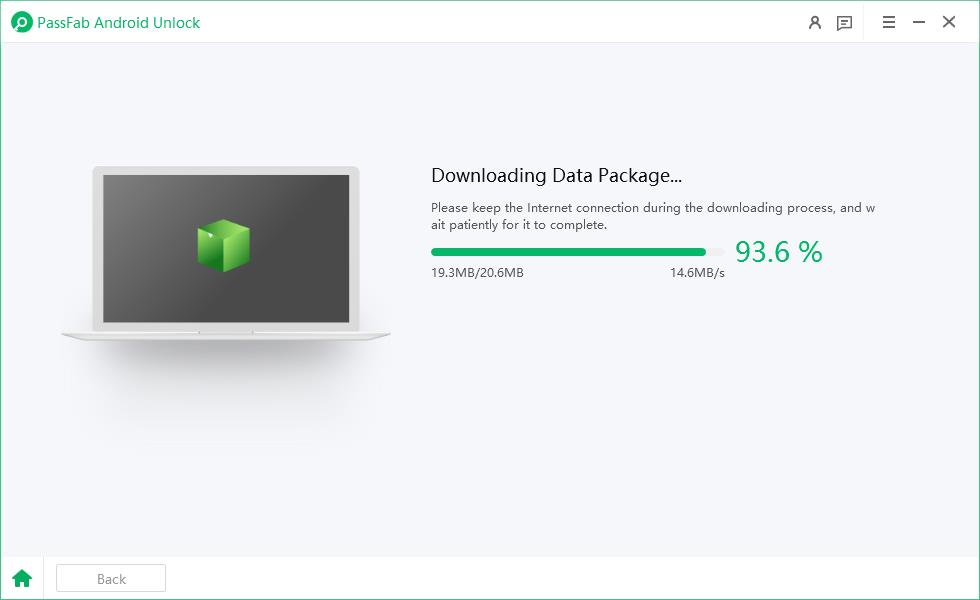
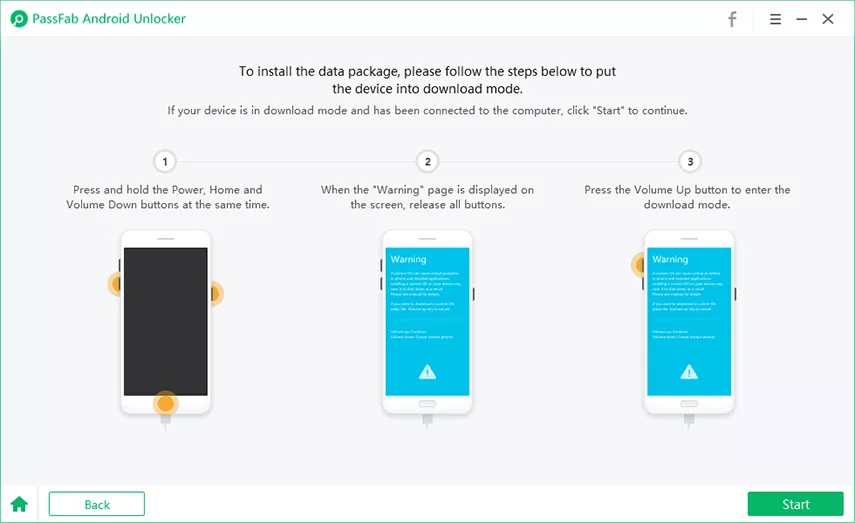
3. Let the tool download its data package, then put the phone into “Download mode” and click “Start.”
If It Fails:
- Cable and Port: Swap in a data-capable cable and try a rear USB port.
- USB Debugging and Mode Settings: Some FRP paths need MTP+ADB or USB debugging enabled, as in the Alliance Shield route.
- Drivers: MTK, Xiaomi, OPPO, and OnePlus flow install drivers first. Let that step finish.
- Antivirus conflicts: Check whether security software is blocking the driver install. Whitelist the installer from passfab.com rather than switching protection off.
Part 6: Is PassFab Android Unlock Free?
No. The download is free, but completing an unlock requires a license. The PassFab Android Unlock free version lets you install the program and check whether it detects your device. Treat that as a compatibility check, not an unlock. PassFab’s refund policy says its trials offer preview only, with no recovery or export. Prices on PassFab’s official checkout pages on November 12, 2026:
| Plan | Windows | Mac |
| 1 month | $24.95 | $29.95 |
| 1 year | $39.95 | $39.95 |
| Lifetime | $49.95 | $49.95 |
A “Full Toolkit” tier adds iOS tools (iPhone passcode, Apple ID/Activation Lock, Screen Time, and MDM). On Windows, it runs for $32.95 / $49.95 / $59.95, and on Mac, $35.95 / $49.95 / $59.95.
Part 7: Pros and Cons
Here are the pros and cons of PassFab Android Unlock:
| Pros | Cons |
| ● Simple interface, two main buttons
● Screen lock and FRP in one tool ● Value-for-money lifetime option at $49.95, 5 devices per PC ● 30-day money-back guarantee ● Windows and Mac versions |
● A license is required to unlock
● No-data-loss mode covers early Samsung only, Windows only ● EDL method needs a separately bought cable |
FAQs About PassFab Android Unlock Review
1. Is PassFab Android Unlock free?
The download is free, but unlocking requires a paid license. The free version works as a detection and compatibility check only.
2. Is PassFab Android Unlock safe to download?
Yes, from passfab.com. Avoid third-party “full version” or cracked copies, which carry malware and legal risk.
3. Will it erase my data?
On most phones, yes. Only early Samsung models on Windows can be unlocked without data loss.
4. Where can I get the full version safely?
Download the official installer from passfab.com and buy a license from PassFab’s own store.
5. Does it support the latest Android version?
Yes, PassFab supports up to Android 17. Still, check the in-app compatibility list for your exact model.
6. Can I get a refund?
Yes, within 30 days under PassFab’s policy. You’ll need to cooperate with support troubleshooting, and renewal charges aren’t refundable unless you canceled before the renewal date.
Final Verdict
According to the PassFab Android Unlock review above, the tool is a safe and legitimate option for bypassing FRP and removing screen locks from Android devices. It’s non-technical and fairly priced, and the lifetime plan is the better deal if you’ll use it more than once. Test the free version for device detection and compatibility first, buy only from passfab.com, and decline any add-on trial you didn’t ask for.
You may also like to check out:
- Download: iOS 27.2.1 IPSW Links, OTA Update And iPadOS 27.2.1 Released
- Jailbreak iOS 27.2.1: Everything You Need To Know
- How To Fix Bad iOS 27 Battery Life Drain On Your iPhone
You can follow us on X, or Instagram, subscribe to our YouTube channel and even like our Facebook page to keep yourself updated on all the latest from Microsoft, Google, Apple, and the Web.