
• December 4, 2025
  • Apple
    Apple

    Apple Is Breaking Sales Records Thanks To The iPhone 17

    Apple Makes iOS 26.2 Release Candidate Available To Download

    Your Apple Music Replay 2025 Is Now Available

  • Google
    Google

    Google’s Latest Pixel Ad Mocks Apple’s iPhone With A Wicked Twist

    Apple’s AirDrop Now (Sort Of) Works With Android Phones

    Apple’s Next Big Siri Upgrade Could Be Powered By Google

  • Microsoft
    Microsoft

    Apple Is Breaking Sales Records Thanks To The iPhone 17

    10 Best Black Friday Deals Still Available And Worth Checking Out

    Get 4 Outdoor Solar-Powered Smart Cameras For Nearly 50% Off With This Black Friday Deal

  • Tesla
    Tesla

    Tesla Might Add CarPlay, But Android Users Could Be Left Out

    Tesla Launches $36K Model 3, $39K Model Y

    Tesla Cybertruck Available To Order Now In UAE, Saudi Arabia, Qatar

  • Reviews
    Reviews

    VideoProc Converter AI Helps Restore Old Videos Up To 4K [Review]

    Why Choose CZUR StarryHub For Meeting Solution?

    Stellar Repair For MS SQL – Product Review

  • Deals
    Deals

    This No-Heat Dyson Airstrait Straightener Is Now A Massive $150 Off

    Get $30 Off The Premium Sony PlayStation DualSense Edge Controller

    This Room-Filling 85-Inch Mini LED TV From Hisense Is Heavily Discounted To Just $797.96

Reading
How To Set Custom Boot Logo On iOS 11 / 11.1.2 Without Jailbreak
ShareTweet
Paul Morris·December 31, 2017

How To Set Custom Boot Logo On iOS 11 / 11.1.2 Without Jailbreak

Here’s how to change or set custom boot logo on iOS 11 to 11.1.2 iPhone. No jailbreak or computer is required to make this process work.

This process will take a few minutes of your time and is fairly straightforward as long as you are running a compatible version of iOS. Let’s dive right in and take a look at the process.
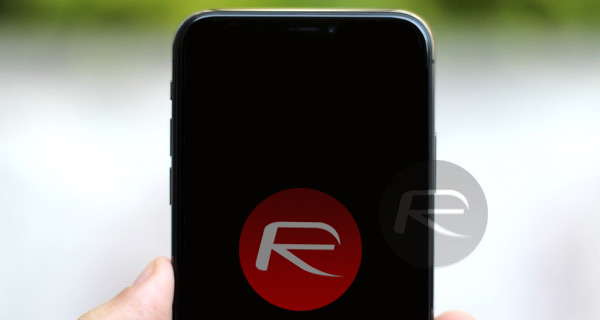
Step 1: First and foremost, on the iOS device you are dealing with, you need to have the TweakBox app installed. For installation instructions, check out our detailed guide on it here: TweakBox iOS 11 Download Without Jailbreak Now Available.

Step 2: Once done, launch TweakBox and select the Apps tab from the segmented control and then select TweakBox Apps from the list of options. Once inside, scroll down until you find the Torngat app. It’s in alphabetical order so you shouldn’t have any problems.

Step 3: Tap into the Torngat app and then go through the process of installing it. Once it is installed, launch the Settings app, select General > Profile(s) & Device Management, and then manually trust the profile associated with the Torngat app. Launch the app and then hit Run.

Step 4: You will now see an option at the bottom called Boot Logo. This is what you need to concern yourself with. Select this and wait for the alert to pop-up which is requesting a URL. You can grab the URL of a PNG logo file that’s saved on your own server somewhere or find one on the web with a simple search for the type of image that you want when the device boots. Once you have that URL, paste it into the text field in the alert.

Once you accept that URL, the app will then provide you with a success message telling you that you need to reboot the device. Now reboot the device, and you will see that iOS device displays the native logo initially for a few second before the custom boot logo kicks in and is displayed as part of the boot process.
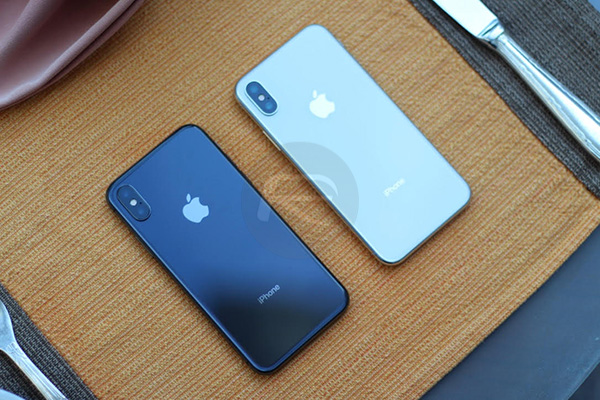
As a side note, if you actually want to go back to the usual settings with Apple’s original logo, you can actually repeat the Torngat process but instead of entering a URL to an image file just select the Use Default option. A reboot is then required to restore the original logo.

You may also like to check out:

  • iOS 11.1.2 Jailbreak With Cydia, 64-Bit iOS 10.3.3 Jailbreak Update, More
  • Download: LiberiOS 11.0.1 IPA For iOS 11.1.2 Jailbreak Released, Here’s What Is New
  • Jailbreak iOS 11 / 11.1.2 Using LiberiOS, Here’s How [Tutorial]
  • Jailbreak iOS 11.2.1 / 11.2 / 11.2.5 On iPhone And iPad [Status Update]
  • Jailbreak tvOS 11 / 11.1 On Apple TV 4 / 4K Using LiberTV 1.1
  • Downgrade iOS 11 / 11.2.1 To 11.1.2  On iPhone Or iPad [How-To Guide]
  • Jailbreak iOS 11 / 11.1.2 On iPhone X, 8, 7, iPad Using LiberiOS [Updated]

You can follow us on Twitter, add us to your circle on Google+ or like our Facebook page to keep yourself updated on all the latest from Microsoft, Google, Apple and the Web.

Tags
boot logoiOS 10ios 11iPadiPhoneno jailbreak
ShareTweetSubmitShare
Paul Morris
A technology enthusiast, former software developer, and current Head of Quality and Testing at a leading SaaS company. A developer of multiple apps. A lover of pleasing people and a believer in being your authentic self.
Related

Apple Is Breaking Sales Records Thanks To The iPhone 17

Oliver Haslam·December 3, 2025

Apple Makes iOS 26.2 Release Candidate Available To Download

Oliver Haslam·December 3, 2025
Previous On iOS 11.1.2 Jailbreak With Cydia, 64-Bit iOS 10.3.3 Jailbreak Update, More
Next Installer 5 For iOS 11 Jailbreak Teased In Video And Screenshots
Show Comments (3)

TRENDING NOW

Apple Is Breaking Sales Records Thanks To The iPhone 17

Apple Makes iOS 26.2 Release Candidate Available To Download

Your Apple Music Replay 2025 Is Now Available

Cyber Monday All-Time Low Price: Get 2025 M4 MacBook Air For Just $738 Today Only

Cyber Monday Deal: Buy $100 Apple Gift Card And Get Free $15 Amazon Credit

The Best Apple Black Friday 2025 Deals

The iPhone 17 Has Helped Apple Take Top Spot In The Smartphone Market

The First Foldable iPhone Could Cost A Whopping $2,400

Apple’s iOS 27 Will Be About Improved Quality And Performance

Google’s Latest Pixel Ad Mocks Apple’s iPhone With A Wicked Twist

FOR YOU

Apple’s iPhone 17 Could Finally Get A Selfie Camera Upgrade

iOS 26 CarPlay Finally Adds Multi-Touch Support

Apple’s iPhone 17 And iPhone 17 Pro Max Are The Strong Sellers, According To A New Report

iOS 26

iOS 26 Battery Life On iPhone Gets Extended Thanks To New ‘Adaptive Power’ Feature

Fix iOS 26 Stuck On Preparing Update Issue, Here’s How

How To Disable iPhone Lock Screen Camera Swipe Starting From iOS 26.1

iOS 26 battery

iOS 26 Beta 2 Releases Notes: All Changes In One Place

iOS 26

iOS 26 Beta 1 OTA Profile Update Download: Here’s How To Install It [Guide]

  • About
  • Advertise
  • Privacy Policy
  • Tip Us
Copyright © 2008-2025 Redmond Pie. All Rights Reserved.
  • About
  • Advertise
  • Privacy Policy
  • Apple
  • Google
  • Microsoft
  • Tesla
  • Reviews
  • Deals
Start typing to see results or hit ESC to close
Apple iPhone deals iPad Android
See all results

SUBSCRIBE

Join 100k+ other tech lovers and get the latest news in your inbox
[mc4wp_form id="389"]