• March 21, 2026
  • Apple
    Apple

    Hermes Just Launched A $5,150 MagSafe Charger For iPhone And Apple Watch

    Apple Releases iOS 26.4 RC For iPhone To Testers Ahead Of Public Release

    Apple Releases New Background Security Improvement Update For iPhone, iPad, And Mac

  • Google
    Google

    Google Maps Is Getting Gemini AI And 3D Immersive Navigation

    It’s Official: Google Gemini Will Power Future Apple Intelligence And Siri Upgrades

    Google’s First AI Smart Glasses Will Debut In 2026

  • Microsoft
    Microsoft

    Upgrade Your PC: Get Windows 11 Pro Keys For Just $26 at WhatsGameKey March Sale!

    How To Get Microsoft Genuine Product Keys For Cheap: Windows 10 From Only $9, Windows 11 From Just $12 With These Limited-Time Spring Deals

    Valentine’s Day Microsoft Sale: Embrace New Tech With Windows 11 Pro For Only $14 – Great Offers On Office 2024 And More

  • Tesla
    Tesla

    Tesla’s Full Self-Driving Is Being Tested In The UAE

    Tesla Just Added A Cheaper Cybertruck And Slashed The Cyberbeast’s Price

    Tesla Is Killing The Model S And Model X To Focus On Making Robots Instead

  • Reviews
    Reviews

    VideoProc Converter AI Helps Restore Old Videos Up To 4K [Review]

    Why Choose CZUR StarryHub For Meeting Solution?

    Stellar Repair For MS SQL – Product Review

  • Deals
    Deals

    SOC Maturity Model Using CrowdStrike Platform

    How Structured Crypto Education Is Helping New Investors Close The Knowledge Gap

    Pick Up This Refurbished iPad With Cellular Support For $359.99 Only

Latest
  • Latest
  • Oldest
  • Random
  • A to Z

iPhone keyboard

SwiftKey’s Swiftmoji Is An Emoji Prediction Keyboard For iOS, Android

Oliver Haslam·July 21, 2016
Microsoft-owned SwiftKey has released a new keyboard app called Swiftmoji for iPhone and Android that aims to predict the emoji you intend to type in your digital conversations based on the text you enter.

Google Releases Gboard Keyboard For iPhone Featuring Built-In Search, Swipe, GIFs, And More

Paul Morris·May 12, 2016
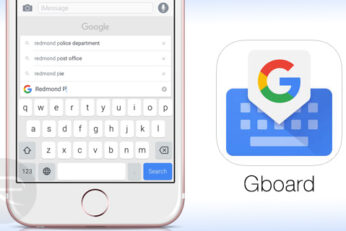
Google has released its first ever iPhone keyboard called Gboard, featuring built-in search, swipe input, GIF animations, and much more. Here's everything you need to know.

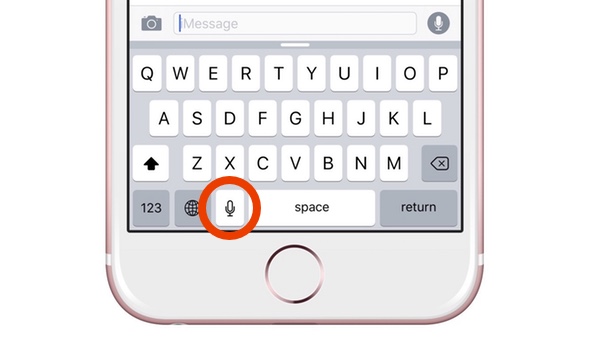
Enable Or Disable Microphone Button On iPhone Keyboard, Here’s How

Zayed Rehman·April 29, 2016

Microsoft Word Flow Keyboard For iPhone Released, Features One-Handed Mode And More

Paul Morris·April 25, 2016
Microsoft Word Flow Windows phone keyboard for iPhone has finally been released, featuring a one-handed mode for larger iPhones, swipe input, and much more.

Keyboard Control Pro For iPhone Enhances The iOS Keyboard And Makes Typing A Bliss

Oliver Haslam·July 6, 2013
If you remember Apple’s big iPhone reveal back from 2007, then you may remember one of the big plusses that Steve Jobs said made the iPhone so unique. Standing on stage as only Steve Jobs could, the then Apple CEO said that the iPhone's lack of physical keys made the iPhone so special because it could adapt its software keyboard to suit any situation. Obviously that was something that could not be said about the competition of the time.

World Record for Fastest Texting on Samsung Galaxy S Gets Smashed by iPhone 4 User ! [Video]

Uzair Ghani·August 25, 2010

Physical QWERTY Keyboards For Tablets Like iPad

M Asad·February 2, 2010
Mobience of Korea has announced a new portable physical keyboard named “smallQWERTY” for almost all kinds of touchscreen devices like tablets PCs, iPhone and iPads. The company thinks that soon when every other device will transform into a touchscreen as a standard for input mechanism, there maybe a revolt and folks would like a change. According to the company officials, their “smallQWERTY” physical keyboard solution will then come to the rescue.

iTYPE Keyboard Converts iPhone into a Portable Computer

M Asad·January 11, 2010
Due to its killer user interface and ease of use, many iPhone users have been able to at least semi-replace their notebooks or netbooks with their beloved iPhone’s. However, right from its inception, easier text entries on the Apple’s smartphone has been the desire of many. This could currently be only achieved on a jailbroken iPhone by connecting a bluetooth keyboard via BTStack app from Cydia. But now, ION, a leader in consumer audio and entertainment technology has announced iTYPE, the world’s first desktop keyboard designed exclusively for iPhone.

TRENDING NOW

Hermes Just Launched A $5,150 MagSafe Charger For iPhone And Apple Watch

Apple Releases iOS 26.4 RC For iPhone To Testers Ahead Of Public Release

Apple Releases New Background Security Improvement Update For iPhone, iPad, And Mac

Nike And Beats Announce Collaboration For New Powerbeats Pro Wireless Earbuds

Apple’s F1 Movie Picks Up An Oscar Win For ‘Best Sound’

Apple Unveils AirPods Max 2 With Live Translation, Adaptive Audio, And More

Apple Announces Plans To Celebrate Its 50th Birthday

iOS 26.3.1 Battery Life Drain And Performance Tested

A Premium Flight Simulator Is Coming To Apple Vision Pro

Apple TV F1 Promo Sees Tim Cook And Max Verstappen Take An Apple Park Pit Stop

FOR YOU

Buying iPhone 17 Air? Expect Terrible Battery Life After This Leak

Your iPhone 17 Could Cost This Much More Than An iPhone 16

iOS 26 Compatibility For iPhone Models

iOS 26

iOS 26 Adds eSIM Transfer Support From Android To iPhone And Vice Versa

iOS 26

iOS 26 Beta 1 Bugs And Known Issues: Should You Upgrade?

Google Uses Apple’s iOS 26 To Tease Its Upcoming Pixel 10 Phone In New Ad

iOS 26 Wallet Boarding Pass Live Activity Is Supported By 10 Airlines At This Time

iOS 26 watchOS tvOS macOS visionOS iPadOS

Apple Releases Beta 2 Of iOS 26.4, iPadOS 26.4, macOS 26.4 And More

  • About
  • Advertise
  • Privacy Policy
  • Tip Us
Copyright © 2008-2026 Redmond Pie. All Rights Reserved.
  • About
  • Advertise
  • Privacy Policy
  • Apple
  • Google
  • Microsoft
  • Tesla
  • Reviews
  • Deals
Start typing to see results or hit ESC to close
Apple iPhone deals iPad Android
See all results

SUBSCRIBE

Join 100k+ other tech lovers and get the latest news in your inbox
[mc4wp_form id="389"]