
Getting a new iPhone is exciting until you remember your number lives on an eSIM. There is no tiny card to pop out and swap anymore. An eSIM is essentially a digital version of a SIM card, embedded in your phone.
The good news is that Apple built the transfer right into iOS, and it usually takes just a few minutes. Here is exactly how to do it, plus what to try when it stalls.

Before you start: what you need
A quick checklist saves you from half-finished transfers. Get these ready first.
- Both iPhones nearby, powered on, and unlocked.
- Bluetooth and Wi-Fi turned on for both devices.
- iOS 16 or later on each iPhone for the fastest wireless method.
- Your Apple Account signed in on the new iPhone.
- Your carrier PIN or account details, in case verification is required.
This matters more than you think. Since 2022, US iPhone models ship without a physical SIM tray, so the eSIM is your only line. A clean transfer keeps you connected from the moment you switch.
How to transfer an eSIM from one iPhone to another during setup
The simplest path happens when you first turn on the new phone. Follow the on-screen setup and choose to move your number.
- Power on the new iPhone and start the setup process.
- When you reach the cellular step, select the option to transfer a number from a nearby iPhone.
- Grab your old iPhone and confirm the transfer when prompted.
- Wait for activation to finish, then send a test text to confirm.
Quick Start does the heavy lifting here. Keep both phones close together until the number appears active on the new device.
How to move your eSIM after the phone is already set up
Missed the setup prompt? You can still transfer without wiping anything. On your new iPhone, go to Settings, then Mobile Data, then Add Data Plan. From there, the process is short.
- Open Settings then Cellular or Mobile Data.
- Tap Add eSIM or Add Data Plan.
- Choose Transfer From Another iPhone and pick the number to move.
- On the old iPhone, tap Transfer to approve it.
- Enter a verification code if your carrier asks for one.
You may be asked to enter a verification code from the new iPhone, then wait for the transfer to complete, which usually takes just a few minutes. Once done, the eSIM deactivates on the old phone automatically.
The Bluetooth method: fast and cable-free
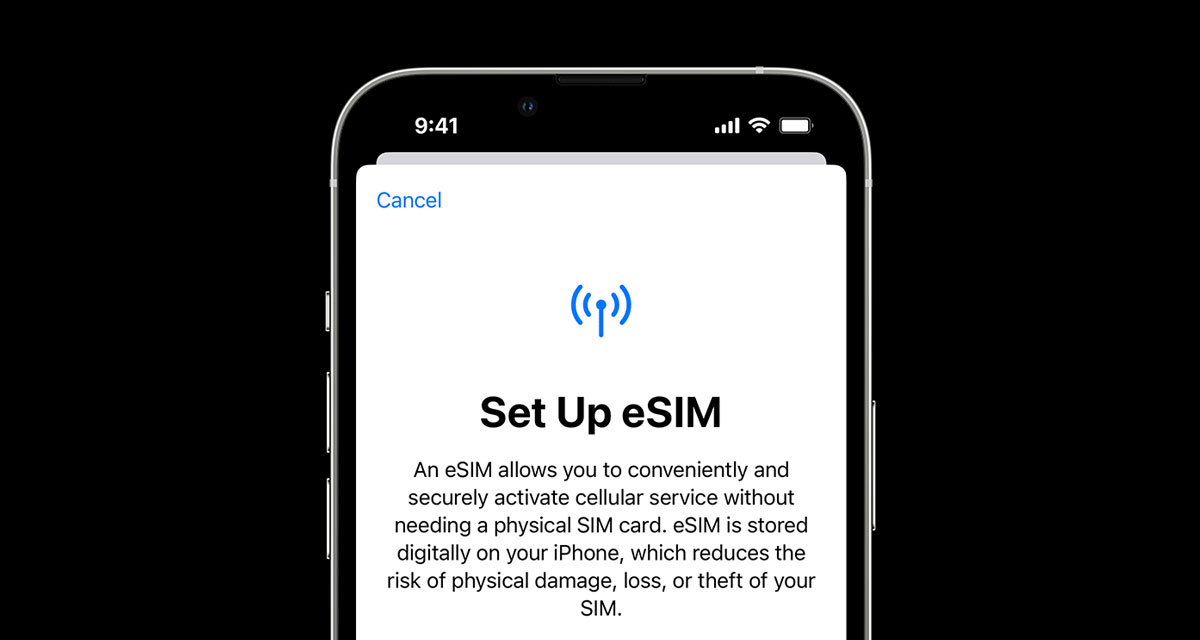
Apple made wireless transfers the default on modern iPhones. In the Settings app on an iPhone running iOS 16, tapping on “Set up eSIM” brings up an option to transfer an eSIM and its associated phone number from another iPhone via Bluetooth. The requirements are strict but simple. To transfer an eSIM from another iPhone, Apple says to make sure the other iPhone is nearby, unlocked, has Bluetooth turned on, and is running iOS 16 or later.
If you want the full background on how Apple built this, Redmond Pie broke down the feature when it launched and explained how you can switch your eSIM between iPhones over Bluetooth. It is the method most people should reach for first.
What to do if the transfer fails
Transfers stall for a handful of predictable reasons. Work through these in order.
- Nothing shows up: restart both iPhones and toggle Bluetooth off and on.
- Carrier blocks it: some plans require a manual transfer, so call your carrier or use a QR code instead.
- Number missing after setup: repeat the Settings method above rather than resetting the phone.
- Prepaid or travel plans: these often cannot move and must be reinstalled from the provider.
Do not erase your old iPhone until the new one shows an active signal. That old device is your safety net if the transfer goes sideways.
Traveling soon? Handle your travel data separately
Your primary number and a travel data plan are two different things. Your carrier line moves with the transfer steps above. A destination data plan does not, so add it fresh on the new phone. A travel eSIM from Holafly installs in minutes and keeps your main number free for calls and texts. That dual-line setup is exactly what eSIM technology was built for.
Frequently asked questions
Will I lose my phone number during the transfer?
No. The transfer moves your number and plan to the new iPhone, and the old eSIM deactivates once it completes.
Can I transfer an eSIM without Wi-Fi?
You need an internet connection to activate the plan on the new device. Use Wi-Fi or the new phone’s cellular data if available.
Do both iPhones need the same iOS version?
Both should run iOS 16 or later for the wireless Bluetooth transfer. Older versions may require a QR code or carrier assistance.
Can I move an eSIM to an Android phone this way?
No. The iPhone-to-iPhone transfer only works between Apple devices. For Android, contact your carrier for a new eSIM profile.
How long does the transfer take?
Most transfers finish within a few minutes. Carrier verification can occasionally extend that to a few hours.
You may also like to check out:
- iOS 27 Beta 5 Download And Expected Release Date
- Download: iOS 27 Beta 6 IPSW Links, OTA Update, And More Released
- iOS 27 Beta 1 OTA Profile Update Download: Here’s How To Install It
- Jailbreak iOS 26.6: Everything You Need To Know
- Download: iOS 26.6.1 Final IPSW Links, OTA Update, And More Released
You can follow us on X, or Instagram, subscribe to our YouTube channel and even like our Facebook page to keep yourself updated on all the latest from Microsoft, Google, Apple, and the Web.