
If you received your new iPhone Duo but wondered where the search button that was shown in marketing material was, you aren’t alone.
The button was shown to be in the area below the Dock, but isn’t there by default on iPhone Duos shipped to customers. The good news is that the button is easy to add.
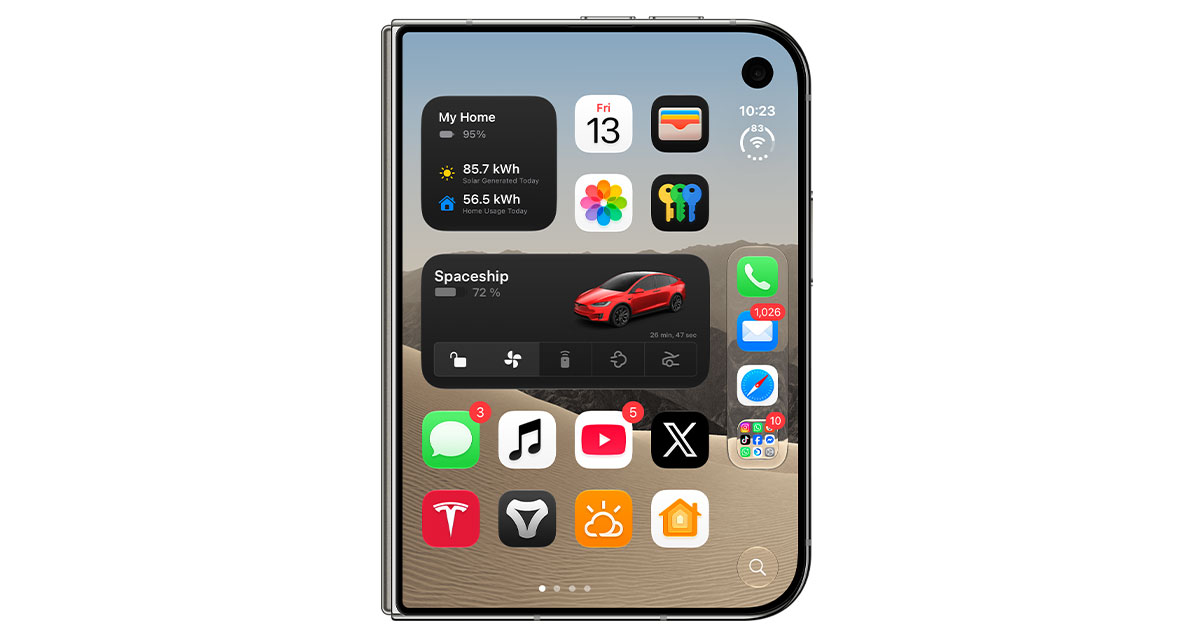

It’s important to note that the button doesn’t do anything that you can’t already do by swiping down on the Home Screen. It simply invokes Siri Ai and Spotlight, but if you’d rather have an actual button to press instead of swiping, here’s how to add it.
Step 1: Open the Settings app on your iPhone Duo.
Step 2: Go to the Home Screen & App Library section.
Step 3: Under the Search section, enable the Show on Home Screen option.
That’s all there is to it. Now, when you tap the new search button below the Dock, you’ll see Siri AI launch, ready for you to type.

The iPhone Duo is Apple’s first foldable iPhone, starting at $1,999.99 for the 256GB model, with larger capacities also available. It’s available in two colors, Night Sky and Star White.
The device officially went on sale on October 23, but with stocks extremely limited, ordering one today would likely mean waiting until January 2027 for delivery.
You may also like to check out:
- Download: iOS 27.2.1 IPSW Links, OTA Update And iPadOS 27.2.1 Released
- Jailbreak iOS 27.2.1: Everything You Need To Know
- How To Fix Bad iOS 27 Battery Life Drain On Your iPhone
You can follow us on X, or Instagram, subscribe to our YouTube channel and even like our Facebook page to keep yourself updated on all the latest from Microsoft, Google, Apple, and the Web.