
The appeal of Pokemon Go will come from the social fun that can be enjoyed with others, and the idea that people can find rare Pokemon, but not all regions can catch the Pokemon you desire.
The good news is that by gathering the regions where rare Pokemon are located, specific Pokemon Go hacks will help you fly around the world without hiking or running. Are you ready to play Pokémon GO with your friends in a new way?
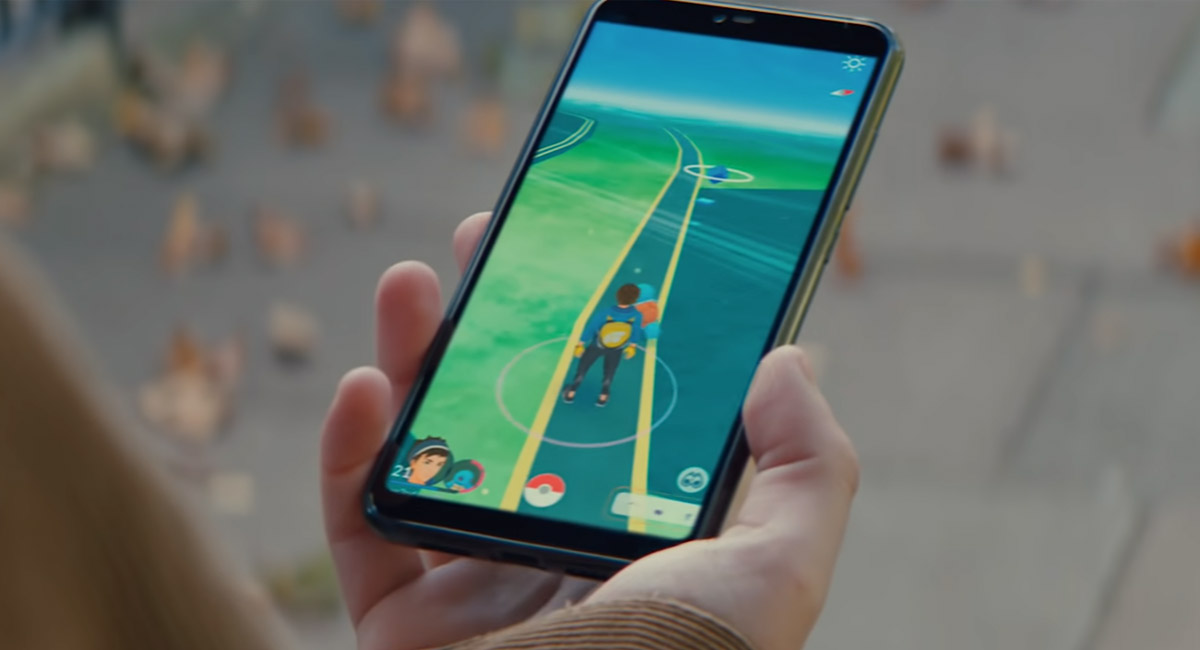
Some Pokemon Go spoofers can integrate all the most effective ways to help you improve your catching and fighting skills. Let’s see how these spoofers mainly help you solve the trouble of playing Pokemon Go and how to reduce the account ban risk.
5 Key Things to Consider When Choosing Pokémon GO Spoofers:
- Security & Account Safety
Make sure the Spoofing GPS tool you use doesn’t put your account at risk of being banned or compromising your personal information. Always choose tools with a good reputation, positive user reviews, and built-in anti-ban features. - Device Compatibility
Different hacks may only work on specific platforms (iOS or Android). Before choosing one, check if it supports your device’s operating system and the current version of Pokémon GO. - Feature Richness
A good Pokémon GO spoofer should offer essential features like GPS spoofing, single-spot/multi-spot movement, auto-walk, teleportation, and joystick control to suit different playstyles. - Ease of Use
Is the spoofing tool easy to install and operate? Does it require jailbreaking or rooting? Choose a hack that has a user-friendly interface, requires minimal setup, and works right out of the box. - Support & Updates
A reliable fake GPS tool should come with active customer support and regular updates to keep up with Pokémon GO’s frequent changes and security measures.
Comparing the 6 Hottest Pokemon Go Spoofing Methods:
Before choosing a Pokemon Go spoofing method, it’s crucial to understand the benefits and risks associated with each method. Here’s a quick comparison of popular spoofing ways:
| Spoofing Method | Pros | Cons | Recommend ranks |
| 1. Pokemon Go Spoofer (PC version) | Cheaper than the APP.Catch Pokemon globally, access rare Pokemon, and join events worldwide. | Using an unsafe spoofer is at high risk of being detected. | 90% |
| 2. Spoofer APP (No PC) | No PC, Saves catching time, useful during events and special promotions. | Requires quick reflexes and precise timing. | 95% |
| 3. VPN Fake GPS | VPN modification location is accurate. | Easily detected by Niantic; extremely high ban risk. | 80% |
| 4. Location spoofer | Instantly levels up Pokemon, and powerful Pokemon are available quickly. | Easily detected, highly risky due to violation of Niantic’s terms | 80% |
| 5. Jailbreak + Crack APP | Free Pokemon Go spoofing method. | High configuration is difficult and operation is complicated and challenging for new players. | 60% |
| 6. Account Sharing location | Allows continuous gameplay and Pokemon hunting by multiple users. | Increased chances of account suspension, detected as suspicious.High risk. | 50% |
What is the Safest Spoofer for Pokemon Go in 2025?
Spoofing in Pokemon Go can be risky, but there are safe ways to do it if you’re careful. Using reliable methods and following guidelines can help protect your account and keep your gameplay enjoyable.
Best safest Spoofer 1: Tenorshare iAnyGo Pokemon Go Spoofer
Tenorshare iAnyGo is the most reliable Pokemon Go spoofer for iOS 18 and all iOS players, that lets players easily spoof locations and catch Pokemon without traveling, It is trusted by trainers worldwide for its simplicity and effectiveness,no jailbreak is required and it protects your device’s warranty, let you catch Dynamax Pokemon with a Pokemon Go PC Spoofer .
Pros:
- Exclusive wireless Bluetooth spoofing technology:
- Advanced Pokemon Go joystick controls and precise route planning features.
- 1 click spoof tech and user-friendly interface are ideal for beginners and advanced users alike.
- Regular updates to maintain security and compatibility.
Cons:
- Requires initial connection setup.
Is Tenorshare iAnyGo spoofing safe?
- Trustpilot Reviews: Rated at 4.4 stars:Trustpilot is a review site where consumers around the world share their real reviews of products and services. Consumers of Tenorshare iAnyGo gave it a very high rating for its convenience and security, which is the highest score among all Pokemon Go spoofers.
- Reddit spoofer 80% recommendation: 80% of Users commend iAnyGo’s spoofing function ease of use, stability, and consistent updates.
Tenorshare iAnyGo Pokemon Go Spoofer Download Steps:
1. Check out the official Tenorshare iAnyGo website.
2. Locate and download the free iAnyGo tool from the utilities section.

3. Install iAnyGo on your computer. Select ‘Game Mode’ can avoid error 12 in Pokemon Go.

4. Then “Change Location,” type your preferred location, and click “Start to Modify.” You’re all set now. Enjoy playing from your new virtual location.

How to Spoof Pokemon go for iOS 18 Without PC?
Try Pokemon Go Spoofer APP 2 : iAnyGo iOS App
iAnyGo iOS App is specifically made for Pokemon Go lovers who prefer spoofing directly from their iPhones without using a computer, It is completely PC-free and spoofs locations directly on your iPhone!
Pros:
- Intuitive and lightweight interface perfect for quick, casual spoofing.
- It is a great choice for newcomers because of its straightforward setup and ease of use.
Cons:
- Limited advanced options compared to the desktop counterpart.
Download Spoofer APP Steps:
1. Begin by downloading the iAnyGo iOS app assistant through the official Tenorshare website. You can download it by clicking on the below link as well.
2. Launch the assistant on your computer and sign in with any Apple ID (it doesn’t need to match your iPhone’s ID. It should be a different one).
3. Connect your iPhone with a USB cable, then select “Install iAnyGo iOS App.” Tap “Trust” on your device when asked.
4. Ensure your internet connectivity is stable at the time of installation.

5. Once installed, navigate to Settings > General > VPN & Device Management on your iPhone, locate the iAnyGo app, and tap “Trust.”
(The process might differ a bit depending on your device model and iOS version.)

Pokemon Go Spoofer for Android 3: iAnyGo Fake GPS Android version
iAnyGo Fake Android app is the best spoofer for Pokemon go android trainers,fully compatible with Android 6.0 and newer versions like Android 15,offering easy GPS joystick without any jailbreak or root required,lets you change your location in Pokemon Go easily.
Pros:
- Supports major AR games, including Pokemon Go.
- Features realistic walking simulations to keep gameplay authentic.
Cons:
- Initial setup requires a few extra steps.
Download Steps:
1. Get the app from the Google Play Store and install it.

2. Allow installations from unknown sources in your Android device settings.
3. Launch the app, set up your preferred spoofing options, and start playing from your desired location.
Free Pokemon Go Spoofer 4: PGsharp Pokemon Go
Pgshare is a free Pokemon Go spoofer choice if you’re looking for an easy way to change your GPS location and enjoy better gameplay,It helps you explore new places in the game without moving physically,highly precise spoofing with joystick controls
Pros: Quick teleportation features for ease of use.
Cons: Occasional app crashes or instability.
Download PGsharp Pokemon Go spoofer free Guide Steps:
- Access the official pgsharp website and download the app.
- Install the app on your device following the instructions provided.
- Set your desired spoofing location and start playing.
Can Spoofing Pokemon Go Get You Banned?
Pokemon Go is a fun game that lets you explore outside while catching Pokemon. The company that made the game, Niantic, wants everyone to play fair, so they don’t like fake GPS in Pokemon go . But some iPhone users are hard to catch Pokemon,if they can be done by changing their location using Pokemon go spoofing apps, or using computer programs to play for them, or changing the game software.
Doing these things can get you a soft ban or a permanent ban. A soft ban stops you from catching Pokemon or visiting Pokestops for a short time, but a permanent ban blocks your account forever.If you do not want to be banned, using safe and approved hacking methods to spoof Pokemon Go on iPhone,Andorid ,Windows or MacBook is important to protect your progress in the game.
How to Spoof in Pokemon Go without Getting Banned?
To safely use the Pokemon Go spoofers APP without risking bans, some safety tips for using Pokemon Go Spoofer Apps ,including tool selection, automatic walking precautions, account usage tips, anti-detection system, etc.,plz follow these tips:
- Only use trusted spoofing apps to fake gps in pokemon go, like Tenorshare iAnyGo to keep your Pokémon Go account safe.
- After teleporting, wait for the cooldown periods to avoid getting caught or banned by the game developers.
- Don’t teleport far away too quickly, as this can make the game think you’re cheating.
- Play normally sometimes, without spoofing, to make your gameplay look more natural.
- Use built-in joysticks in spoofing apps to move around realistically and stay under the radar.
FAQs About Pokemon Go Spoofer in 2025
- Are there any tricks to Pokemon Go?
Yes. Effective methods like the Quick Catch trick and GPS spoofing using trusted tools like iAnyGo can dramatically enhance gameplay. Spoofing allows trainers to join global events and capture rare Pokemon without physical travel.
- Does iSpoofer still work for Pokemon Go?
As of 2025, iSpoofer still works and remains a reliable choice. However, it’s essential to keep the app updated to avoid detection and potential bans.
Final Words
Pokemon Go SPoofers can make the game even more fun, but only if you use safe and trusted tools like Tenorshare iAnyGo is a great choice because it’s easy to use, has many helpful features, and keeps your account safe. Always be careful when using hacks. Have fun and happy Pokemon hunting.
You may also like to check out:
- Download: iOS 18.4.1 IPSW Links, OTA Update For iPhone, iPadOS 18.4.1 For iPad Out Now
- Jailbreak iOS 18.4 Status For iPhone And iPad Update
- iOS 18 Hidden Features For iPhone And iPad [100+ List]
- How To Fix Bad iOS 18 Battery Life Drain On iPhone
- Fix iOS 18 WiFi: Keeps Dropping, Not Working, Disconnecting Or Slow? Here’s What To Do
You can follow us on X, or Instagram, subscribe to our YouTube channel and even like our Facebook page to keep yourself updated on all the latest from Microsoft, Google, Apple, and the Web.
