
Learn how to create a Donald Trump AI voice using iRocket VoxTalker’s AI voice generator. Follow our step-by-step guide for realistic results.
Creating a realistic AI-generated voice can add a unique flair to your projects, whether you’re producing content for videos, podcasts, or creative storytelling. With iRocket VoxTalker, an advanced AI voice generator, you can replicate voices with impressive accuracy, including the distinctive tone of public figures like Donald Trump. This article guides you through the process of using iRocket VoxTalker to create a Donald Trump AI voice, offering step-by-step instructions, practical tips, and insights into its applications.
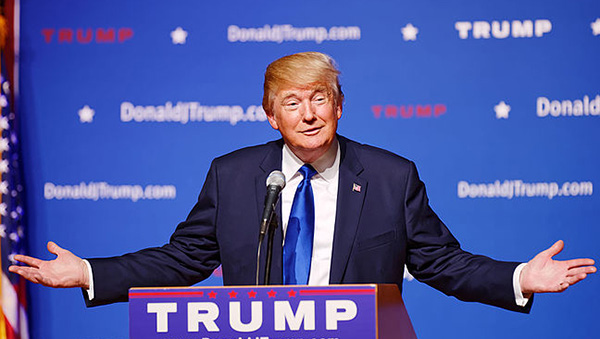
What Is iRocket VoxTalker?
iRocket VoxTalker is a versatile AI voice generator designed for text-to-speech and voice cloning. It boasts over 3,200 realistic AI voices across 100+ languages, making it a powerful tool for content creators, marketers, and developers. Its voice cloning feature allows users to replicate any voice, including celebrity or character voices, with high fidelity using just a short audio sample. Whether you’re aiming to create engaging audiobooks, dynamic video voiceovers, or unique character voices, iRocket VoxTalker simplifies the process with intuitive features and robust customization options.
Why Create a Donald Trump AI Voice?
The Donald Trump AI voice has become a popular choice for creators due to its recognizable cadence and bold delivery. Here are a few reasons why you might want to use it:
- Entertainment Value: A Trump-like voice can add humor or intrigue to skits, parodies, or social media content.
- Engagement: The familiar tone can capture audience attention, making your content more memorable.
- Creative Projects: Use it for storytelling, gaming, or animation to bring a unique character to life.
- Marketing: Stand out in advertisements or promotional content with a voice that grabs attention.
However, it’s important to use such voices ethically, ensuring compliance with legal guidelines and respecting intellectual property rights.
Step-by-Step Guide to Creating a Donald Trump AI Voice
Follow these steps to create a Donald Trump AI voice using iRocket VoxTalker’s voice cloning feature. The process is straightforward, even for beginners.
Step 1: Sign Up and Access iRocket VoxTalker
Visit the iRocket VoxTalker website and sign up for an account. You can start with the free version to explore basic features or opt for a premium plan for advanced capabilities like voice cloning. Download the application for Windows or use the online platform, depending on your preference.
Step 2: Navigate to the Voice Cloning Feature

Once logged in, go to the “Voice Clone” tab in the iRocket VoxTalker interface. This feature allows you to create a custom voice by uploading or recording an audio sample. For a Donald Trump AI voice, you’ll need a clear audio clip of his voice, approximately 30 seconds long.
Step 3: Upload or Record an Audio Sample

You have two options to provide the audio sample:
- Upload a File: Select an audio or video file containing Donald Trump’s voice. Supported formats include MP3, WAV, and more. Ensure the clip is high-quality with minimal background noise for the best results.
- Record Directly: If you’re mimicking the voice yourself, use the text-reading option to record a sample by reading provided text aloud.
After uploading or recording, choose a cloning model (e.g., standard or high-fidelity) and click “Start Cloning.” The AI processes the sample in seconds, creating a cloned voice that retains the tone, inflection, and emotional depth of the original.
Step 4: Customize the Cloned Voice

Once the voice is generated, you can fine-tune it using iRocket VoxTalker’s customization tools. Adjust settings like:
- Pitch: Modify the voice’s high or low tones to match your project’s needs.
- Emotion: Add emotional nuances, such as excitement or seriousness, to enhance realism.
- Pace: Control the speed of the speech for natural delivery.
Save the cloned voice to your library under “My Cloned Voice” for easy access in future projects.
Step 5: Generate Speech with the Cloned Voice

Switch to the “Text to Speech” tab to use your Donald Trump AI voice. Type or paste the text you want the voice to read, select your cloned voice from the speaker options, and adjust settings like volume or intonation. Click “Generate” to create the audio file, which you can preview, download, or edit as needed.
Step 6: Review and Export
Listen to the generated audio to ensure it meets your expectations. If adjustments are needed, tweak the text or voice settings and regenerate. Once satisfied, export the audio in your preferred format (e.g., MP3 or WAV) for use in your project.
Tips for Best Results with iRocket VoxTalker
To maximize the quality of your Donald Trump AI voice, consider these tips:
- Use High-Quality Audio Samples: Clear, noise-free clips produce more accurate clones. iRocket VoxTalker’s noise reducer can help clean up imperfect samples.
- Experiment with Settings: Fine-tune pitch, pace, and emotion to achieve the desired effect.
- Keep Text Natural: Write conversational text that aligns with Trump’s speaking style for authenticity.
- Test Multiple Samples: If the first clone isn’t perfect, try different audio clips or adjust the cloning model.
- Stay Ethical: Use the voice responsibly, avoiding misleading or harmful content.
Applications of a Donald Trump AI Voice
The Donald Trump AI voice can enhance various projects, including:
- Content Creation: Add a unique voiceover to YouTube videos, TikTok clips, or Instagram Reels.
- Podcasts and Audiobooks: Create engaging narration or character voices for storytelling.
- Gaming and Animation: Develop memorable characters with distinctive voices.
- Marketing Campaigns: Use the voice in advertisements or promotional materials to stand out.
- Educational Content: Create engaging presentations or e-learning modules with a recognizable voice.
For more ideas on using AI voices creatively, check out How to AI Donald Trump Voice.
Benefits of Using iRocket VoxTalker
iRocket VoxTalker stands out as a leading AI voice generator for several reasons:
- Extensive Voice Library: Access over 3,200 AI voices, including celebrity and character options.
- High Accuracy: Voice cloning achieves up to 95% fidelity, ensuring realistic results.
- Multilingual Support: Generate voices in 100+ languages and accents for global reach.
- User-Friendly Interface: The intuitive design makes it easy for beginners and professionals alike.
- Versatile Features: Beyond voice cloning, it offers text-to-speech, voice changing, noise reduction, and AI-generated rap.
Limitations to Consider
While iRocket VoxTalker is powerful, there are a few limitations to keep in mind:
- Premium Features: Advanced cloning and additional voices require a paid plan.
- Audio Quality Dependence: The quality of the input sample significantly affects the output.
- Ethical Considerations: Misuse of cloned voices can lead to legal or reputational issues.
Always review iRocket VoxTalker’s terms of service to ensure compliance, especially for commercial projects.
Pricing and Plans
iRocket VoxTalker offers flexible pricing to suit different needs:
- Free Plan: Includes basic text-to-speech features and limited voice options.
- Monthly Plan: Starting at $26.95 (discounted from $39.95), unlocks voice cloning and more voices.
- Yearly Plan: $79.95 (discounted from $115.95), ideal for frequent users.
- One-Time Purchase: Lifetime access for a single payment, perfect for long-term projects.
Visit the iRocket VoxTalker website for the latest pricing details and promotions.
Why Choose iRocket VoxTalker for AI Voice Generation?
Compared to other AI voice generators, iRocket VoxTalker offers a compelling blend of accessibility, quality, and versatility. Its voice cloning feature is particularly impressive, allowing users to create highly realistic voices like the Donald Trump AI voice with minimal effort. The platform’s support for multiple languages, extensive voice library, and customization options make it a top choice for creators looking to elevate their audio content.
Conclusion
Creating a Donald Trump AI voice with iRocket VoxTalker is a simple yet powerful way to enhance your creative projects. By following the steps outlined above, you can generate a realistic, high-quality voice that adds personality and engagement to your content. Whether you’re producing entertainment, marketing materials, or educational resources, iRocket VoxTalker’s AI voice generator provides the tools you need to succeed. Explore the platform today and unlock a world of vocal creativity.
For more insights on using this tool, read How to AI Donald Trump Voice and start creating today.
You may also like to check out:
- Download: iOS 18.4.1 IPSW Links, OTA Update For iPhone, iPadOS 18.4.1 For iPad Out Now
- Jailbreak iOS 18.4.1 Latest Status Update
- iOS 18 Hidden Features For iPhone And iPad [100+ List]
- How To Fix Bad iOS 18 Battery Life Drain On iPhone
- Fix iOS 18 WiFi: Keeps Dropping, Not Working, Disconnecting Or Slow? Here’s What To Do
You can follow us on X, or Instagram, subscribe to our YouTube channel and even like our Facebook page to keep yourself updated on all the latest from Microsoft, Google, Apple, and the Web.
